Solved
Can anyone tell me where I can get a list of the expense categories in QB's Self Employed?
Original commenter did not share additional details


Hi there, @fr4.
I can guide you on how you can get the list of your expense categories in QuickBooks Self-Employed (QBSE).
You can run the Profit and loss report to view your expense accounts in QuickBooks. Here's how:
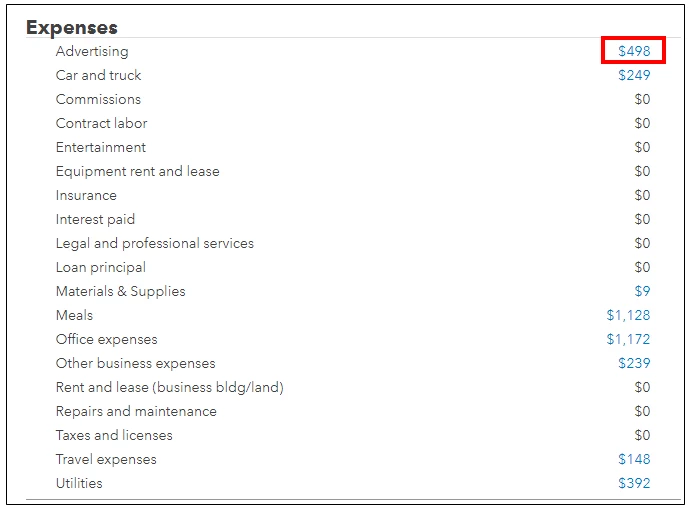
This will show you the list of your expense categories. You can click its amount to view the transactions that are linked to your accounts.
In addition, check out the article about the SA103F Categories. This will describe the SA103F deduction categories you can claim as allowable expenses for self-employment.
I'm just a reply away if you have other questions with the QuickBooks Self-Employed. Just add the details of your concerns in this thread and I'll help you out.
Enter your E-mail address. We'll send you an e-mail with instructions to reset your password.