October 13, 2020
Solved

Cant make a customer overpayment refund against a partially matched Bank feed payment. Can anyone help?

  • October 13, 2020
  • 1 reply
  • 0 views
Original commenter did not share additional details

Best answer by EmmaM

Thanks John, 

Here are the transactions as I carried them out and I have also tried the subsequent process you suggested but unfortunately it doesn't the credit item as selectable! 
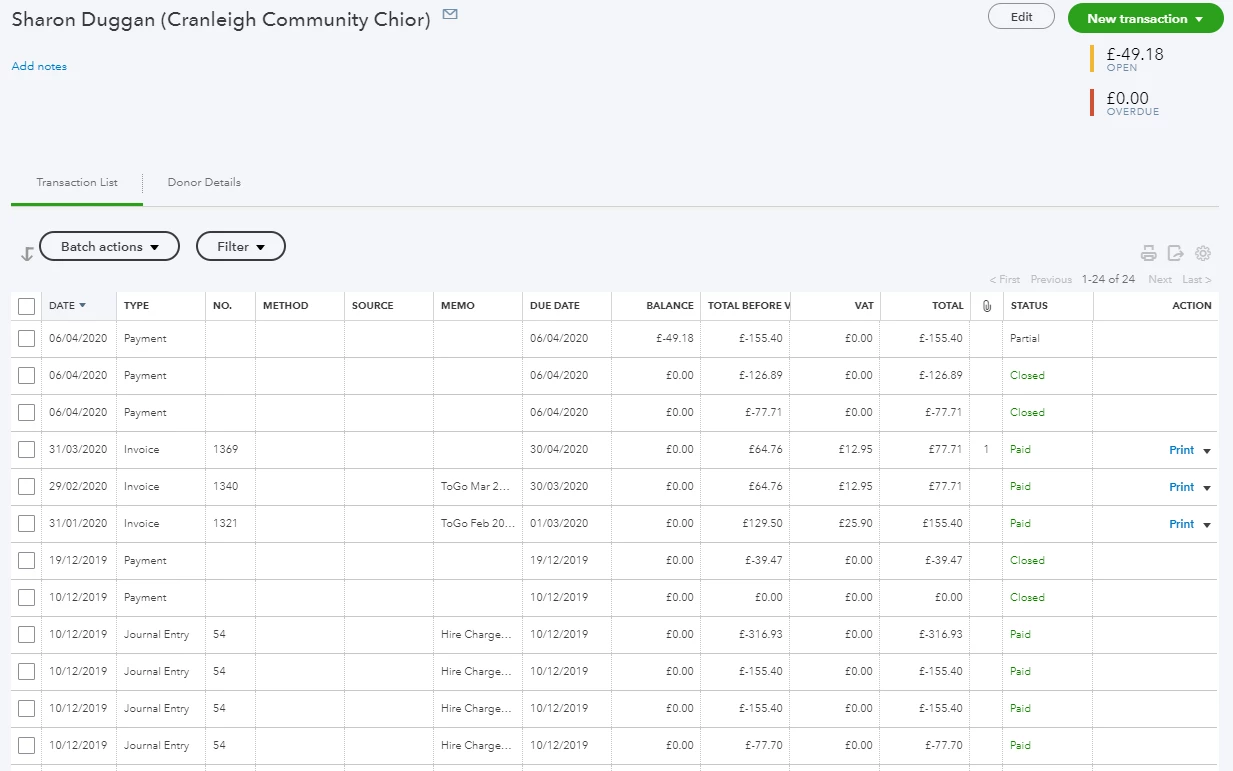
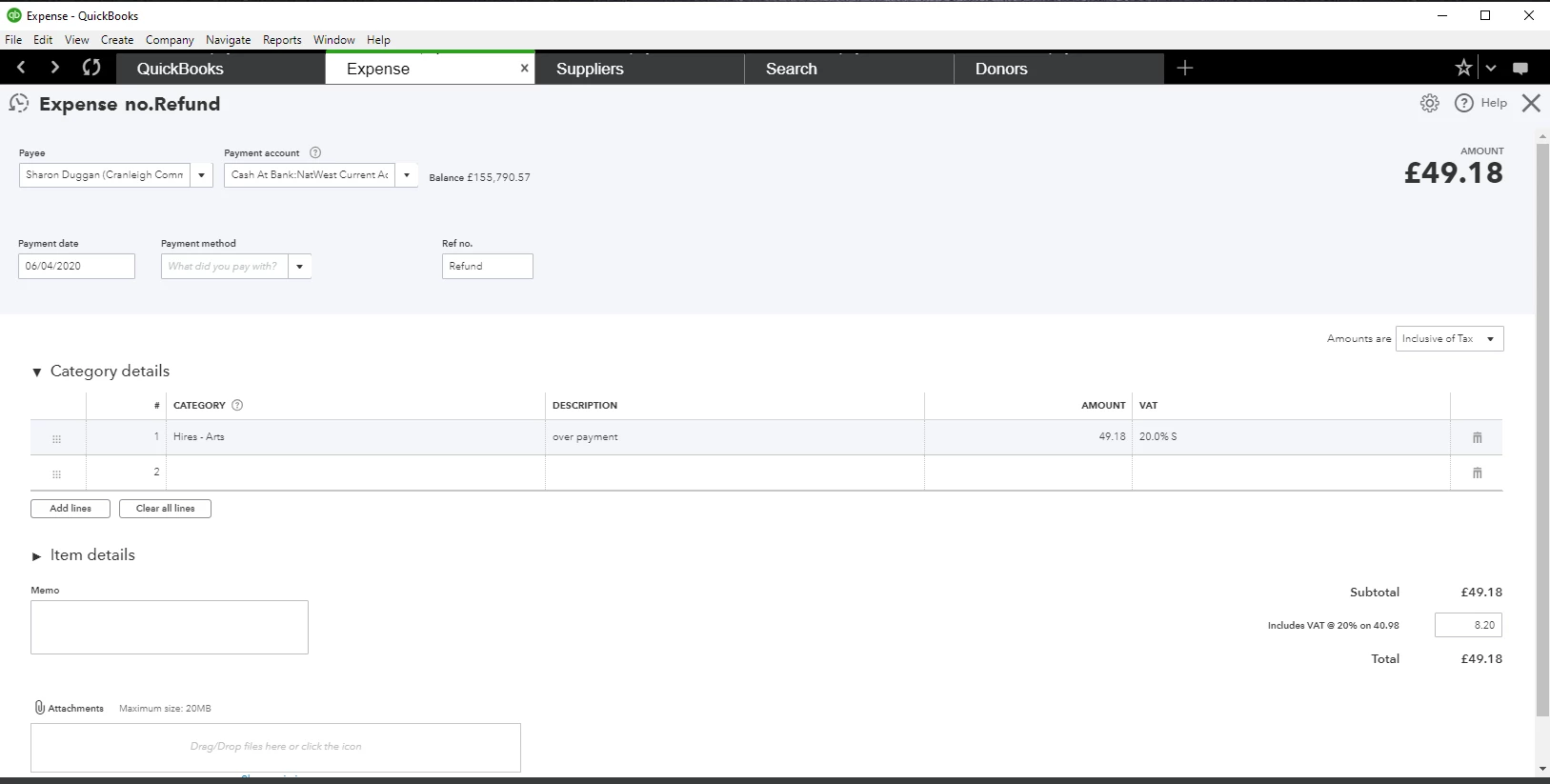

Hello d-laxman, thank you for the screenshots. From the looks of the expense that you created you have selected an arts category rather than the debtor's category,if we can get you to go back and change this as we want the expense to show up on the receive payment to match off against the overpayment and unfortunately it will not do that unless it has debtors in the category in the expense(and the customer/payee name in the payee section. If you do that it should allow you to select both on the receive payment and save. Any issues at all with this just reply back here to the Community

1 reply

October 13, 2020

hi d-laxman If a customer has made an over payment on an invoice you'll need to select receive payment and enter the full amount actually received in the amount received field. This will create a credit/unapplied payment on the customers account, you will then have to create an expense, ensuring the date and the bank account are correct and in the category column of the expense select the debtors/accounts receivable account. You will also have to link the credit/unapplied payment and expense together, you do this by selecting New+ > receive payment enter the customers name and ensure that the expense and credit are added/ticked and save.

d-laxmanAuthor
October 13, 2020

Thanks for quick response JohnC

I followed the steps but when I get to the "You will also have to link the credit/unapplied payment and expense together, you do this by selecting New+ > receive payment enter the customers name and ensure that the expense and credit are added/ticked and save" stage I get an error saying that the customer dose not have an open invoice.

What am i doing wrong?

I can send you screen shots if that helps.

Cheers

Deepak

October 13, 2020

Hi Deepak, 


Thanks for getting back to us here, you shouldn't need an open invoice to be able to complete this step - please try instead going to Sales > Customers > Select the customer > Select 'New transaction' > Select 'Payment' on the drop-down and see if the unapplied payment and credit show here as available to add/tick. 👍