
alan17
September 18, 2019
Solved

PAYE (using external Software). Initially I was entering total monthly PAYE as EXPENSE but began to separate Ee and Er values as BILL. How to combine into one payment?

  • September 18, 2019
  • 1 reply
  • 0 views
Original commenter did not share additional details

Best answer by KhimG

Thanks for coming to the Community for help, @alan17.


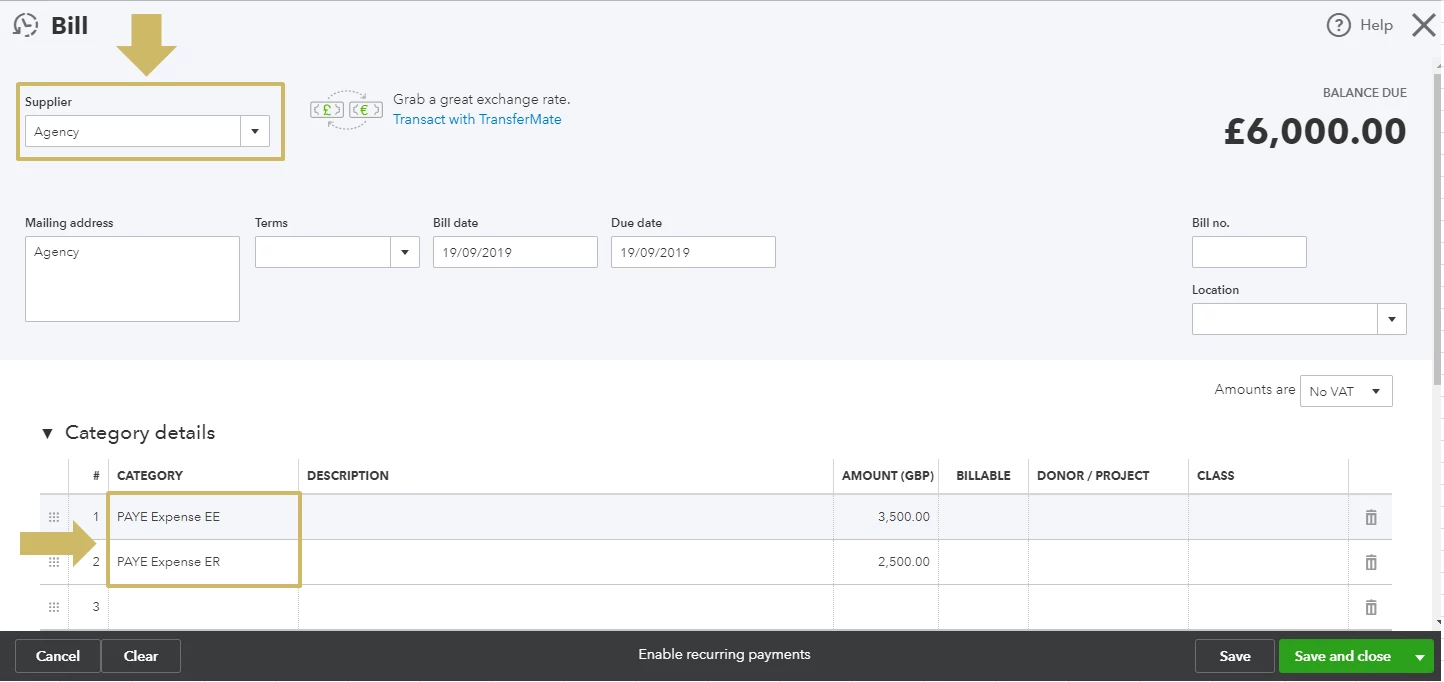
You can create a single bill with two line items for EE and ER if you’re sending payment to only one agency. Make two separate transactions if it’s for a different payee.


See the attached screenshot for more details.


Once ready, start paying the bill. Here’s how:
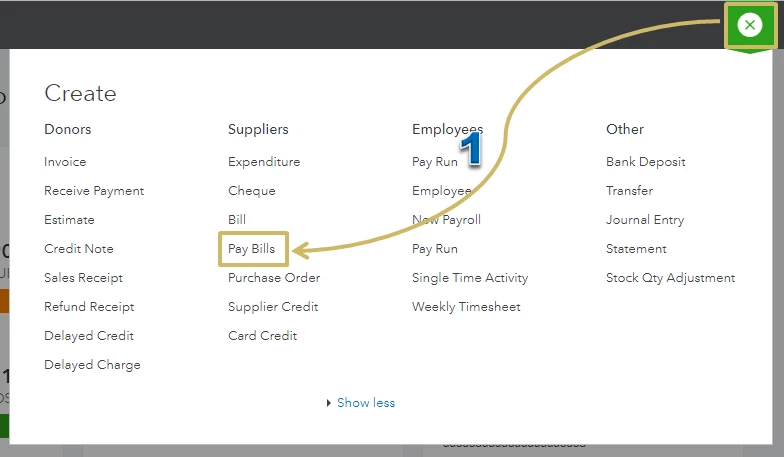
  1. From the Create icon, select Pay Bills.
  2. Pick the Payment account from the drop-down and enter the Payment date.
  3. Select the transaction from the list.
  4. Make sure the amount showing under the Payment column is correct.
  5. Hit Save and close.


Check out this article for more information: Enter and pay bills.

 
Reach out to me if you have any questions. I’m here willing to help. Take care!
 

1 reply

KhimGAnswer
September 18, 2019

Thanks for coming to the Community for help, @alan17.


You can create a single bill with two line items for EE and ER if you’re sending payment to only one agency. Make two separate transactions if it’s for a different payee.


See the attached screenshot for more details.


Once ready, start paying the bill. Here’s how:
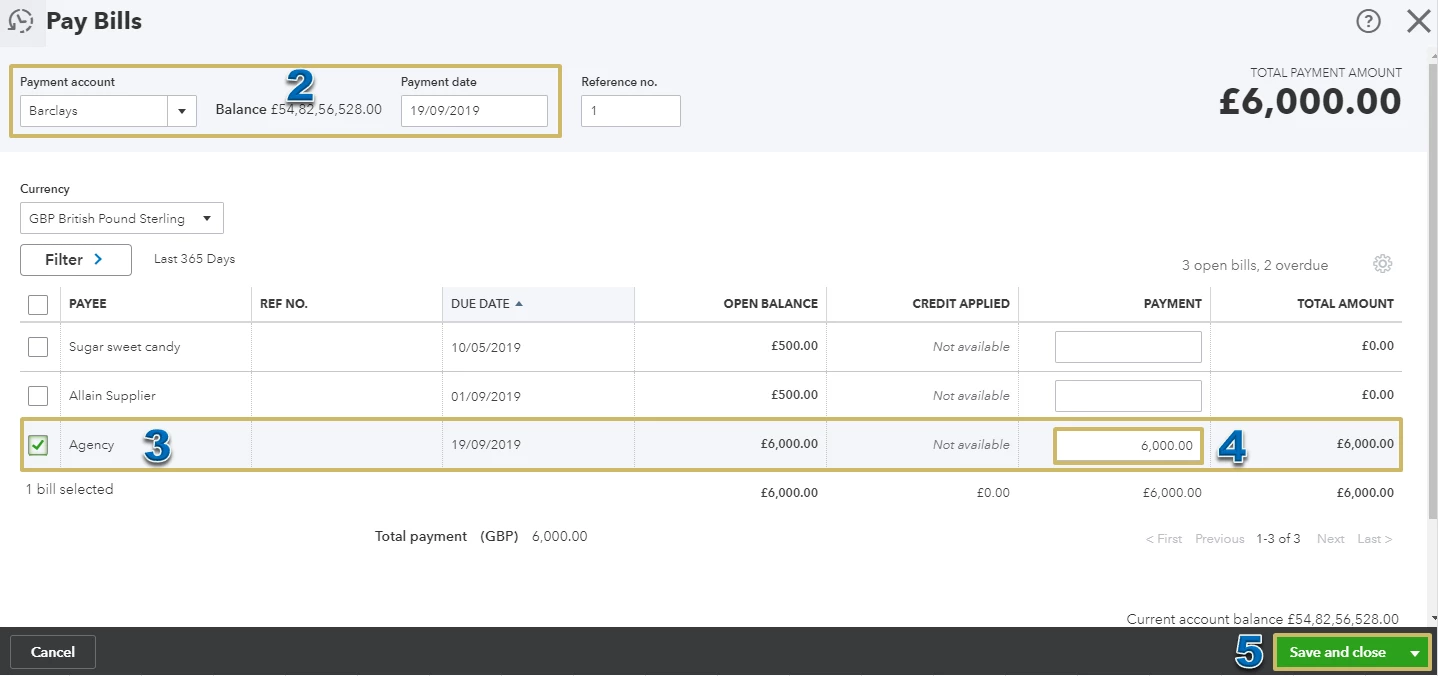
  1. From the Create icon, select Pay Bills.
  2. Pick the Payment account from the drop-down and enter the Payment date.
  3. Select the transaction from the list.
  4. Make sure the amount showing under the Payment column is correct.
  5. Hit Save and close.


Check out this article for more information: Enter and pay bills.

 
Reach out to me if you have any questions. I’m here willing to help. Take care!
 

alan17
alan17Author
September 19, 2019

Thankyou so much for your quick reply KhimG.


I've only just had the chance to work through your instructions but I see that it is now working perfectly; exactly how I hoped the information would be stored and processed.


Thanks once again. I've only been using QB Online for six months or so due to the migration to Making Tax Digital (I was using a simple Excel spreadsheet before then) and it's been a steep learning curve.


However, I must admit that using QB Online is giving me much greater insight into the way my business is performing from day to day; I now wish that I'd migrated to QB years ago!

September 19, 2019

You are welcome, @alan17.


I’m glad that the solution helped manage your transaction flawlessly. It’s even a delight to know how QuickBooks made it easier for you to handle your day to day business.


Though you’ve been here for six months now, I still want to provide these learning articles and some video tutorials to help you get started. 

Should there be anything else you need, let me know in the comment section below. I’m here ready to help. Have a good one!
