

December 11, 2023
Question

Ask Anything: Hector Garcia, CPA. Talented Accountant, QuickBooks ProAdvisor, and YouTuber
  • December 11, 2023
  • 6 replies
  • 0 views


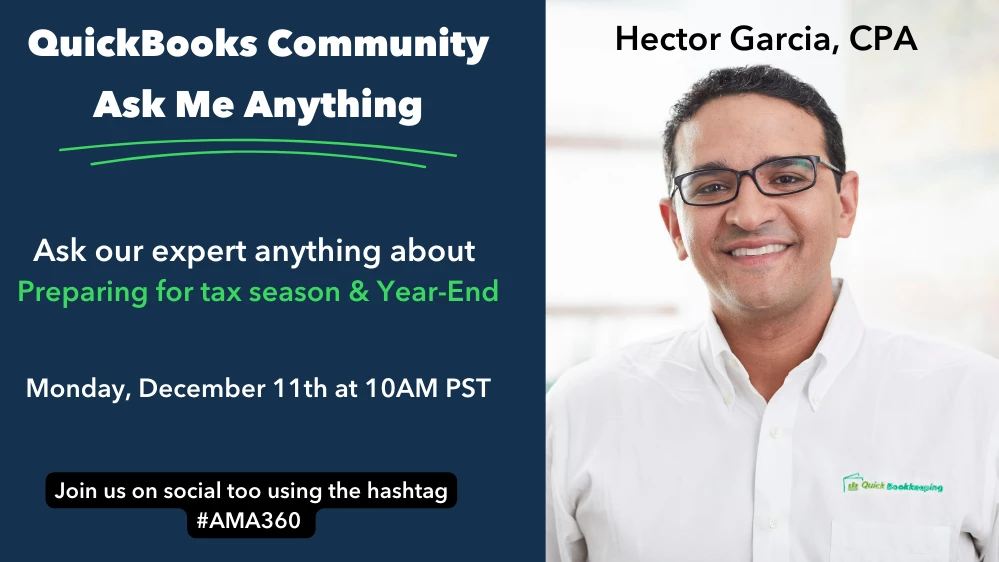
Welcome to a special Ask Me Anything event with Hector Garcia, CPA. Hector is a talented Accountant, QuickBooks ProAdvisor, and Youtuber with a wealth of knowledge and experience. We’re excited to have him here today. You can check him out on his YouTube channel using the link below: https://www.youtube.com/@HectorGarciaCPA/videos


Hector is here live to answer your questions regarding preparing for tax season and Year-End. The thread will be open for responses from 10AM PST to 11AM PST. Here’s how to participate: 
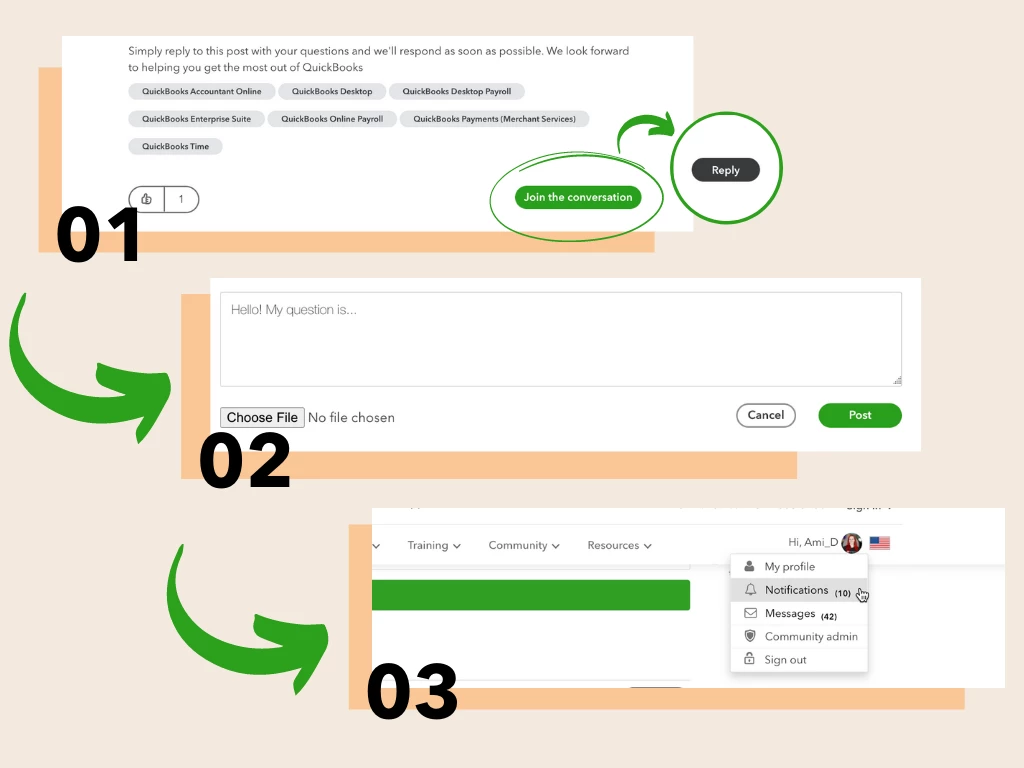

  1. Press Join the Conversation to log in to the community. Once logged in, press Reply.
  2. Write your question, feedback, or idea as your reply to the post. Press Post to submit.
  3. Keep an eye on your notifications, or simply refresh the page periodically for a response from Hector.

6 replies

hectorgarciacpa
December 11, 2023

Hey everyone! Here ready to chat about Accounting and/or related topics for your business as we approach year-end. 

December 11, 2023

I am not sure how to categorize a certain transaction, hoping for some guidence.


We have a retail store that leases suite 1 & 2 in a shopping strip building. We have grown signifigantly in the past years, while the neighbor business in suite 3 has declined. We paid them 30k to move. They moved. We knocked the wall down, expanded our store and now lease suites 1, 2, & 3. 


What kind of Expense is the 30k?

hectorgarciacpa
December 11, 2023

Perfect @Trina LP  So paying them $30k to move, knocking down the wall, and renovating is all the same category, it is called "Leasehold Improvements" you might have it as a Fixed Asset (preferably) or as an Other Asset.     For tax purposed, you will be able to depreciate that as an expense, but for now it is an asset.


Reply to:


I am not sure how to categorize a certain transaction, hoping for some guidence.


We have a retail store that leases suite 1 & 2 in a shopping strip building. We have grown signifigantly in the past years, while the neighbor business in suite 3 has declined. We paid them 30k to move. They moved. We knocked the wall down, expanded our store and now lease suites 1, 2, & 3. 


What kind of Expense is the 30k?

December 11, 2023

Hello, we use quickbooks online.  Is there a way to batch deposit?  For example, we deposit 10 checks at the bank for $100 each.  The bank feed pulls in $1,000 deposit, but it does not match to our individual transactions causing double counting of sales.  Any solutions to this?

hectorgarciacpa
December 11, 2023

Hello @jmi6679  from the bank feed you are going to see $1,000, you need to look at the actual deposit image manually to understand what the $1,000 add up to.  Assuming that it  10x $100 customer checks, you have two paths:


Path 1: If you have Invoices or Sales Receipts to track the sale of that $100, then you need to go do a MATCH and select all those Invoices/Sales Receipts to match.   If you don't see the Sales Receipts, it is because you need to go back to them and select UNDEPOSITED FUNDS as the Account , so it gets queued in the Match screen.  If you do not see the Invoices, is because you probably already received a payment against them and might need to go back and select UNDEPOSITED FUNDS as the deposit to account.   

Path 2: If you do not have invoices or Sales Receipts, and do not need to track sales in that manner, you can just breakdown every line item in the deposit if you want to track each payment as a line item on the deposit when you click on "Split" (looks like this, screenshot included)

Emma_PAuthor
December 11, 2023

I'll start us off by asking a common question when it comes to Year-End: 

How do I know who needs a 1099? 

December 11, 2023

And how do create a 1099?

hectorgarciacpa
December 11, 2023

@Trina LP asked: And how do create a 1099?

There is a built-in mechanism in QuickBooks Online to do this, you will pay about $15 to $20 (honestly don't know what the 2024 pricing will look like yet).   You need to make sure the person you paid is a VENDOR and you checked the box "Track payments for 1099", enter their legal name (personal or business) depending who you paid directly, address, and finally make sure to enter their EIN or SSN. (see screenshot).

Then when you go process your 1099;s via QuickBooks Online, all the payments you made to that payee/vendor will add up and as long as you have all their info, you can file it as soon as the e-file system becomes available.


Usually the direct URL for 1099's is:

https://app.qbo.intuit.com/app/1099MiscForm


But you should see a link under the "Contractors" Tab which should be under the Payroll/Workers menu.

December 11, 2023

Is is possible to pay 1099 contractors through quickbooks? If so, is it possible to automate monthly payments similar to applications like Bill.com and Gusto? 

hectorgarciacpa
December 11, 2023

@Joanes 


I know you can PAY contractors electronically via Bill.com, Gusto, ADP and other payroll/bill-payment applications, I just cannot confirm if any of them file the actual 1099-NEC for you, you need to figure that out one on your own.


I like using QuickBooks Online to both make the payment and filling the 1099, the Contractor Payments add-on (https://quickbooks.intuit.com/payroll/contractor-payments/)  is $15/m and it includes up to 20 contractors, the service will include making payments electronically online (as many as you need) and filling at year end.

If you do not contract this service, and use another avenue to pay them (via check or Bill.com, etc...) you can still use QuickBooks Online annual 1099 e-file service (one-time fee) just to file the 1099's

December 11, 2023

Question about Bank Feeds / Online Banking through Quickbooks. Are they the same thing?


I am old school, and balance the checking account daily via chicken scratch on paper, and I manually enter in all transactions when I get the bank statement. This had been fine, but the business is growing so fast. The bank statements are 30 pages these days (HUGE EYEBALLS emoji). So I am considering this next step.

hectorgarciacpa
December 11, 2023

Yes "Bank Feeds" is the term we use to describe the fact that once you connect the bank or credit card (aka "online banking") into Quickbooks, those transactions download automatically waiting for you to categorize them or match them to existing ones


Yes consider:

1) connecting the banks and credit cards

2) categorizing all the transactions via Bank Feeds (in some cases "matching" them if you already created a corresponding invoice to a bank deposit or a bill to a bank payment)

3) reconciling the banks every month to make sure the information is complete... 


It will sure beat pen and paper or a spreadsheet.. There is a learning curve, but you got this!


Responding to @Trina LP 

Question about Bank Feeds / Online Banking through Quickbooks. Are they the same thing?


I am old school, and balance the checking account daily via chicken scratch on paper, and I manually enter in all transactions when I get the bank statement. This had been fine, but the business is growing so fast. The bank statements are 30 pages these days (HUGE EYEBALLS emoji). So I am considering this next step.

December 11, 2023

Thank you. Ugh, yes, the learning curve is great. But your YouTube video last month (ish) about the update to bank feeds made me finally be open to bank feeds.

Emma_PAuthor
December 11, 2023

Thanks for joining us today! The thread is now closed for replies. We hope to see you next time, so keep an eye on the Community Events Calendar for future Ask Me Anything’s, or other events.