

September 17, 2024
Question

I want to sell and close a work order but delay sending the invoice till January 2025.

  • September 17, 2024
  • 1 reply
  • 0 views

In order to take items out of inventory, I want to sell and close a work order now, but not bill the customer until January 2025. I do not want the customer to be "Past Due" in my accounts receivable.

Is this possible?
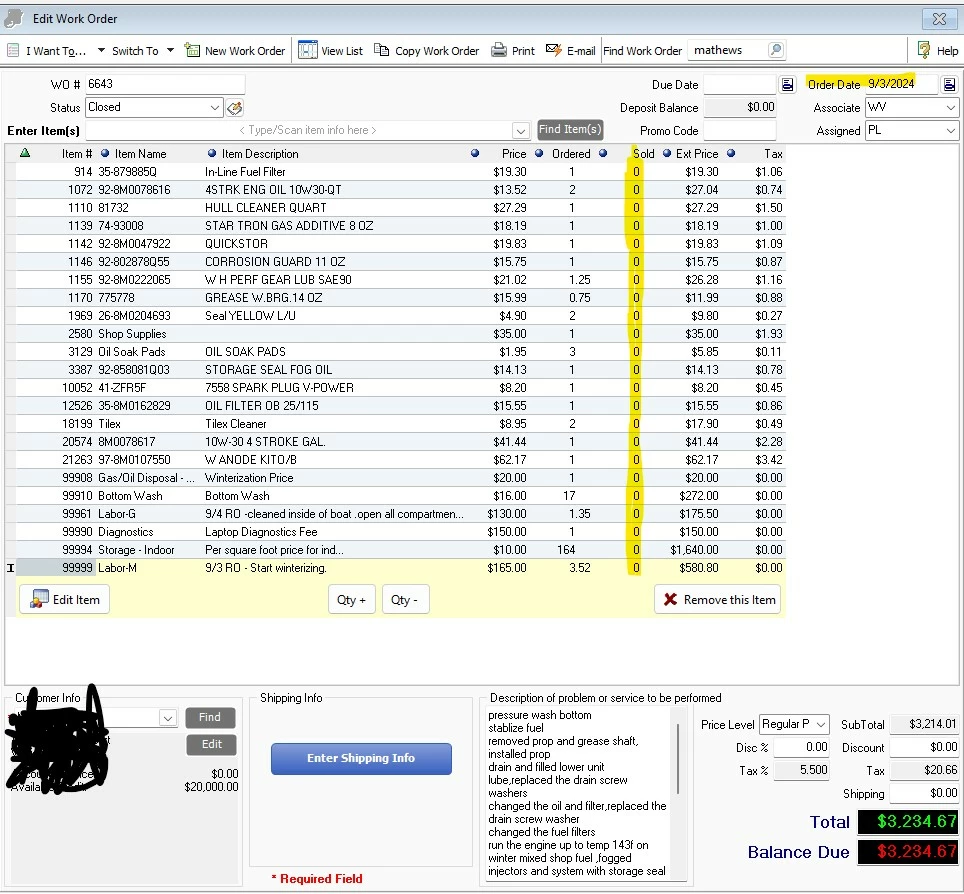


Thanks for any help you can offer.

Wadego

1 reply

September 17, 2024

Let me help you achieve your goal of closing your work order while not sending an invoice yet to your customer, @Wadego.


One advantage of a work order is that it is classified as a non-posting transaction. This allows you to close it at any time and reopen it when you are prepared to issue an invoice to your customer. Closing the work order will not have any impact on your inventory. You may also choose to keep it in a pending status for as long as you desire.


When you're ready, you can reopen the work order and issue an invoice to the customer with your desired due date.


Here is an article to guide you with the payment terms to choose from: Set up payment terms.


I am including this reference for your consideration should you wish to implement a discount for early payment: Record an invoice payment: Record an invoice payment.


If any technical issue arises, know that our assistance is available 24/7. Our team is available to provide you with the support you need to ensure a smooth and seamless product experience.

WadegoAuthor
September 17, 2024

Ethel_A,

Thank you for your response.

I am looking for a solution that will allow me to sell the work order. (To remove parts from inventory)

I don't want to Invoice the customer until the first of the year. We offer a delayed billing to our marine customers that store their boats with us for the winter.

When we sell the work order now, the invoice amount becomes due in the customers account in QuickBooks desktop.

Is there a way to postpone the invoice from being due until January 1, 2025?

Thanks,

Wadego

September 17, 2024

We appreciate you getting back here in the thread, @Wadego. We'll supply more details about how work order functions inside QuickBooks Desktop (QBDT) and provide a workaround to help you postpone an invoice from being due on your preferred date.


When you sell a work order inside the program, it will still show as due and appear in the customer's account. More importantly, selling the work order will affect the accounts receivable of your company file.


To get around this, you can enter a Statement charge to prevent the system from requiring you to send invoices. However, please be aware that it'll still affect the A/R account. If you wish to continue with this method, we'll outline the steps to get you going:


  1. Access your QuickBooks Desktop company.
  2. Click the Customers menu, then select Enter Statement Charges.
  3. From the Customer:Job ▼ dropdown, select the name of your customer or job.
  4. You can change the date of the statement charge if you need to.
  5. In the Item field, enter the item you use to track this kind of charge. A reminder, you can change the description or amount of an item if you need to.
  6. Enter the quantity in the Qty field.
  7. Select Record.


For further guidelines, please see this page: Enter statement charges in QuickBooks.


Additionally, here are some articles to help you manage invoice payments, and create personalized sales forms inside the program:


Our team can lend a helping hand if you require further assistance handling customer transactions or need clarifications with this. You can also visit us if you have other questions about data inside QuickBooks. Stay safe.