

January 17, 2022
Question

Cannot specify bank account for Payroll Tax payment other than default

  • January 17, 2022
  • 1 reply
  • 0 views

We pay our payroll tax from a different bank account than is used for employee paycheques. I expect this payment to be recorded correctly from the Payroll Tax Centre by selecting the appropriate bank account with the Bank Account selector. However, what I select here (the red and grey rectangle) makes no difference.
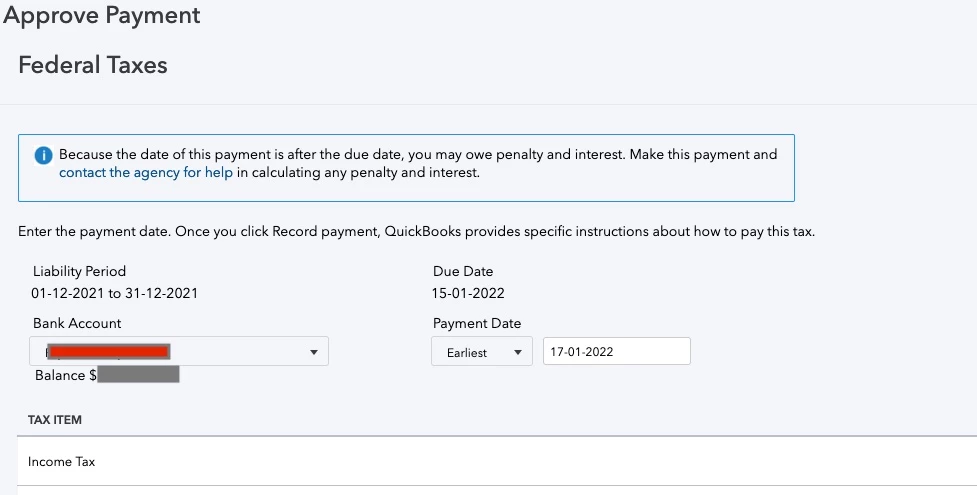
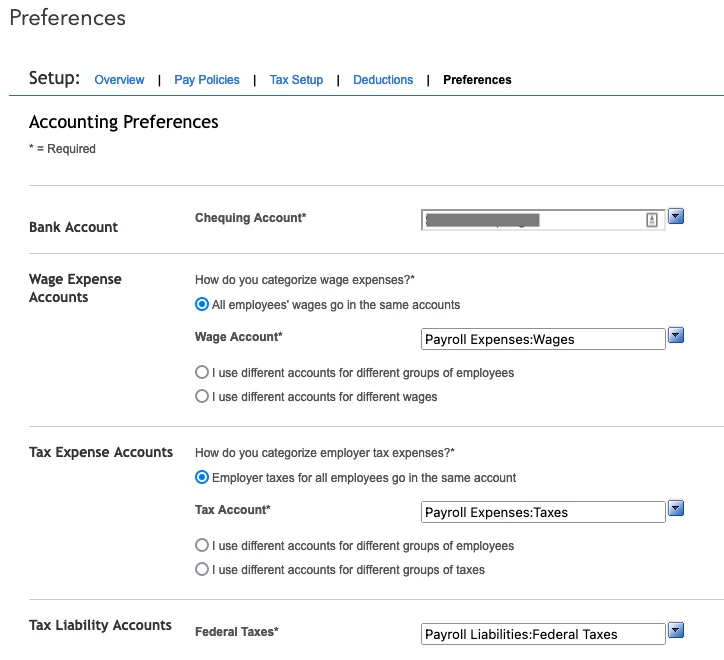
The payroll tax payment is always recorded as coming from the bank account specified in my payroll settings. For me, this is the account that paycheques come out of, which is not the account tax comes from.


The only way I can record my payroll tax payment correctly is by going into setup and changing the Bank Account field to the bank account payroll tax is paid from. But unless I misunderstand, if I leave it set to this account, paycheques will also be paid from that account, which I do not want.
 

1 reply

January 17, 2022

Hi jeremywww,


I'm glad to see you reaching out here.  Welcome back!  QuickBooks Online Payroll has the versatility you need to ensure you meet all of your bookkeeping goals.  I'll be happy to provide some insight here to ensure you're on track with your work.


To ensure your payroll tax payment is applied to the correct account, it's always best to consult with your accountant.  If you don't have one, we can help you locate a ProAdvisor in your local area.  


Here's a helpful article for your reference, to assist with payroll preferences in QuickBooks Online.


Please feel free to reach back out with any other questions.  We'd be glad to assist!


jeremywwwAuthor
January 17, 2022

This does not address my concern. What I am describing is a software limitation, not an accounting problem.

January 17, 2022

Hi jeremywww,


One of the many benefits of QuickBooks Online is having the option to expand your chart of accounts as needed to complete your tasks.  When you select the option to get started with Payroll, all associated accounts are automatically created.  However, you can add additional accounts to ensure your payroll tax payments are accurately recorded based on your preference.  Once you've created the account, you'll see it in the dropdown menu for your payroll tax payment.  


If you require additional assistance, please feel free to contact us.  It would be our pleasure to work with you in real time and ensure you're able to submit your payroll remittance with confidence. 


We're here if you have any other questions.