

February 1, 2023
Question

Payroll year set wrong when setting up QB payroll for the first time

  • February 1, 2023
  • 1 reply
  • 0 views

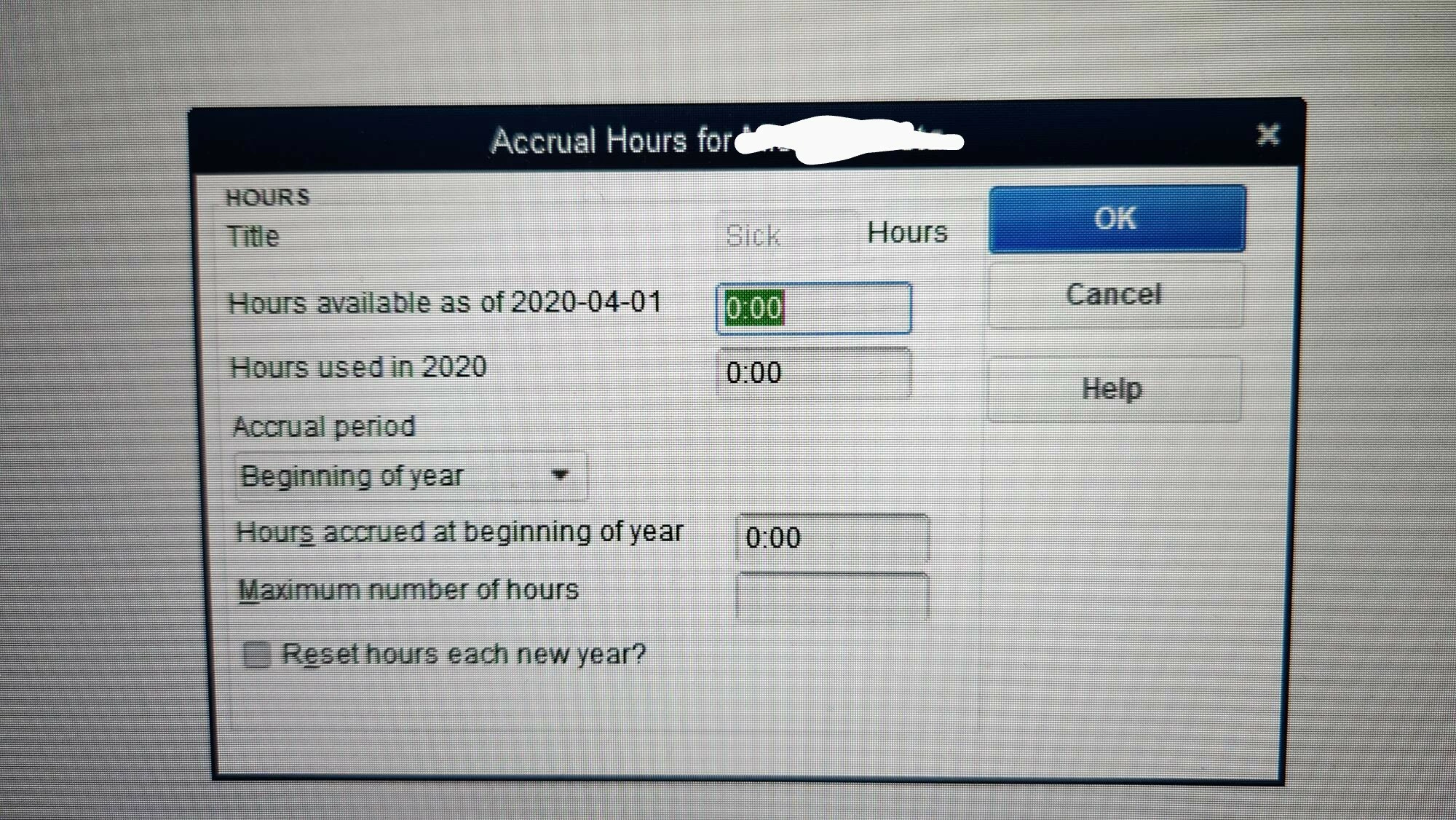
I have just upgraded from 2020 desktop premier to 2023 desktop premier. This is also the first month ever that I am using payroll in QB. I am setting up the employees, but when I go to set up the Vacation Pay and Accrual Hours (sick pay), it says 2020, not 2023. The rest of QB (invoicing etc) is fine - it is set to the current fiscal year.

                 Vacation Pay:

                       Pay ($) available as of 2020-04-01           -- needs to be 2023-01-01

                       Pay ($) used in 2020                                 -- needs to be 2023

                   Accrual Hours:

                       Hours available as of 2020-04-01           -- needs to be 2023-01-01

                       Hours used in 2020                                 -- needs to be 2023

I cannot find anywhere how to fix this or even why it's doing that.


How do I get the year changed for the payroll without affecting the rest of QB?
 

1 reply

February 1, 2023

Hey there LisaC2020,


Thanks for reaching out to us here. Getting you the support you need is important. I would be happy to point you in the right direction for the best assistance possible.


In order to better assist you, I recommend reaching out to the support team outside of the Community. They'll be able to verify your account details in a secure setting, as well as view your screen and guide you to your QuickBooks goals. You can reach them by following the method in this link.


If you have any other questions, feel free to reach out here.