

How do I clear an open balance that should not be opened in Quickbooks Online?
Ok, I have been investigating for about 7 hours now and still no clear solution, this is also the second time I post the question because the first 'answer' from QBO team did not fix my problem since I still see an open balance for the supplier even though they have payed everything and I should see zero.
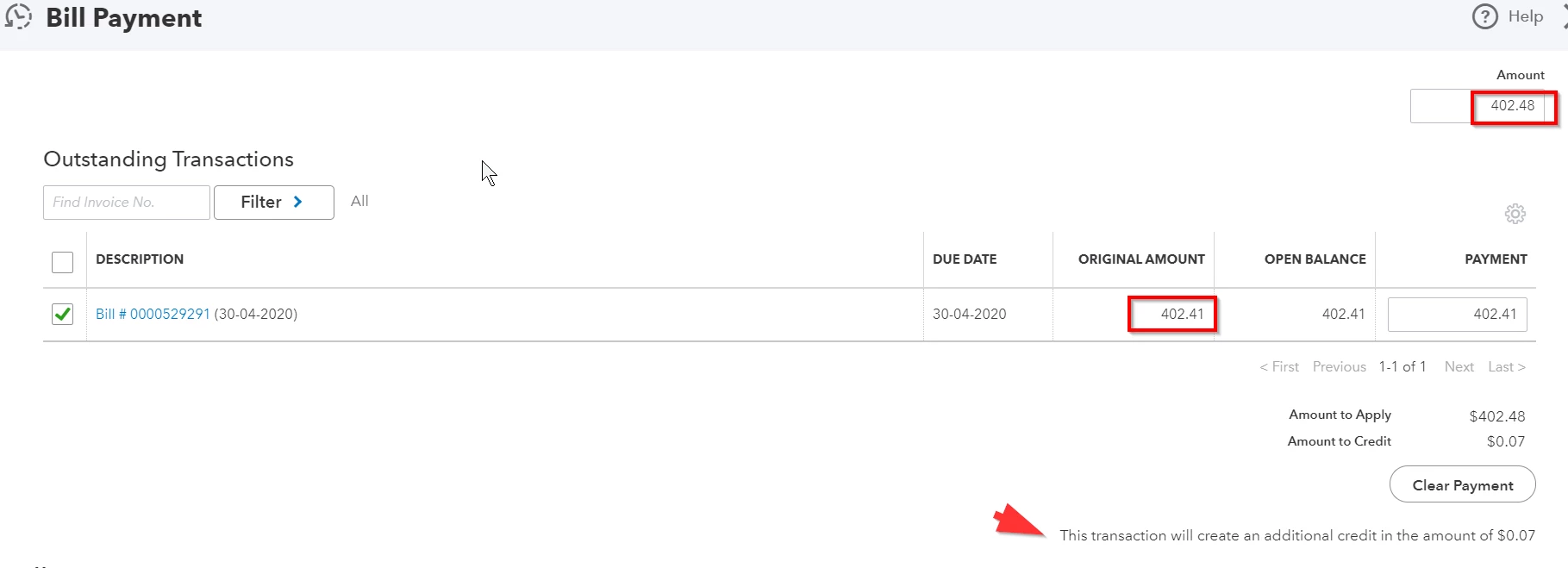
My supplier charged my credit card with 402.48 then refunded me on the same credit card with 0.07 since the bill was for 402.41.
I have two banking transactions, same BF supplier, done on the same credit card:
One for 402.48 SPENT
One for 0.07 RECEIVED
This is what I have done in QBO:
1. Created a bill for 402.41 for supplier BF
2. Made a payment of 402.48 on that bill of 402.41 - so that I can match it to the 402.48 from my banking downloaded transactions
2.a The payment of 402.48 was applied to the invoice but I got this message "This transaction will create an additional credit in the amount of $0.07", this means that the supplier will owe me 0.07, that is fine.
3. Created a credit card credit where the Payee is my BF supplier, Bank Credit Account is the same credit card BF supplier took those 402.48 from, Category on the Category Details is the same I used on my invoice, Sales Tax is the same Tax from my invoice and Amount is 0.07

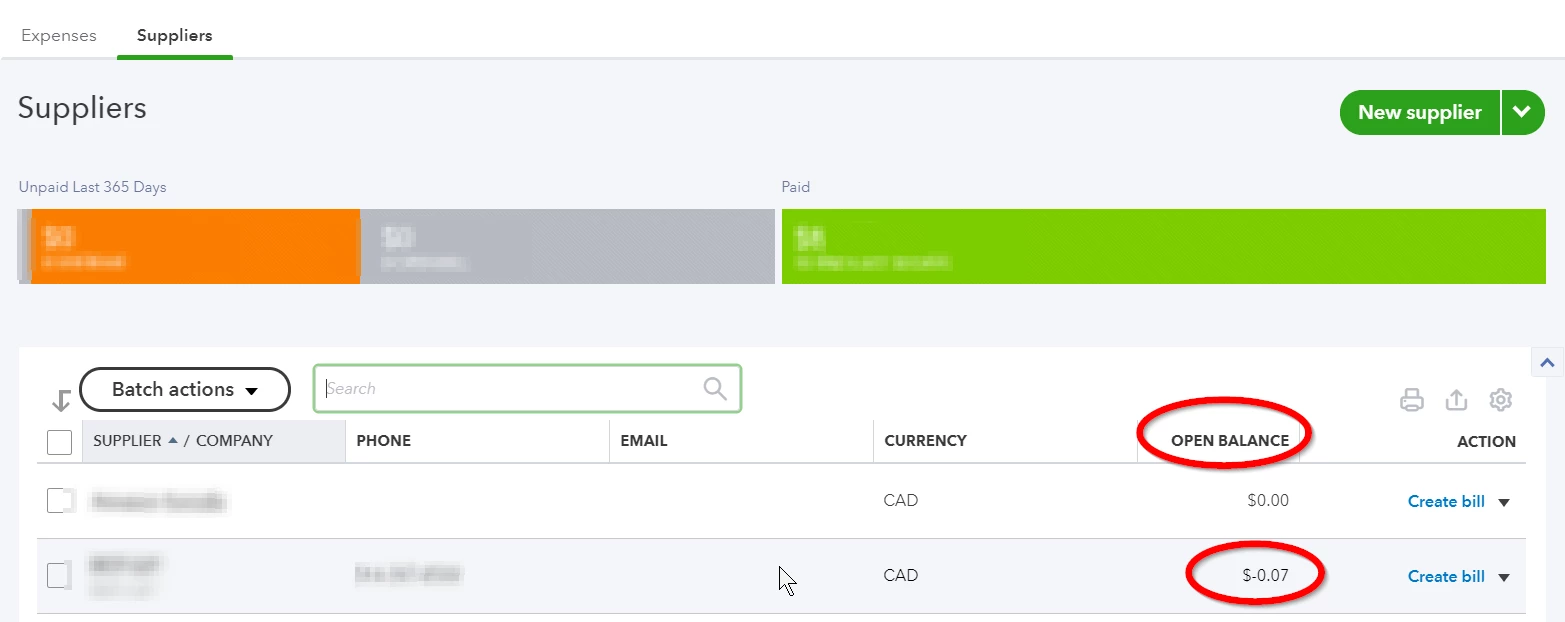
4. Matched the 0.07 from my banking transactions to the credit card credit from step 3 - This should balance off everything and my supplier should owe me zero, however when I go to Expenses > Suppliers I see -0.07 as an open balance, meaning that BF still owes me 0.07
Again, this is the second time I post this question, I'd like a real help from the QBO agents, not just send me to a post that will not help me out at all. There is a bug most likely that does not allow me to clear that open balance. Again, the supplier refunded me right away with those 0.07.
Help please!!!