


Important Year End Dates - Updated for Dec 2023 and 2024
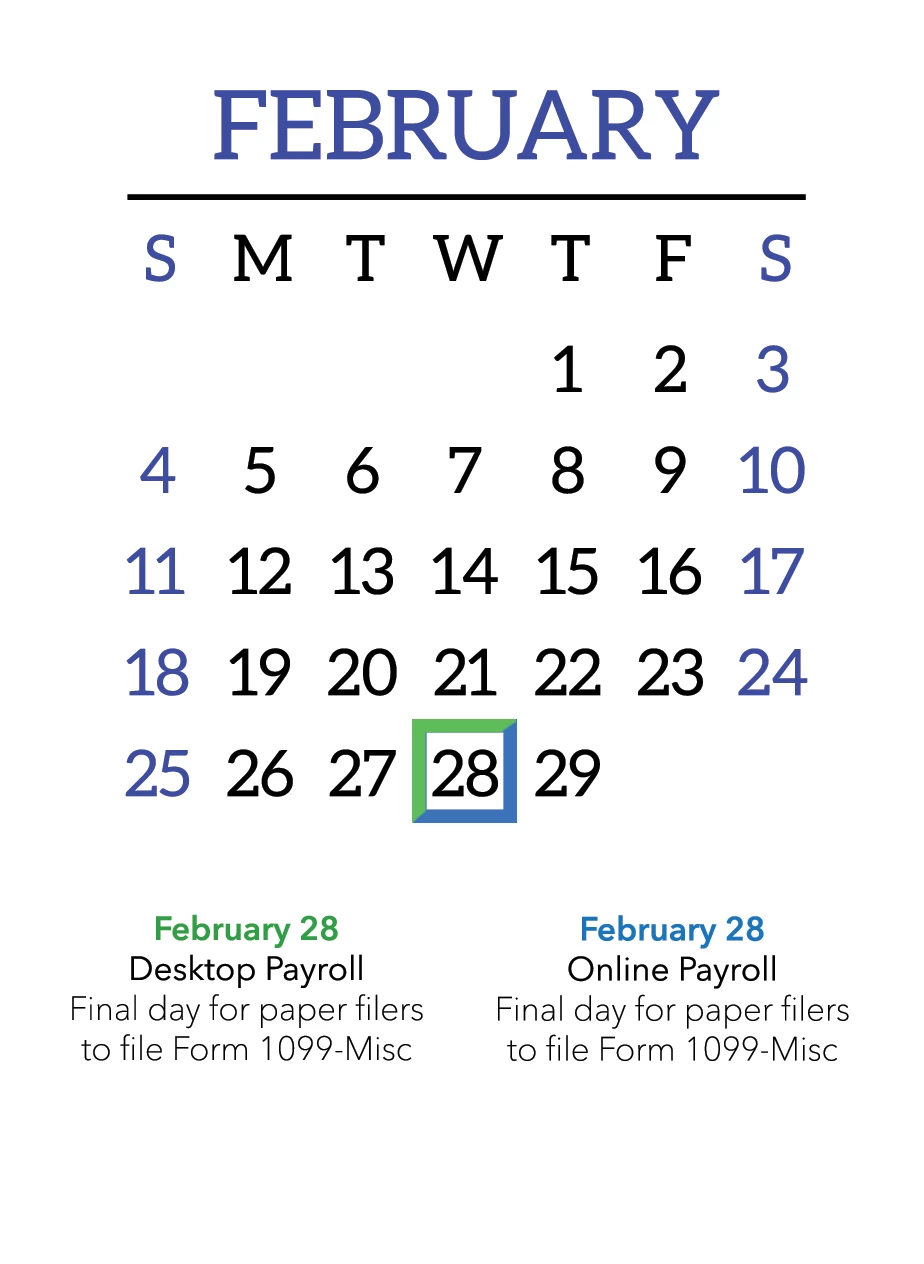
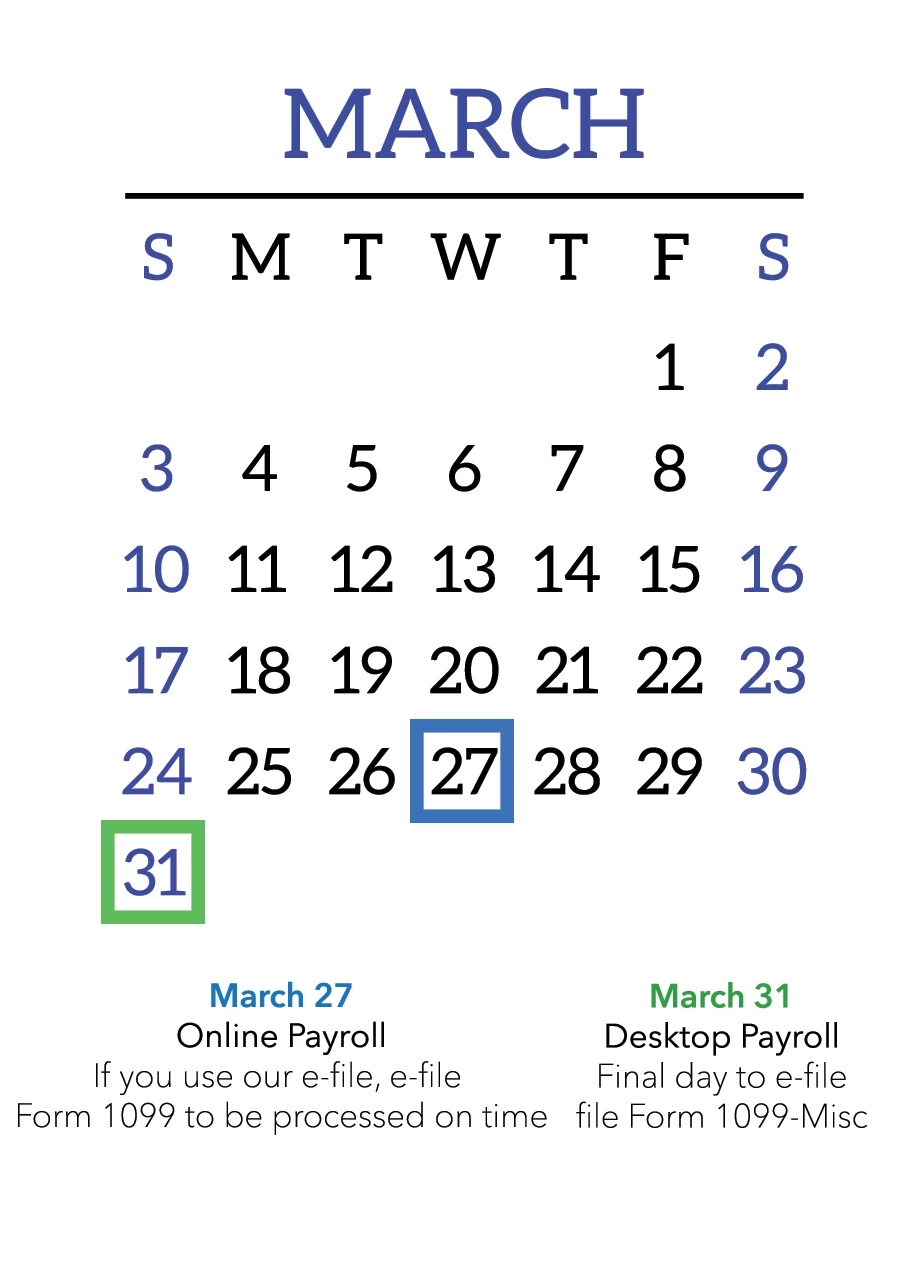
We're back with an updated calendar for year end. Each month shows the important dates for specific Payroll products, so just double check you are looking at the right date for your payroll.
Not sure which Payroll you have? No worries!
How to check which version of QuickBooks Online Payroll you are using
How to check which version of QuickBooks Desktop Payroll you are using
As the holiday season approaches, keep in mind that weekends and federal holidays are non-banking days. Meaning, if payroll is submitted on a non-banking day, your direct deposit will be drawn from your account the next banking day. You can check this article to see how federal holidays will affect your direct deposit.
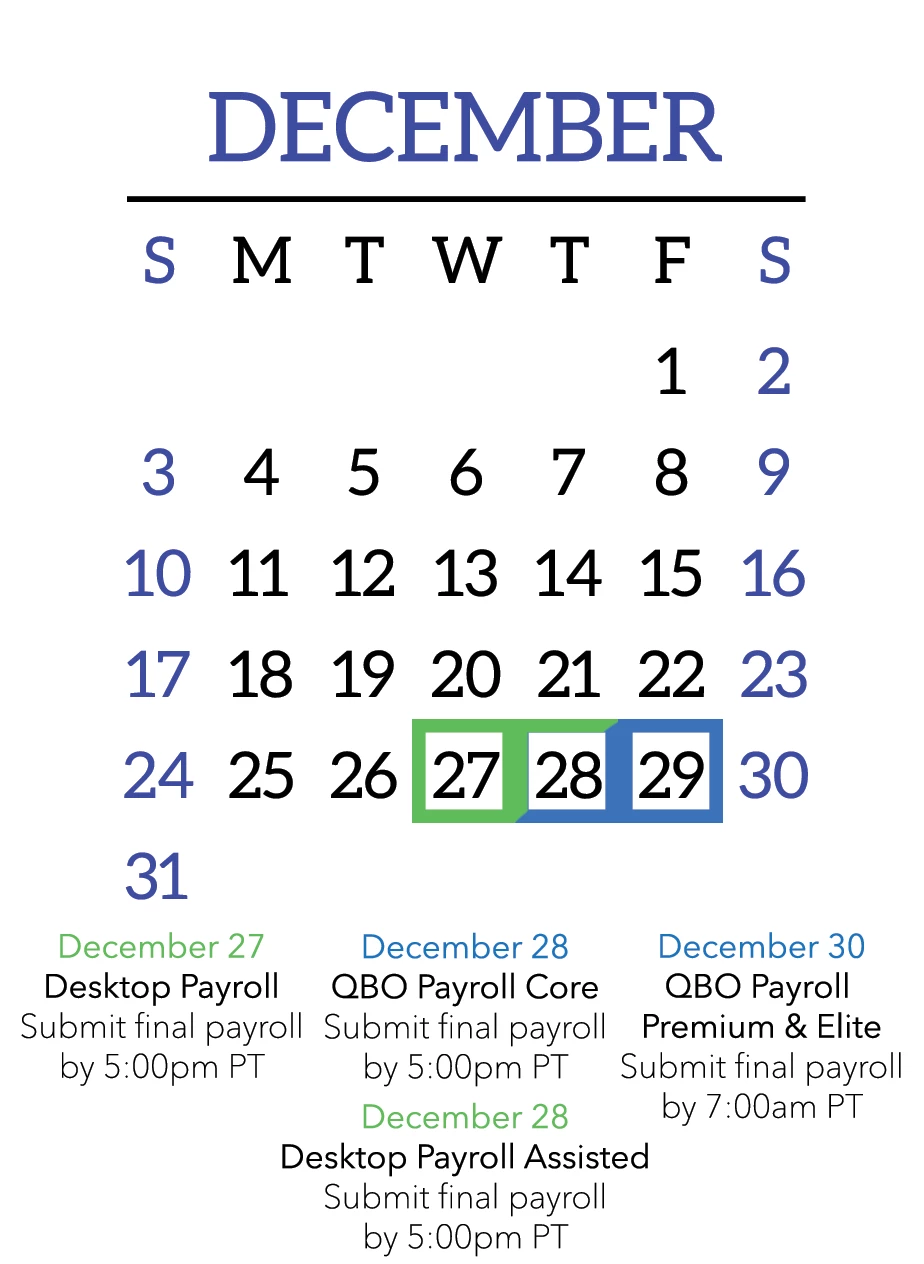
Because Online and Desktop Payroll have different dates, there are 2 versions of the January calendar displayed below. Please refer to the top of each calendar to make sure you are looking at the correct one for either Online or Desktop Payroll. 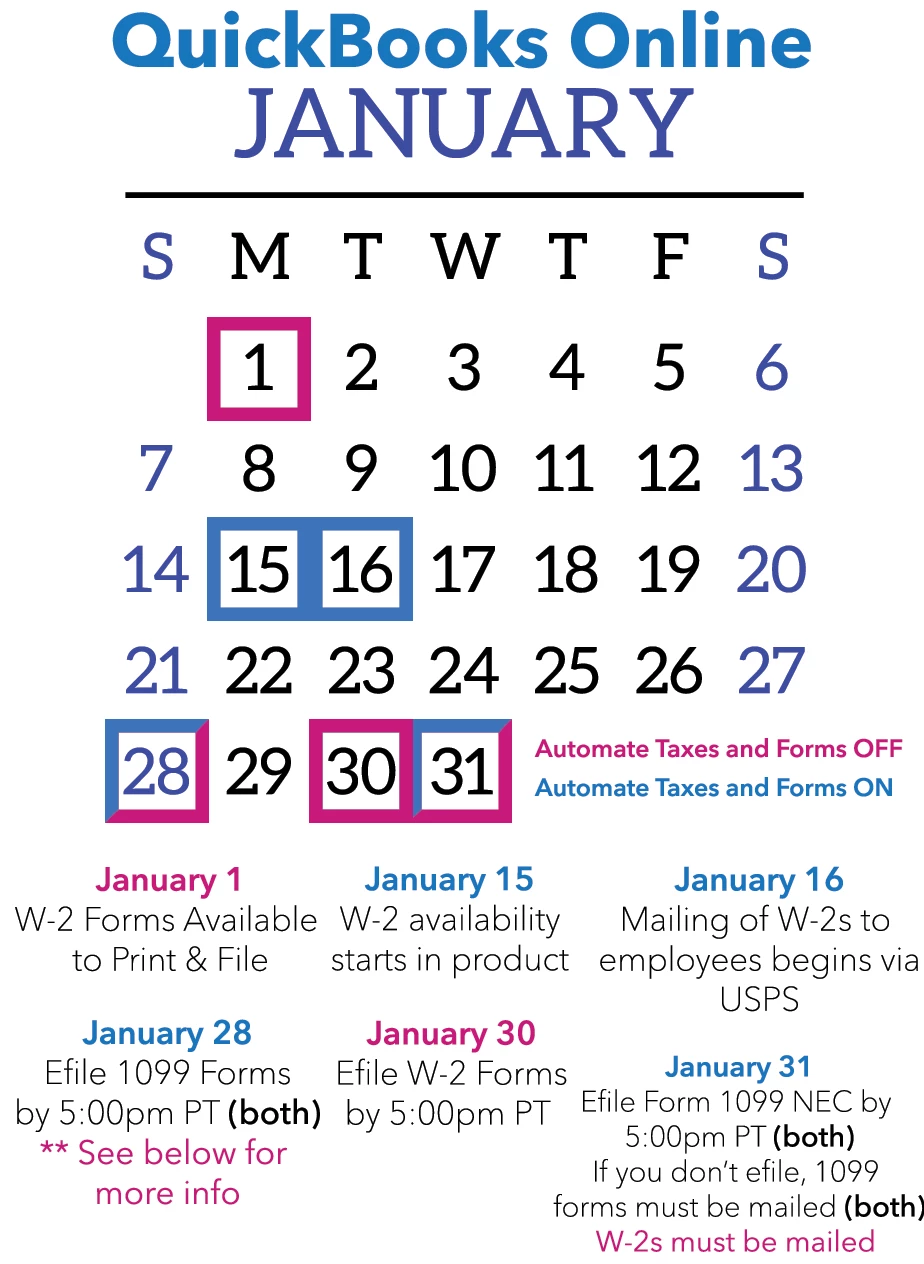
**If you have opted out of our automatic tax payment and form filing - January 27 deadlines:
- Review and file federal forms and make tax payments, such as Forms 941/944 or 940.
- Review and file state forms and make tax payments
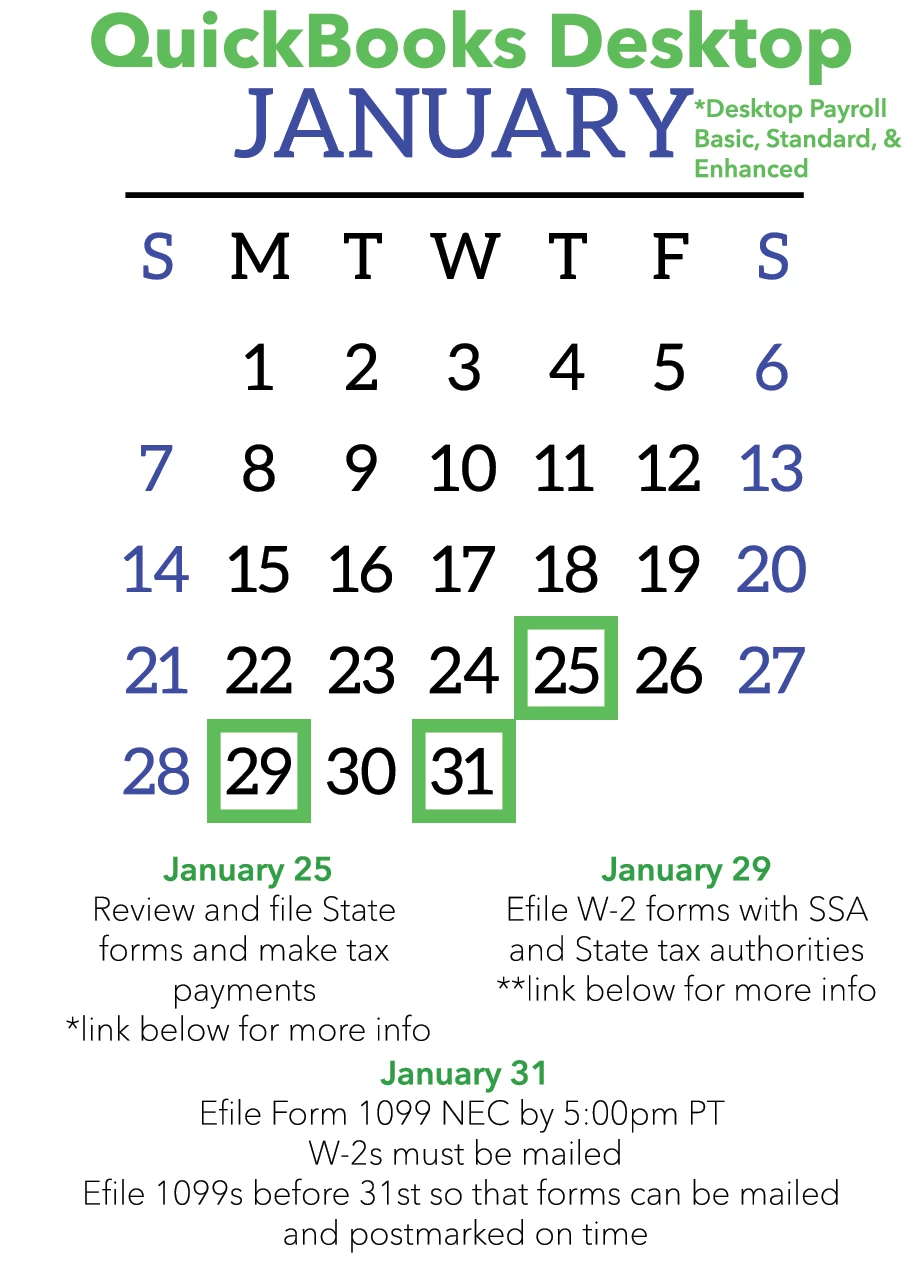
* Review and file state forms and make tax payments
** Review and file federal forms and make tax payments, such as Forms 941/944 or 940.
If you use QuickBooks Desktop Payroll Assisted, please see the Year End Checklist article
for important filing dates and deadlines.
The remaining monthly calendars cover both Online and Desktop.
Also be sure to check out our Year-End Checklists for QuickBooks Online Payroll and QuickBooks Desktop Payroll.