How do I split a bill payment to OS supplier with a bank fee
I have an Australian business but recently started buying and selling goods overseas.
I have set up foreign currencies in my quickbooks and set up my suppliers in the currency they want to be paid in.
(I have also opened up an online Payoneer account to transact in different currencies.)
Everytime I pay a supplier, Payoneer adds a small bank fee. My question is, how do I pay a supplier and tack on a bank fee to the payment transaction?
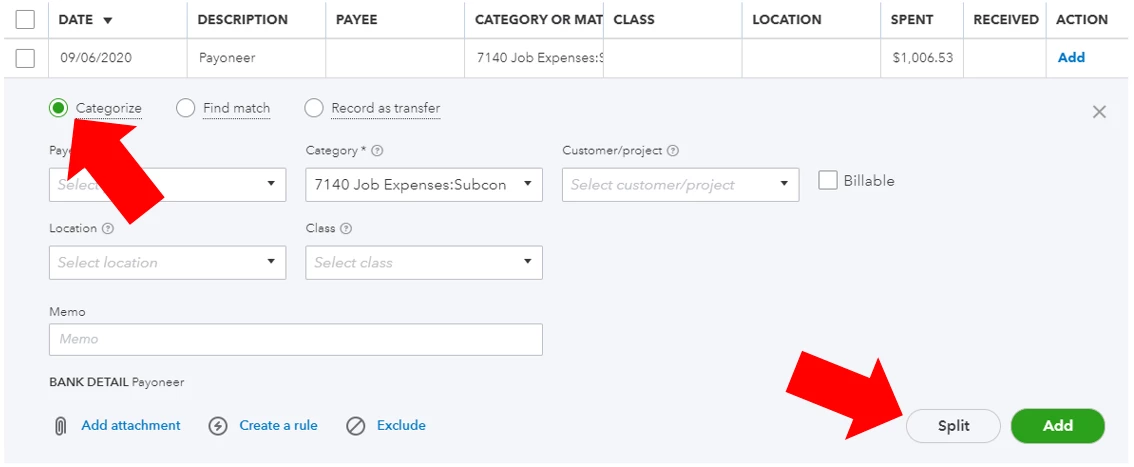
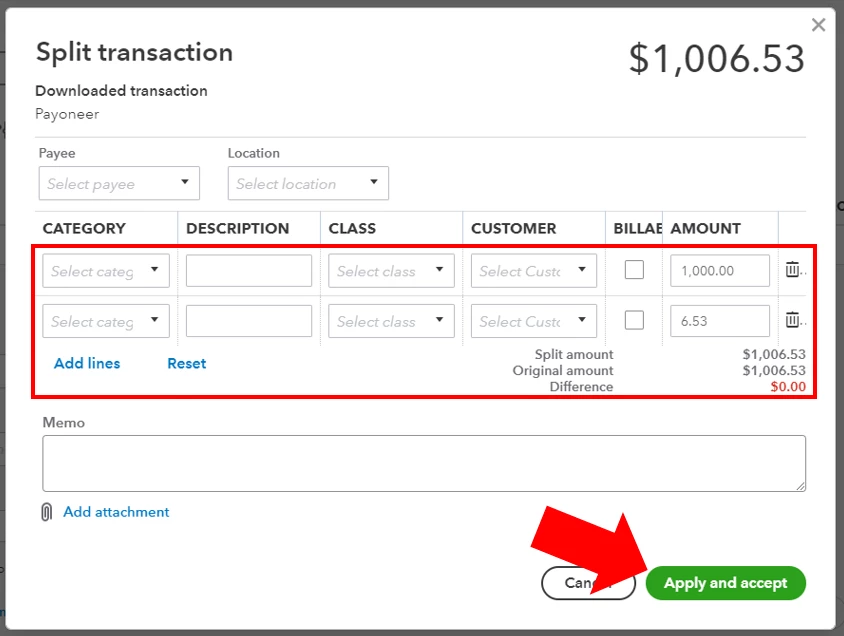
At the moment the only work around I can find is to add the bank fee to the invoice I receive from my supplier, but not an elegant solution because I get an invoice for say $1000 USD but after I pay the bill and find out what the bank fee is I have to go back and modify the bill in quickbooks for a higher amount eg $1006.53 USD and now the bill in quickbooks doesn't match the invoice my supplier sent me. Would be much easier to split the payment with 1000 going to my supplier and 6.53 going to "Expenses: Bank Fees", but quickbooks won't let me do it. I also can't seem to find out how to open the bill payment general journal entry and modify it accordingly. I remember in the PC version of quickbooks every transaction could be found in the general journal.