February 6, 2022
Question

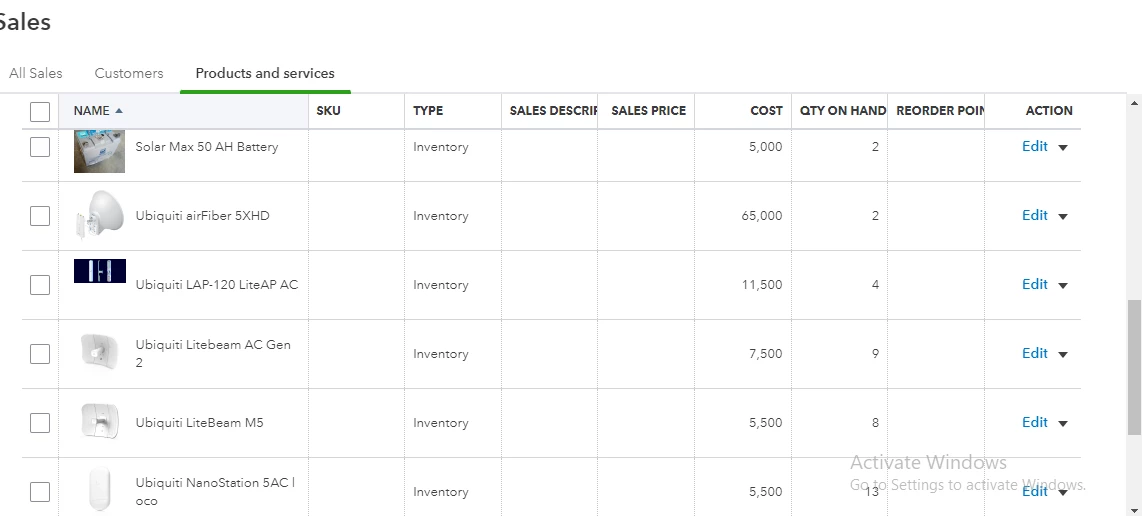
How do I register inventory as fixed assets

  • February 6, 2022
  • 1 reply
  • 0 views

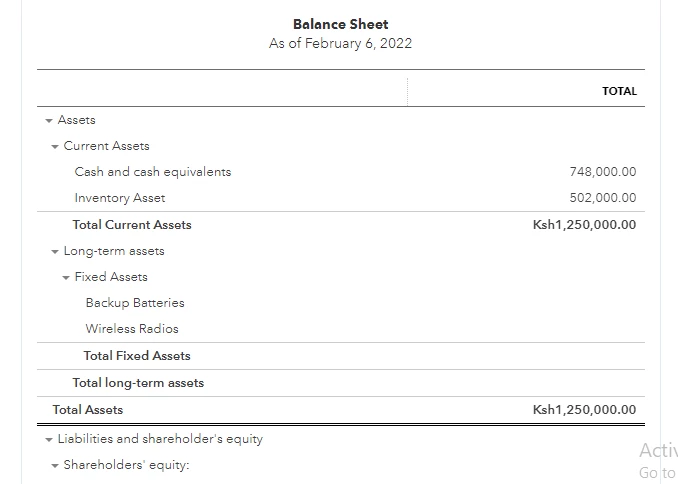
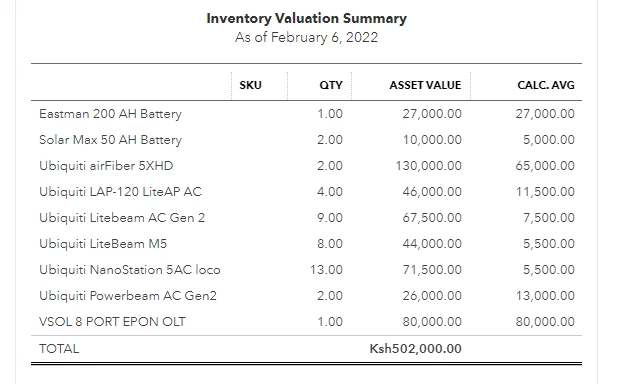
We have fixed assets inventory that shows up as current assets. How do I enter the records for this inventory to be in fixed assets instead?
 

1 reply

February 6, 2022

Welcome to the Community space, KelvinMM.


Inventory is the tracking of goods, components, and raw materials that a company uses or sells. If this is used for the production of goods and services you've sold, you can create each of them as fixed assets instead of inventory items.


Here's how:


  1. Go to the Settings icon at the top.
  2. Select Chart of accounts.
  3. Choose New.
  4. From the Account Type dropdown, pick Fixed Assets.
  5. From the Detail Type dropdown, select the option that best suits your asset.
  6. In the Name section, enter the item name you want to display as fixed assets. See the image below.
  7. Input the amount, then Save and Close.
  8. Repeat the same process for the rest of the items.


I also encourage you to reach out to your accountant. They may suggest other methods for accomplishing this to ensure that your books are accurate.


Check out this article for further information on how to manage your accounts, terms, classes, products, or services: How to edit, delete, and restore list elements.


Feel free to add any details below if you need further assistance managing your inventory. I'll be here to help you.