August 10, 2020
Solved

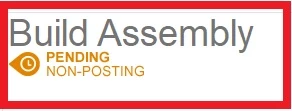
Build Assembly "Pending Non-Posting"

  • August 10, 2020
  • 1 reply
  • 0 views

Working on Quickbooks Desktop.

I keep getting messages on assembly builds which says 'PENDING NON-POSTING'. 

The only reason i've found this is because my stock is wrong and i'm wondering why.

Does anyone know how to fix this problem and how to avoid it in the future?


Many thanks!

Best answer by Charies_M

Thank you for going into further detail on what you're trying to accomplish, iwidjaja.


Yes, you can still use the same steps share by MirriamM. Just make sure to use the correct date when building the assembly so it won't affect your books. You can also consult your accountant to guide in performing the steps.


Let me share the steps again for you:

  1. Go to the Inventory menu at the top.
  2. Select the Inventory Center.
  3. Choose the assembly item, then open the pending build. 
  4. Adjust the date under the Date drop-down menu. 
  5. Hit the Remove Pending Status button.
  6. Tap Build & Close.

If you need other helpful articles in the future, you can always visit our site: Help articles for QuickBooks Desktop.


Should you be needing more help from me, just leave a reply below. I'd be more than happy to assist. Have a great rest of the day!


1 reply

August 10, 2020

Thanks for reaching out to the Community, @Lauren0212.


The PENDING NON-POSTING status of your assembly means that your items are not enough to build that assembly. 


To remove the Pending status, you can change the date of the inventory received to a day before the day the Build Assembly was created or have the items/quantity on hand on your build date. Doing so will enable the Remove Pending Status button, and let you complete the build.  


Here's what you'll need to do:

  1. Go to the Inventory menu at the top.
  2. Select the Inventory Center.
  3. Choose the assembly item, then open the pending build. 
  4. Adjust the date under the Date drop-down menu. 
  5. Hit the Remove Pending Status button.
  6. Tap Build & Close

For more details about building assemblies in QuickBooks Desktop, check out this article: Add, edit, and delete items


If you have other questions, post your reply here. I'll get back to you. I'm willing to lend a hand again. Take care.

August 11, 2020

Thank you for your reply.


How do I find out which item was not in stock for this to become pending on the selected date?


In the QTY ON HAND column, every item is in stock from what I can see so I dont understand why it's pending.

August 11, 2020

Hello Lauren0212, 


Can you just clarify it for us what it is you would like to do as you have said one thing then said something else? 


So is it because your stock is wrong or is it because it days pending because some items aren't available to build the item? 


I would suggest calling into our desktop helpline, they will be able to set up screen shares with you and talk you through how to correct your issue. 


The number to ring is 0808 168 9535