Solved
Closing Date Warning Popup
I've moved my data from QBD but now whenever I create or adjust anything in QBO I have the warning date about closed books? No idea why. Suggestions on a postcard please.
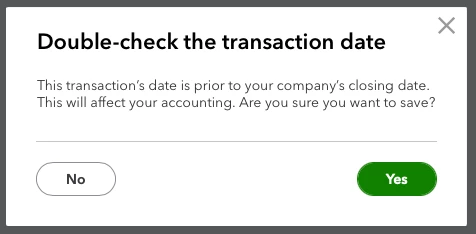


I've moved my data from QBD but now whenever I create or adjust anything in QBO I have the warning date about closed books? No idea why. Suggestions on a postcard please.
Hello Mark,
Welcome to the Community page,
All you need to do is go to the main cog wheel> account and settings> advanced>accoutning>close the books- toogle it off >save> done once you have turned this off you should not get that pop up box anymore.
Enter your E-mail address. We'll send you an e-mail with instructions to reset your password.