


ZestPrint
June 23, 2020
Solved

Creating a new customer defaults to contact name???

  • June 23, 2020
  • 2 replies
  • 0 views

Hi, for some time now this has been bugging me so finally decided to post...


Whenever I create a new customer and populate all the fields the *Display Name As always defaults to the blooming contacts name NOT the company name - I really can't see the point of displaying the contact name and if I forget to change to the company name (which I usually do), I have to go back in and edit it. Surely the Display Name As could be defaulted to the name of the business??


Thanks 
Best answer by MariaSoledadG

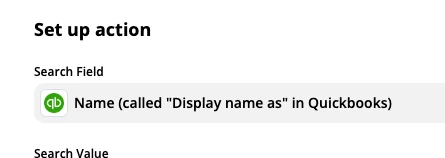
YES!!!!  This is causing issues with other webhooks (using Zapier) that use the "Display Name As" field to connect to the correct account. Causing major issues. Please fix this or allow to change default in customer settings, please!


I know being able to use this option so you can connect to the correct account is a good thing, Stillonthefence.


In QuickBooks Online (QBO), the Display Name As field will always show the contact name and not the company name. This is working as designed. You'll want to check for a third-party app to see if they can make these things possible. Search for an app and go to reviews so you'll have an idea of how the app works.


You can also browse these help articles for reference, and at the same time so you'll get additional information on what you can do with QBO.


Feel free to comment below for further assistance. Please know, we're here for you so just let us know of any other concerns. Have a great day!

2 replies

June 23, 2020

Hi ZestPrint


Whatever you enter as the display name is for your reference on the customer list and the name that you enter in the company field will be displayed beneath. You can use either name to search for the customer on the customer list. When you create a invoice and print or preview it the name you have entered in the company name and the customer name fields will be displayed in the Invoice to section.

ZestPrint
ZestPrintAuthor
June 23, 2020

Hi John


Thanks for the speedy reply, yes but if you enter all the details, forget to change the display name back to company name and save/exit the new customer is placed in alphabetical order using the contacts name rather than the company name, seems a strange that it defaults to contact name that's all - No worries just mentioning it really.  I'll just have to remember to change back to company name after entering the contacts name... thanks Paul

September 30, 2020

Is there a way to change the default to company name? 


Seriously, who would want to list a company by an individuals name anyhow?  Why is it even an option?  

August 22, 2023

The fact that this hasn't been solved is laughable! I can't think of any scenarios when you would want the person's name as the default as opposed to the company name. Hey QBO all I can say is 2 words. "DO BETTER"!

August 22, 2023

Why is this actually solved when it clearly isn't solved?

"Look for a third party App" to solve it..............................Jesue H Christ, who the hell are the t**t developers that don't actually use QBO on a day to day basis