Solved
How do I delete everything and re start
Original commenter did not share additional details


Hello, rebecca-evaashle.
I'll show you a couple of ways to delete your data from QuickBooks Self-Employed. I'll also throw a tip on how to restart in a clean slate.
There are two ways to restart in QuickBooks Self-Employed. The first method is to simply delete your transactions (imported and categorised). Here's how:
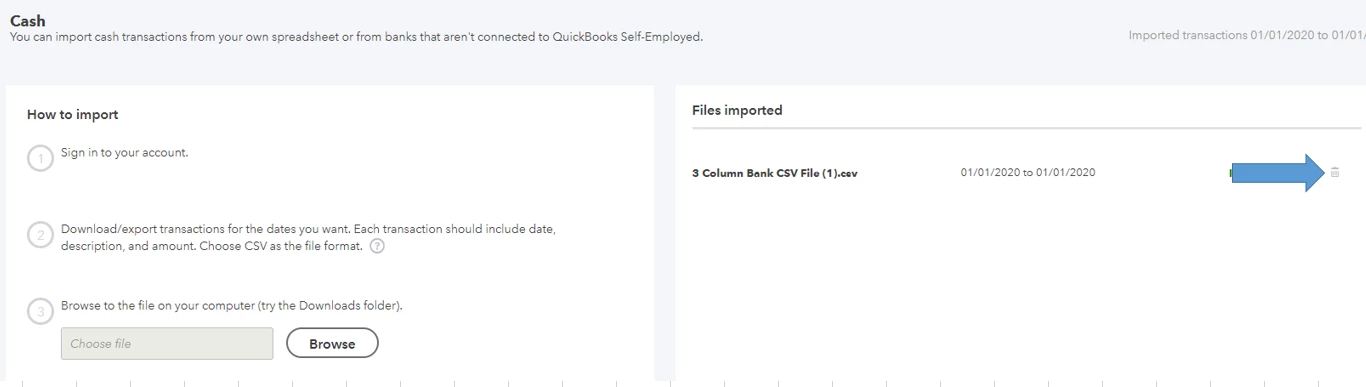
For manually imported transactions (through a CSV file):
For connected accounts:
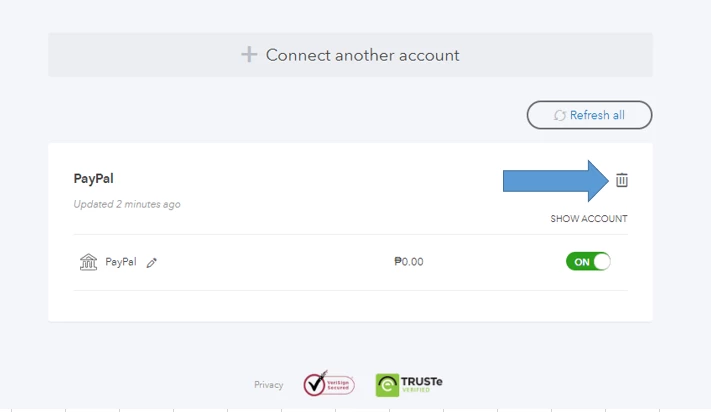
Doing these steps will delete the transactions (categorised or not) from your account.
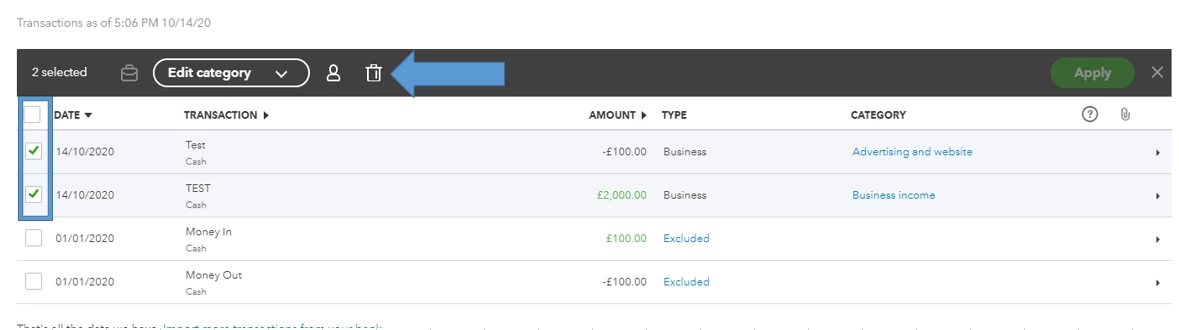
If you have transactions that were manually added (not through a CSV file), here's how you can remove them:
More details here: Delete bank and transaction data in QuickBooks Self-Employed.
The second method is to cancel your current subscription and sign up for a new one (might have to use a new email address to resubscribe). This article can tell you more about the process: Cancel your QuickBooks Self-Employed subscription.
You can sign up for a new subscription here: https://quickbooks.intuit.com/uk/self-employed/.
If you need help managing your transactions in your QBSE account, you can check out these articles:
Happy to help you out again if you have questions managing your financials in QuickBooks Self-Employed. Just reply here and I'll get back to you.
Enter your E-mail address. We'll send you an e-mail with instructions to reset your password.