Solved
I need to delete 47K sales receipts which have errors due to a plugin glitch. How can I do this in bulk? Can I use QB Desktop if I have QB Online to use bulk actions?
Original commenter did not share additional details


I appreciate your time posting here, jordan38.
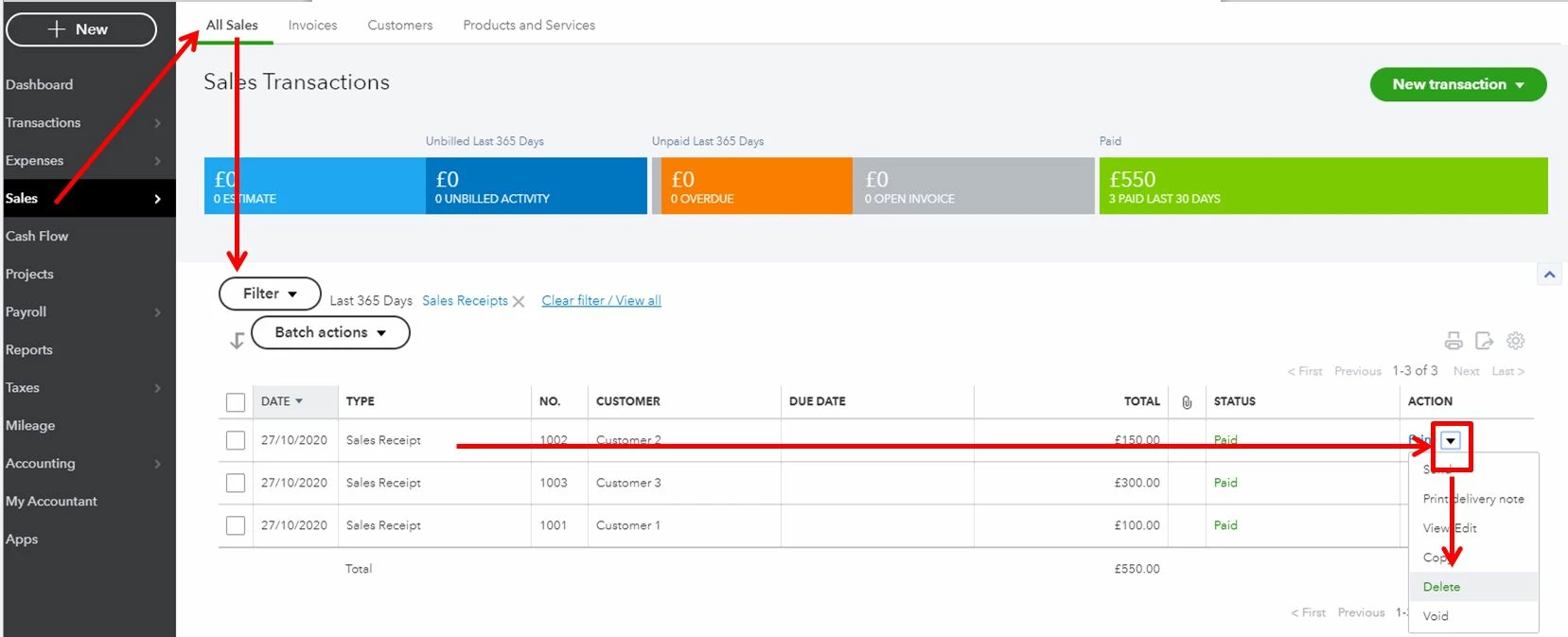
I'll give details and steps about deleting transactions in QuickBooks Online. If you've manually recorded the sales receipts in QuickBooks Online, then deleting the transactions in bulk is unavailable. You'll have to delete each transaction one a time.
Here's how:
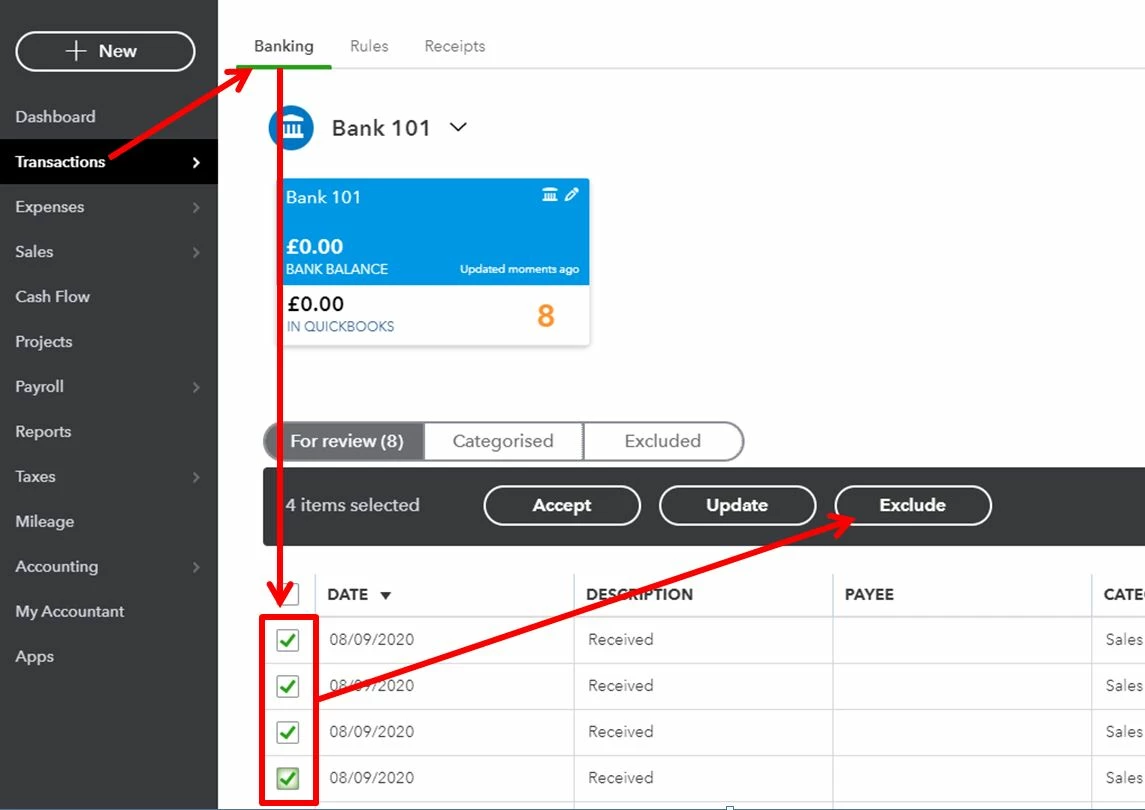
For sales receipt downloaded from the Banking page, you can follow these steps:
Please see this sample screenshot for reference:
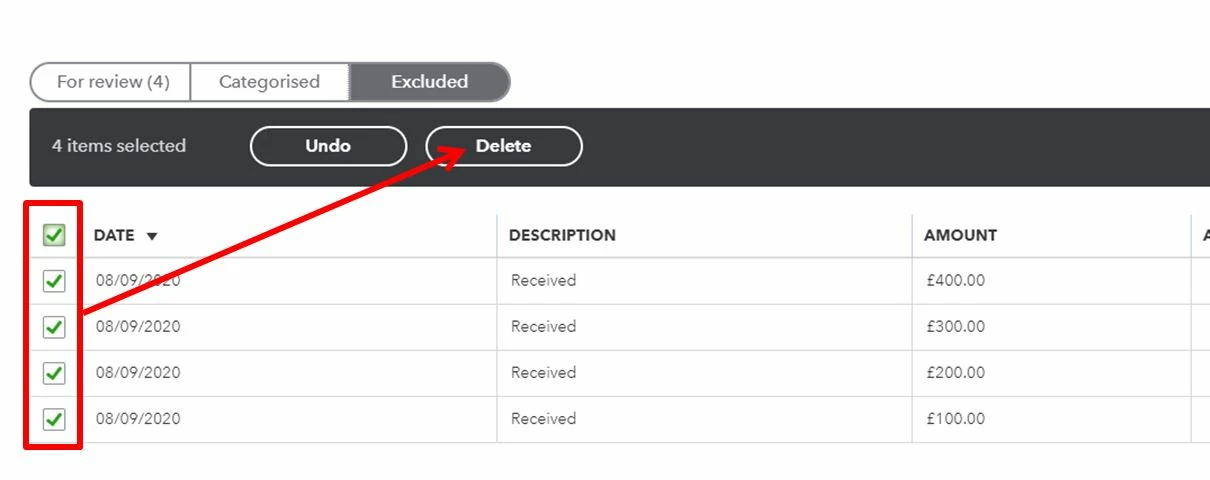
Once done, you can go to the Excluded tab to delete the transactions. Here's what it looks like:
On the other hand, if you just signed up to QuickBooks Online and want to start all over, you can check out this article: Delete your data and start over in QuickBooks Online. Note: This process will delete all data in the company file. Once you delete, you can’t restore it.
For any follow-up questions about deleting transactions or other concerns with QuickBooks Online, please leave a comment below. Thanks.
Enter your E-mail address. We'll send you an e-mail with instructions to reset your password.