Solved
Issuing a P45
Hi,
We are terminating an employee this period and wondering how i issue/create the P45 for the employee.
So far I have terminated them via the payrun.
Thanks


Hi,
We are terminating an employee this period and wondering how i issue/create the P45 for the employee.
So far I have terminated them via the payrun.
Thanks
I appreciate you for performing the steps suggested by my peer above, @vruti jivan. Also, I'm here to ensure you're able to issue a P45 to your terminated employee.
Based on your scenario, it looks like you're using QuickBooks Online Advanced Payroll (QBOAP). The steps provided by Ryan_M above apply to the Standard Payroll version. This may be the reason you're unable to view the Actions drop-down menu (see the screenshot below). Then, step 3 takes you to the Employee Details page.
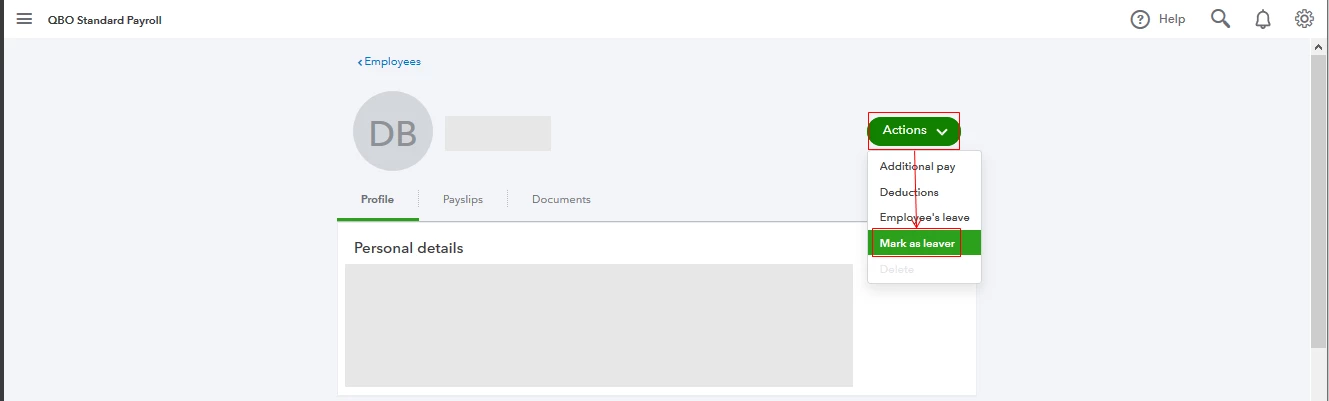
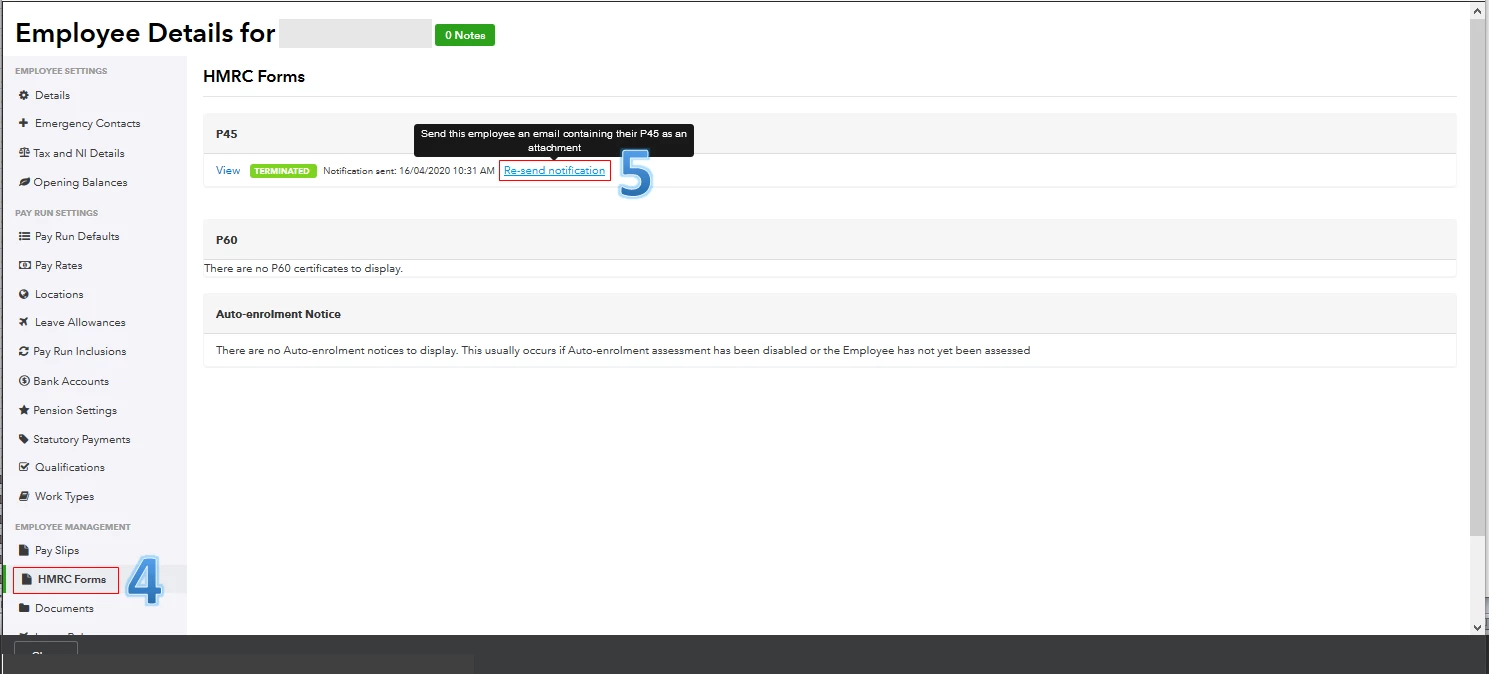
In QBOAP, the P45 form is automatically generated when the employee's final payroll is completed. Since you've already terminated the employee and ran payroll, but the form isn't auto-populated, I'd suggest going to the HMRC Forms tab from their profile. This way, you'll be able to issue their P45 via email. I'll guide you how.
The screenshot below shows you the last two steps.
As always, I recommend visiting this resource hub: QBOAP. It contains links about managing your payroll settings, employees, processing pay runs, viewing payslips, and submitting reports.
I'll be right here to help if you need further assistance. Enjoy the rest of your day, @vruti jivan.
Enter your E-mail address. We'll send you an e-mail with instructions to reset your password.