

January 11, 2023
Question

Not flooding

  • January 11, 2023
  • 1 reply
  • 0 views

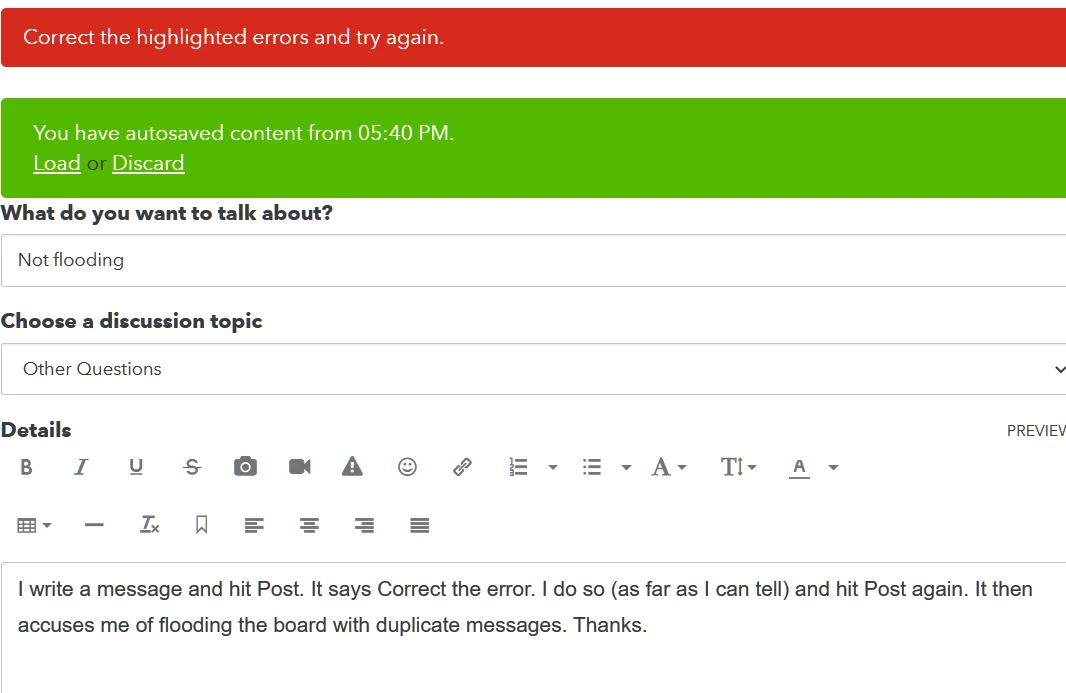
I write a message and hit Post. It says Correct the error. I do so (as far as I can tell, it doesn't say what the error is) and hit Post again. It then accuses me of flooding the board with duplicate messages. Thanks. 


And now it's done it again. 
1 reply

January 11, 2023

Hi there, @opera12


I'm here to help you post your message without any delay. 


There are times that too much cache or certain browser issues affect how QuickBooks behaves. Let me provide the steps.


Let's use an incognito/private browsing session or a different browser. Here are some of keyboard shortcuts to quickly open an incognito session: 


  • Ctrl + Shift + N  for Google Chrome
  • Ctrl + Shift + P  for Firefox
  • Control + Option +P if you're using Safari
  • Ctrl + Shift + P for Microsoft Edge

f you're able to do it, follow the steps in this article to delete your browsing history: Clear Cache And Cookies 


Please don’t hesitate to comment below if you need anything else. I'm more than happy to further help.

opera12Author
January 11, 2023

I'd saved the text after the first fail, so I waited a bit, tried again and it posted with no problem.

I suspect the autosave caused the fault on both posts.

I will write offline in future and copy/paste and post in one go.