

April 7, 2019
Question

Problems matching/entering customer payments

  • April 7, 2019
  • 1 reply
  • 0 views

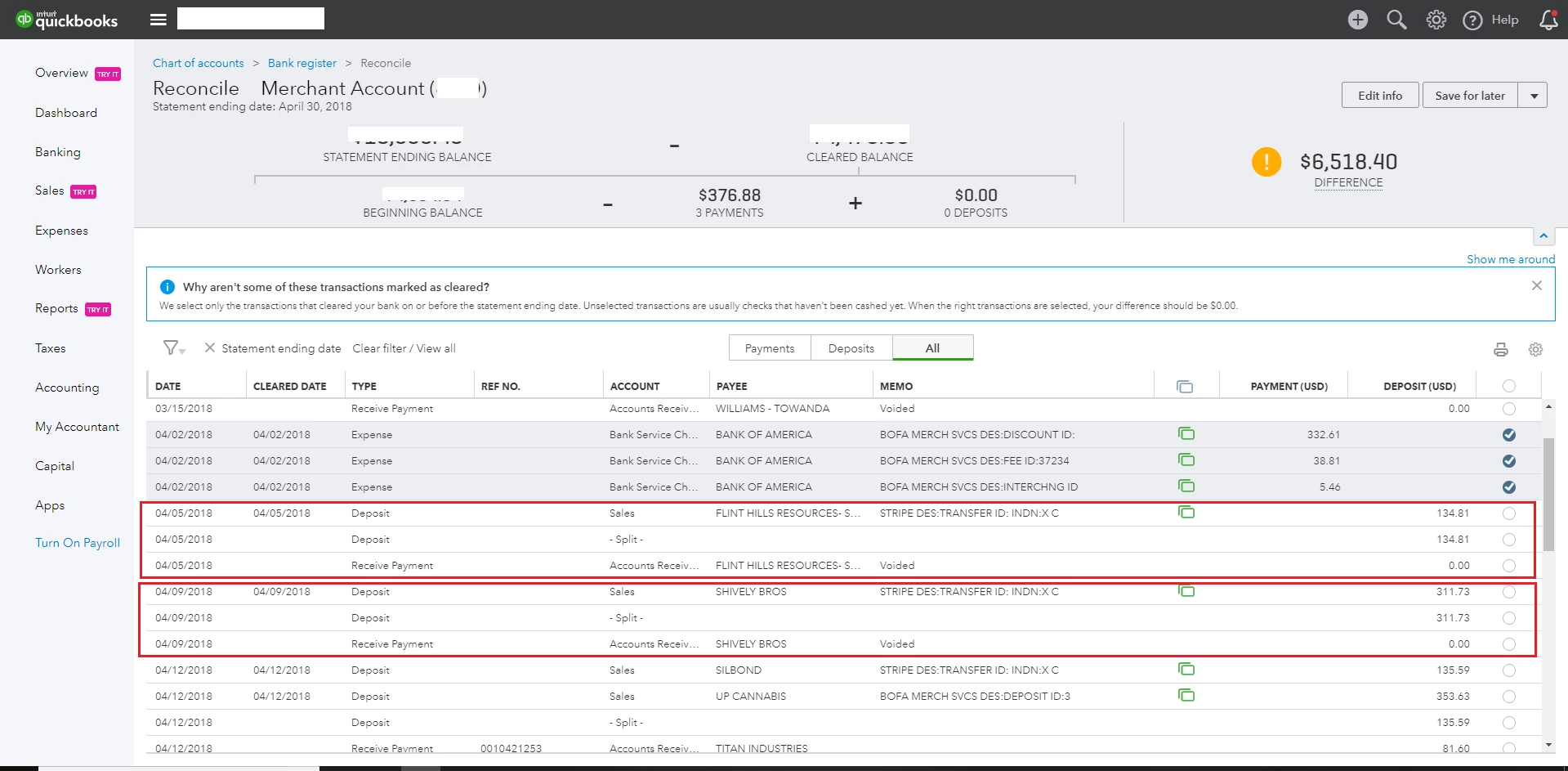
Can anyone comment on this screenshot. I've made some errors trying to record/match customer payments. In the reconcile screen I have to choose the correct transaction to match. The payment was made by credit card and I applied the gateway fee using the undeposited funds.  Should the payment go to Sales or Accounts Receivable?
1 reply

April 8, 2019

Hi there, totallockout.


When you make a payment and you choose Undeposited funds as the depositing account, the payment should be posted in your Undeposited funds account. The payment transaction will decrease your Accounts Receivable and will increase your Undeposited funds. 


You can transfer the payments that are currently posted in the Undeposited funds to right account through the steps below:


  1. Click the Plus icon at the top. 
  2. Select Bank Deposit under Other. 
  3. Under Select the payment included in this deposit section, you’ll see the list of payments that are in your Undeposited funds.
  4. Select the tranactions involve.  
  5. Select the correct bank account under Account. 
  6. Click Save and close. 


For additional information about undeposited, please refer to this article: https://quickbooks.intuit.com/community/Banking-and-bank-feeds/How-to-record-payments-as-undeposited-funds/m-p/185574.


Visit us again if you have other questions about QuickBooks.