

September 14, 2020
Solved

Thumbnail for .pdf not displayed

  • September 14, 2020
  • 1 reply
  • 0 views

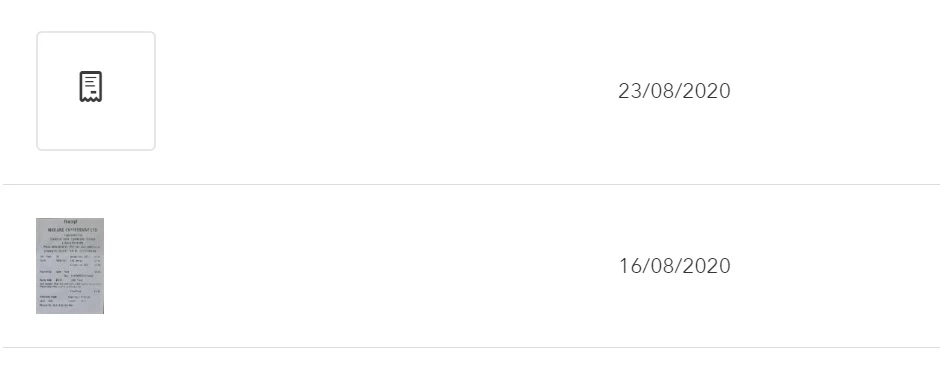
Reciepts uploaded as .pdf files do not display a thumbnail in Banking>Receipts  but jpg files do. Is this intended behaviour? It would be really good to see a thumbnail of a pdf.

Top receipt is a pdf bottom one a jpg.
 

Best answer by GeorgiaC

Hi PeterSM,


Thanks for your post - this is intended behaviour as the.JPEG is a picture format file whereas the PDF is a document format and can contain several pages. 🙂

1 reply

GeorgiaCAnswer
September 14, 2020

Hi PeterSM,


Thanks for your post - this is intended behaviour as the.JPEG is a picture format file whereas the PDF is a document format and can contain several pages. 🙂

December 1, 2020

- In this case, how does one zoom into the PDF receipt?  Hovering over it shows the receipt but may be unreadable? How does one expand the view of the PDF receipt thumnail?


- How can one open or the PDF thumbnail of the receipt into another browser?

December 1, 2020

Hello, SunnyH.


You can expand the view by clicking the uploaded PDF receipt. This let's you zoom in on the file or download it for better viewing. This won't open the file in another tab or browser however. I'd be glad to show you the step-by-step instructions. 


In the Receipts tab or page, find and click the uploaded PDF file. In the pop-up page, click the + or - icon to zoom in or out. You can also download the file by clicking the download icon. Here's a sample screenshot: 


If you need help with receipts, you can always visit this article for a guide: Capture and categorise expense receipts and bills in QuickBooks Online.


Aside from uploading receipts, you can also upload or download your bank transactions. This article can help you get started: Connect your bank feed using Open Banking.


You're more than welcome to post here if you have other concerns. Here to help you with your needs in QuickBooks Online.