

July 8, 2024
Question

View QB Desktop online

  • July 8, 2024
  • 1 reply
  • 0 views

Unless I'm totally stupid, how can I read my old desktop QB version?
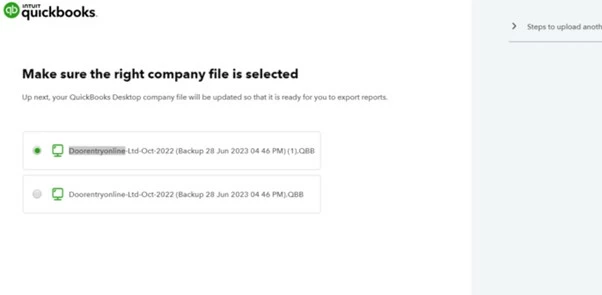
I've accessed the online desktop URL...............I've uploaded my QBDT file, now what?

The god dam thing has then downloaed the same file I uploaded in the first place?

What the heck is going on. I can't waste my entire afternoon trying to sort out how I can actually view MY quickbooks desktop version via QBO's hidious ineffective portal that doesn't explain very much at all
1 reply

July 8, 2024

Thanks for dropping by on the Community, Kev-20


We'd like to make sure that you're able to access the QBDT data that you need. 


Using our online tool, you can access your past QuickBooks Desktop reports and download them as a CSV file to your computer for safe keeping. 


Our online guide contains a step-by-step of the process including a video demo. If you're experiencing issues loading any of the pages, please try opening the tool through a private browsing/incognito window. 


Thanks again for reaching Intuit support. We'll be here if you need any further assistance. 

Kev-20Author
July 8, 2024

So just so I get this correct.................
I cannot actually view QBDT ever again, I can only view a CSV download version?
Is this correct please?

July 8, 2024

@Kev-20 

You can use the trial version to access your historical data for good.