Invoice format in QBO
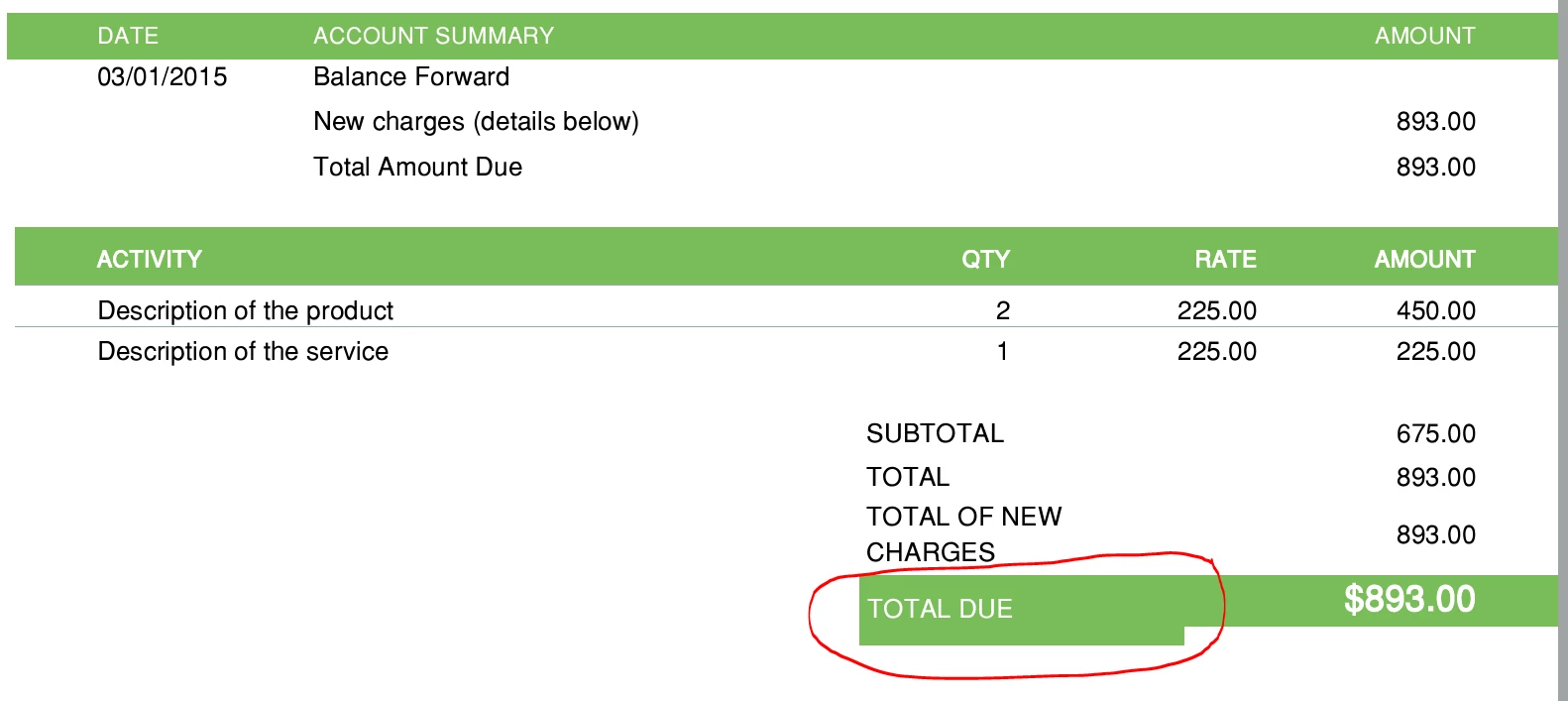
For each invoice style template I have tried to use (from those available within QBO), I have this problem whenever the TOTAL DUE and $ amount are contained within a colored box. On every one of them, the box extends lower on the left side under TOTAL DUE than it does on the right side surrounding the $ amount. I can't change it because QBO does not allow that level of customization. I should mention that while in custom forms, this does not display this way. But as soon as you preview it as a PDF, the problem appears. I have done it every which way and see no answers readily available. Can this be fixed? It drives me a little crazy because it looks like a mistake, or sloppy invoice formatting, which I don't like sending out to clients. Does anyone know how to get around this? (See picture below)