December 6, 2021
Question

item list

  • December 6, 2021
  • 1 reply
  • 0 views

Hi team, 

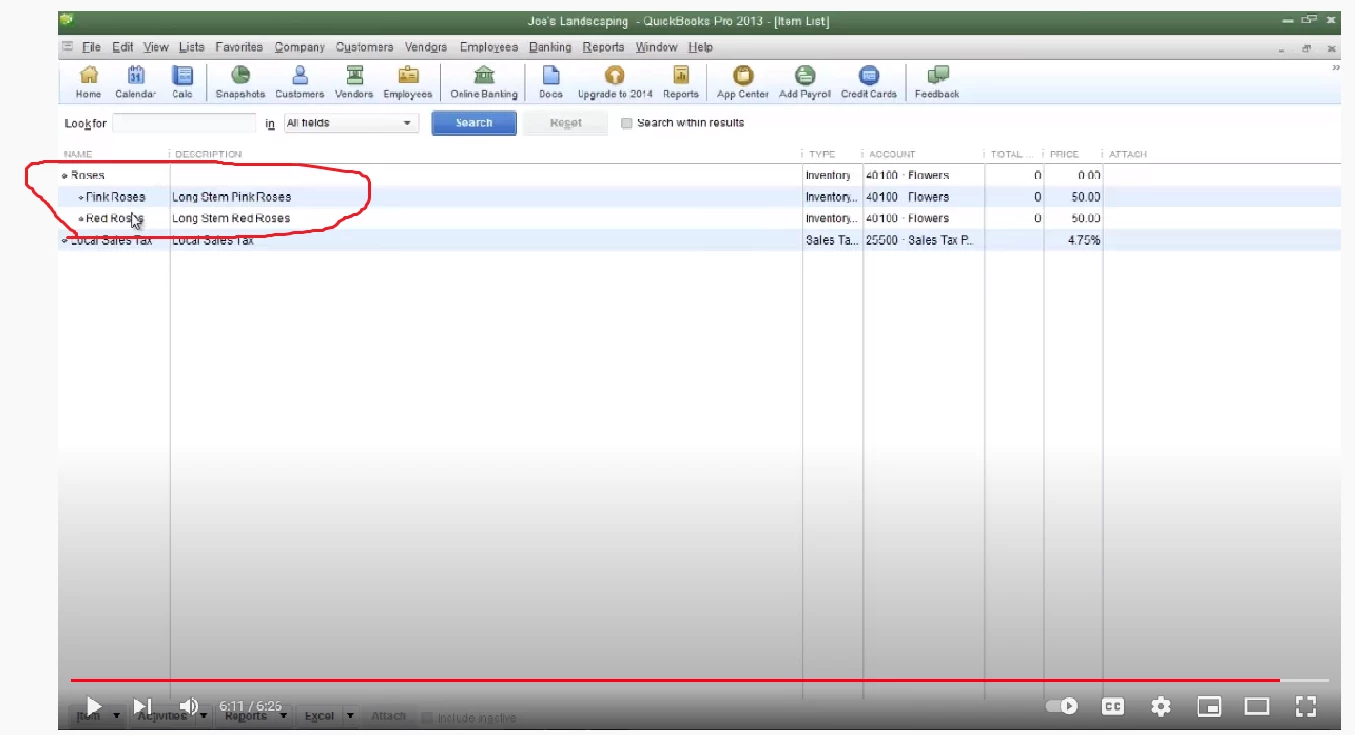
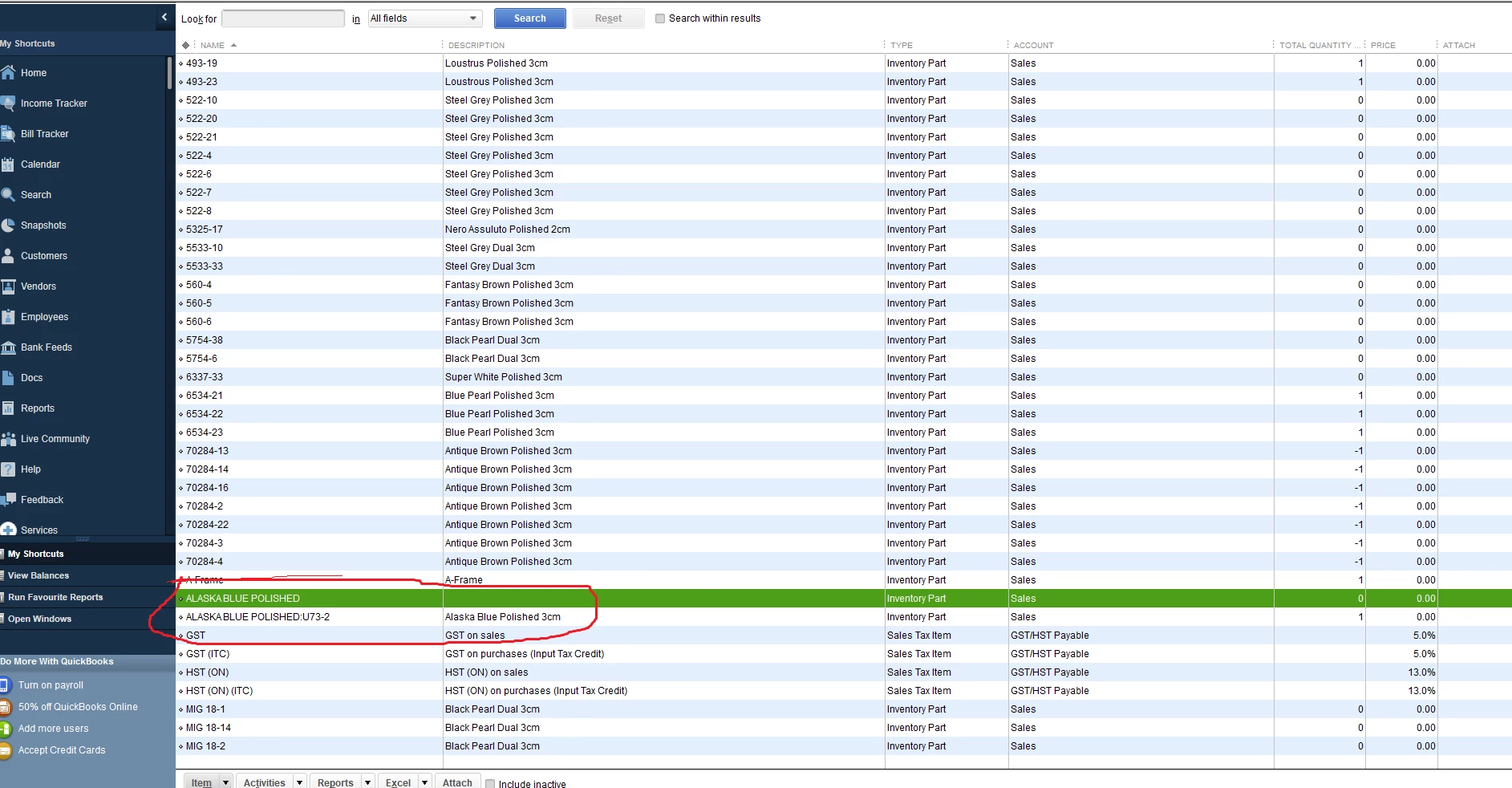
my subitems are not showing indented in my item list under the parent item as it shows in pic 1 attached. can someone help on this issue to make it as it shows in pic 2?


Thank you in advance. 
 

1 reply

December 7, 2021

Hi debdeb1,


I'm glad to see you reaching out to Community!  I can see how having your items aligned for easy viewing would be beneficial.  Thank you for providing screenshots for a better understanding of your goal.  QuickBooks Desktop has the function you need to get your items listed with sub-categories, making them easily identifiable when indented.  I'd be happy to help!


To make the necessary adjustment to your item list, follow these steps:


1. Click on Lists from the menu bar and open Item List

2. At the bottom, select the drop-down arrow beside the Item button

3. Select Hierarchical View

You're all set!


Please feel free to reach back out if you have any other questions.  We're here for you!