

May 6, 2022
Question

Quickbooks Purchase Order Template Bug

  • May 6, 2022
  • 1 reply
  • 0 views

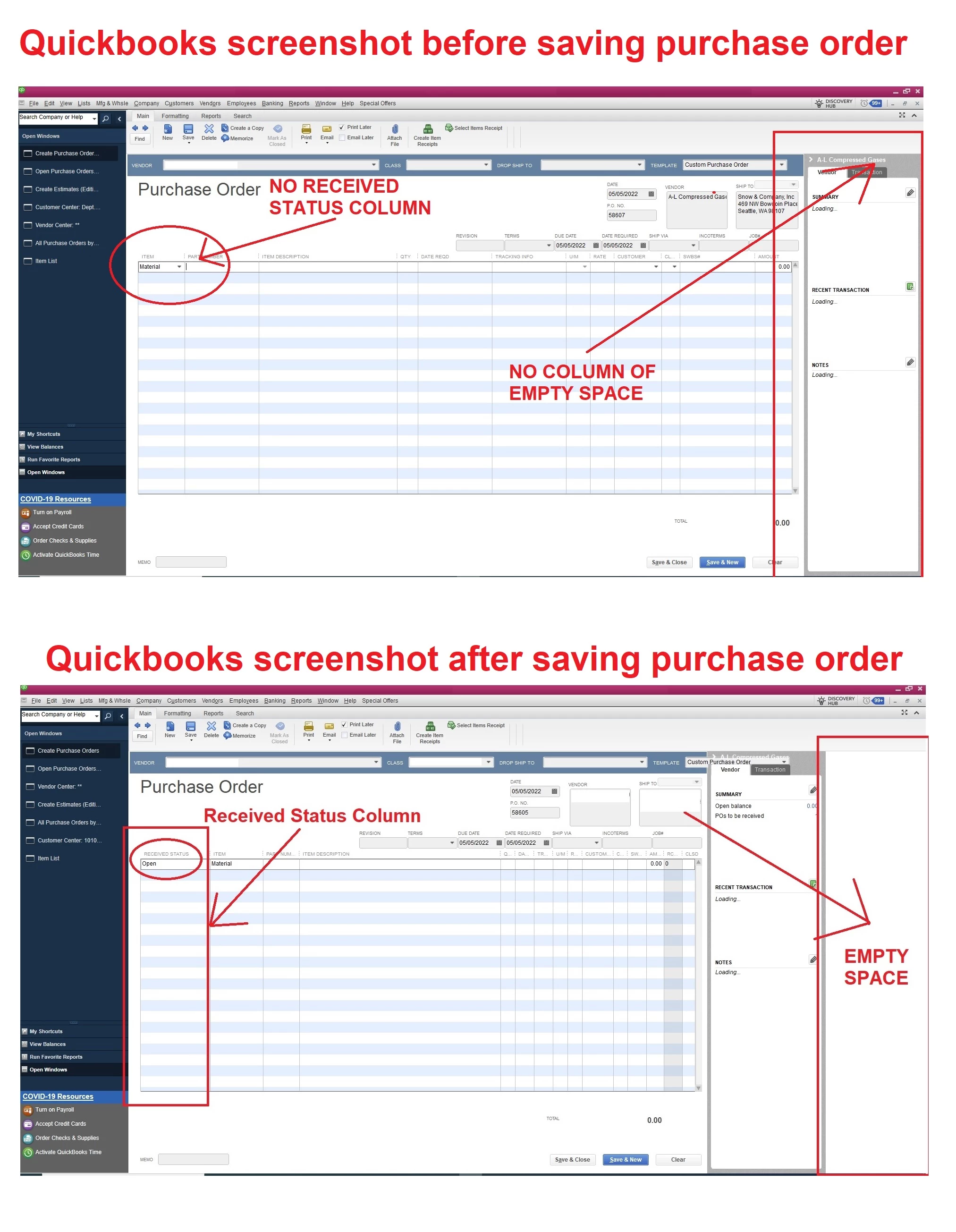
Whenever I save a purchase order it collapses and I lose several inches on the right hand side of the screen and a new column appears called RECEIVED STATUS that makes my window so small I cant see the fields I need to edit.


Anyone know how to stop quickbooks from doing this?


1 reply

May 6, 2022

Hi there kstewart,


It's vital that all your transactions have the correct information. QuickBooks is a great tool able to help you create and keep track of purchase orders for your suppliers. I can point you in the right direction for assistance with display errors.


For help in setting up the display so it won't be covering up some fields once the purchase order is saved, I recommend reaching out to the QuickBooks Desktop support team. They'll be able to view the way your software is set up with you in order to get you back to being able to have all info entered correctly without being blocked by the way it's displayed. You can reach out to them using the methods provided in the QuickBooks Desktop software support policies.


If you have any other questions, feel free to reach out here.