February 16, 2023
Question

Sales Order Won't Add Out Of Stock Items To Invoice

  • February 16, 2023
  • 1 reply
  • 0 views

Hi All


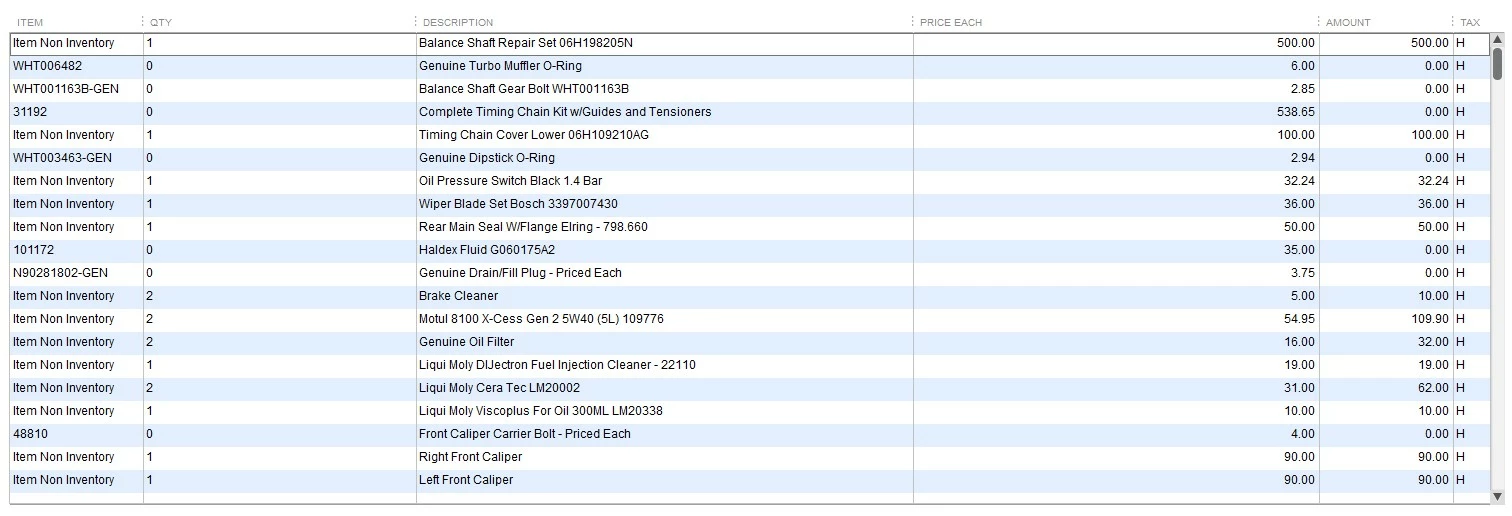
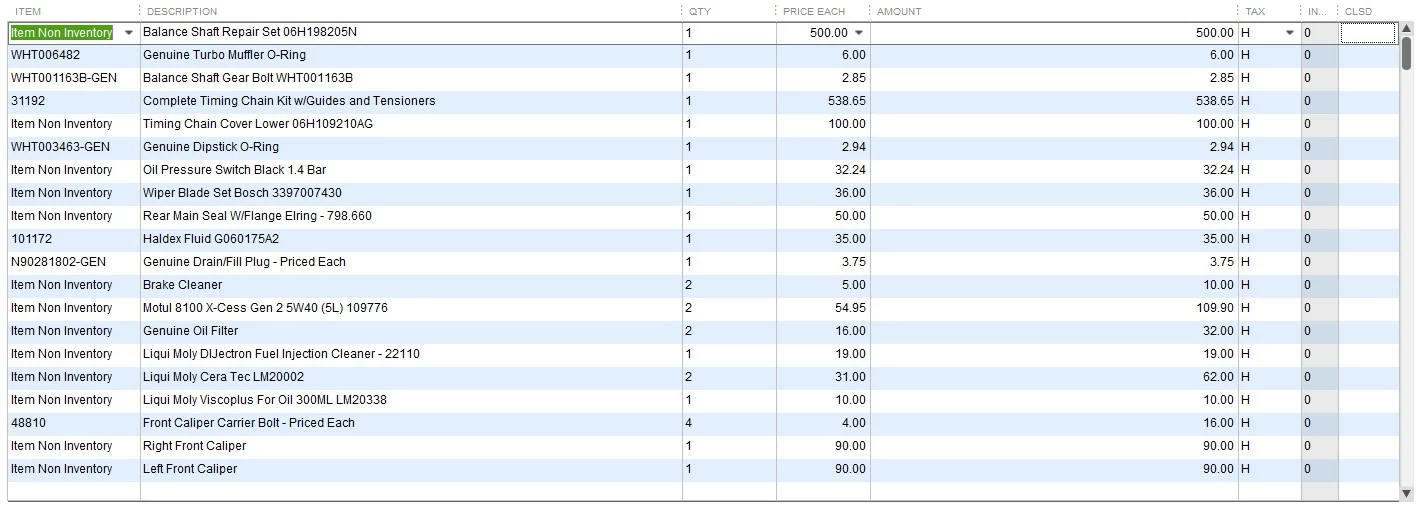
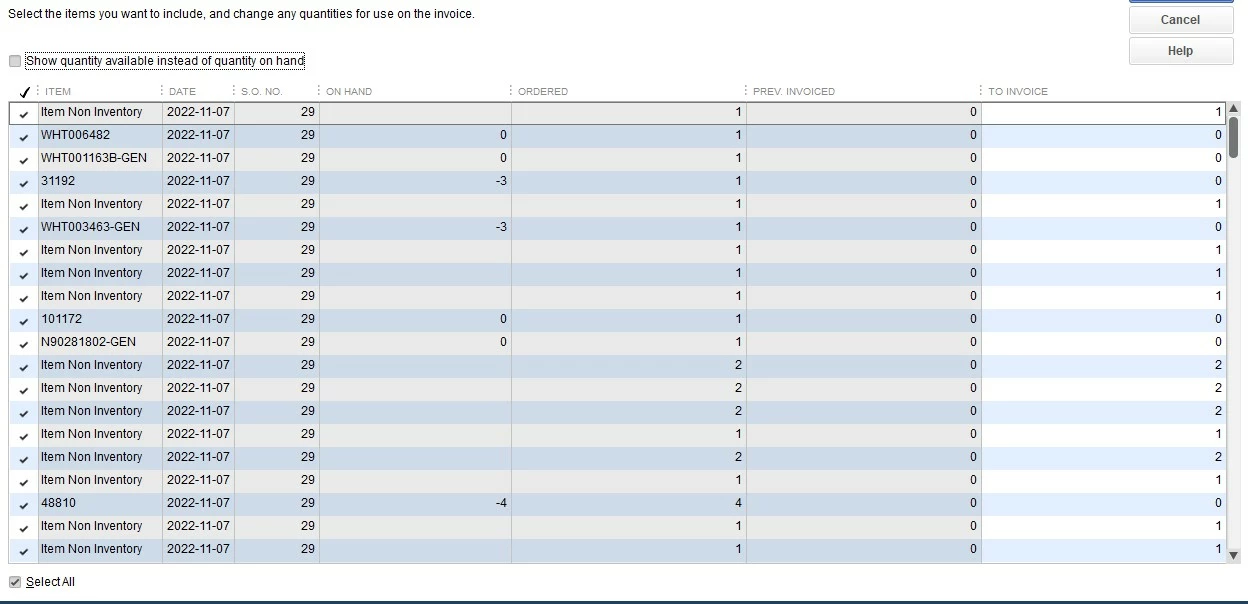
Hope i can find an answer here, when I have a sales order and i want to convert it to an invoice sometimes we have items that are out of stock put the customers want to pay and pick up when its in stock but when a covert it to a invoice only the in stock items show up and the non stock items show zero price. I added pictures below for you to see what i mean.


(1) First picture is the sales order

(2) Second pictures is converting it to invoice

(3) Third pictures is the invoice that was converted from the sales order


You can see in the third pictures that the items that were inventory items and out of stock show zero price, how to i make it show the prices going forward even though they are out of stock.
 

1 reply

February 16, 2023

Hi there vr6turboguru,


It's important that all your transactions be entered correctly so your sales totals can be accurate. QuickBooks Desktop is a great tool able to help you keep track of sales and expense transactions so you can see the profit of your company. I can point you in the right direction for assistance with these sales items.


For assistance in making sure items out of stock appear with a price in invoices, I recommend reaching out to the QuickBooks Desktop support team. They'll be able to view the invoice, the item in question, as well as your company's settings to help you make sure the transaction has the correct price appearing. You can reach them using the options provided in the QuickBooks Desktop software support policies.


If you have any other questions, feel free to reach out here.