
JuliesABCs
May 5, 2020
Question

Why won't let me select the accounting Firm?

  • May 5, 2020
  • 1 reply
  • 0 views

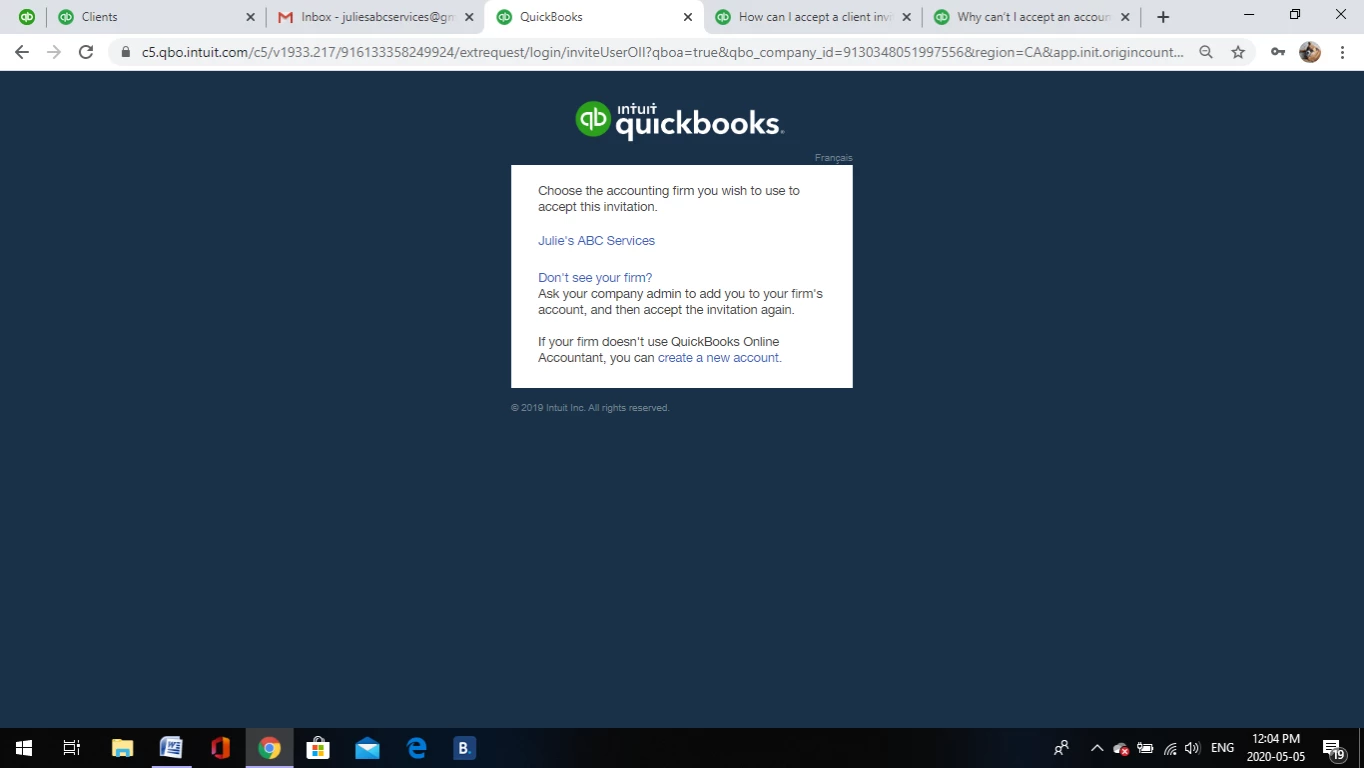
I was invited to be an accountant for my client, and now it will not let me select the accounting firm to complete the invitation . 
1 reply

AddieC
May 5, 2020

Hi there, 


Connecting with your clients in QuickBooks Online is an awesome way to help both of you with the business bookkeeping. Accepting your accountant invitation is the first step, and the process should run smoothly. Thanks for uploading that screenshot!

I see your firm listed there as an option for selection. If you're having trouble clicking the hyperlink to accept the invitation, it could be that your browser is unresponsive. 


Try clearing the cache and cookies in your web browser to remove any stored Internet files. These stored files can cause bugs in QBO and other sites. Here's how to clear them: Clear cache and cookies to fix issues when using QuickBooks Online


If the issue persists, try using an Incognito window in Google Chrome. This is a private browsing mode that operates separately from the main browser, and it doesn't get impacted by stored cache and cookies. Here's more information about that and how to use it: Browse in Private. You should also try using multiple different browsers to get things back on track.


Once you've completed this troubleshooting, try logging out of QBO entirely, then log back in.


If you've given all these steps a try and you're still unable to accept your invitation, please reach out to our tech support team so an agent can investigate this further. 


Have a great day.

