

August 19, 2023
Question

Journal Entry and Invoices

  • August 19, 2023
  • 1 reply
  • 0 views

Scenario 

We have a different system used by our operations team to monitor their day to day transactions. Here's what we did

1) we recorded total revenue recognized for the day in bulk (1 invoice) 

2) we recorded total cash received via Journal Entries since cash received for the day does not necessarily pertain to sales for the day. (entry was Debit Undeposited Funds, Credit Accounts Receivable)

3) In order to match the cash collections to a certain invoice, we applied credit using "receive payment" by putting a check mark on the invoice being offsetted to the payment, and putting a check mark on the Journal Entry in the "CREDITS" portion of the page. (for reference see photo)


this is to know which invoice we're applying the journal entry
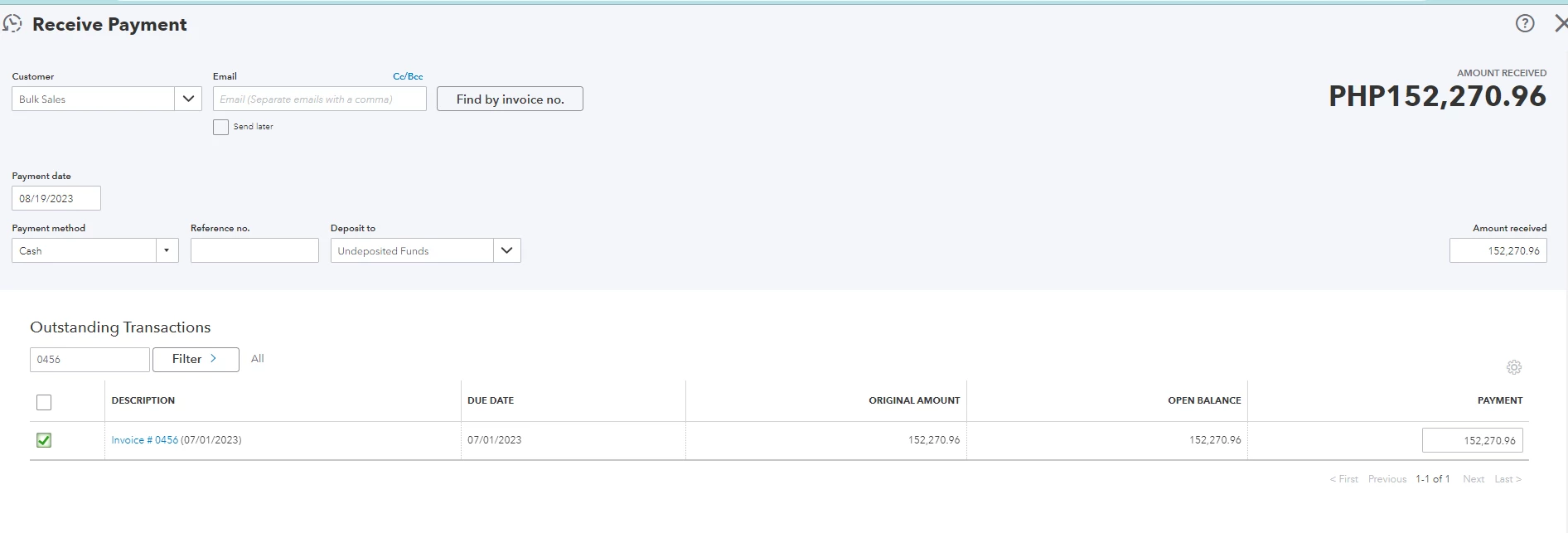
this is how we apply
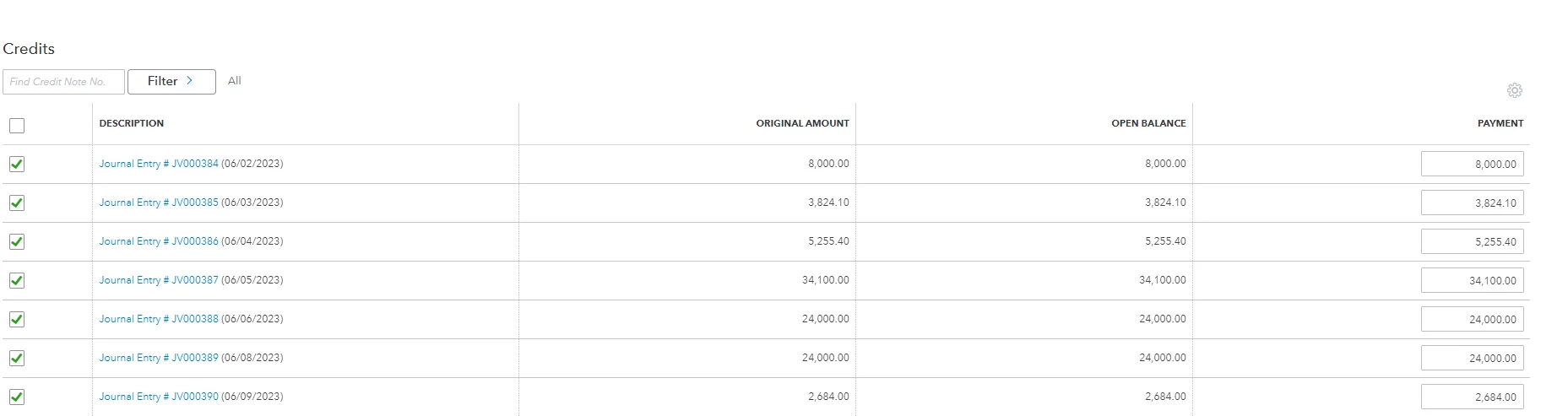
 

Now, im surprised that when i was doing this on the following month, Journal Entries from previous months still appear even though we have applied it already on previous months invoice. 


Am I doing something wrong? or journal entries that has "undeposited funds" will always show up in the "receive payment" regardless if they are applied or not? 


Thanks for the help!


1 reply

DHeraV
August 19, 2023

You're not doing anything wrong, @Koizumi008.


The appearance of the Journal Entries (JE) in the Receive Payment section is expected when using the Undeposited Funds (UF) account, even if they have been applied to the previous month's invoices. This is because the UF account is used to temporarily hold cash until it is deposited into the bank.


When you receive a payment and apply it to an invoice, the system marks the entry as paid and reduces the balance in the UF account. However, the original JE will still be visible in the Receive Payment section because it represents the initial recording of the cash received.


This is a normal behaviour in accounting systems, as it allows you to track the flow of cash and the application of payments to invoices. It ensures that you have a complete record of all transactions, even if they have been applied to invoices in previous months.


You may also want to check out this article that can be used as a reference to help you learn how to review downloaded bank and credit card transactions and put them in the correct accounts in QuickBooks: Categorise and match online bank transactions in QuickBooks Online.


If you have any further questions regarding transaction management, generating reports, or any other matters related to QuickBooks, feel free to leave a comment below. I'll be sure to come back and provide you with the best possible assistance. Take care.