


Billable and Markup Missing from Incoming Bills Bill.com Quickbooks Online
When you "Create bill" in Bill.com through Quickbooks Online (QO), under the "Incoming bills" tab, you are unable to make that bill billable to a customer as the "Billable" checkbox and the "Markup" are not a choice under neither "Account details" or "Item details" as found in all Quickbooks versions.
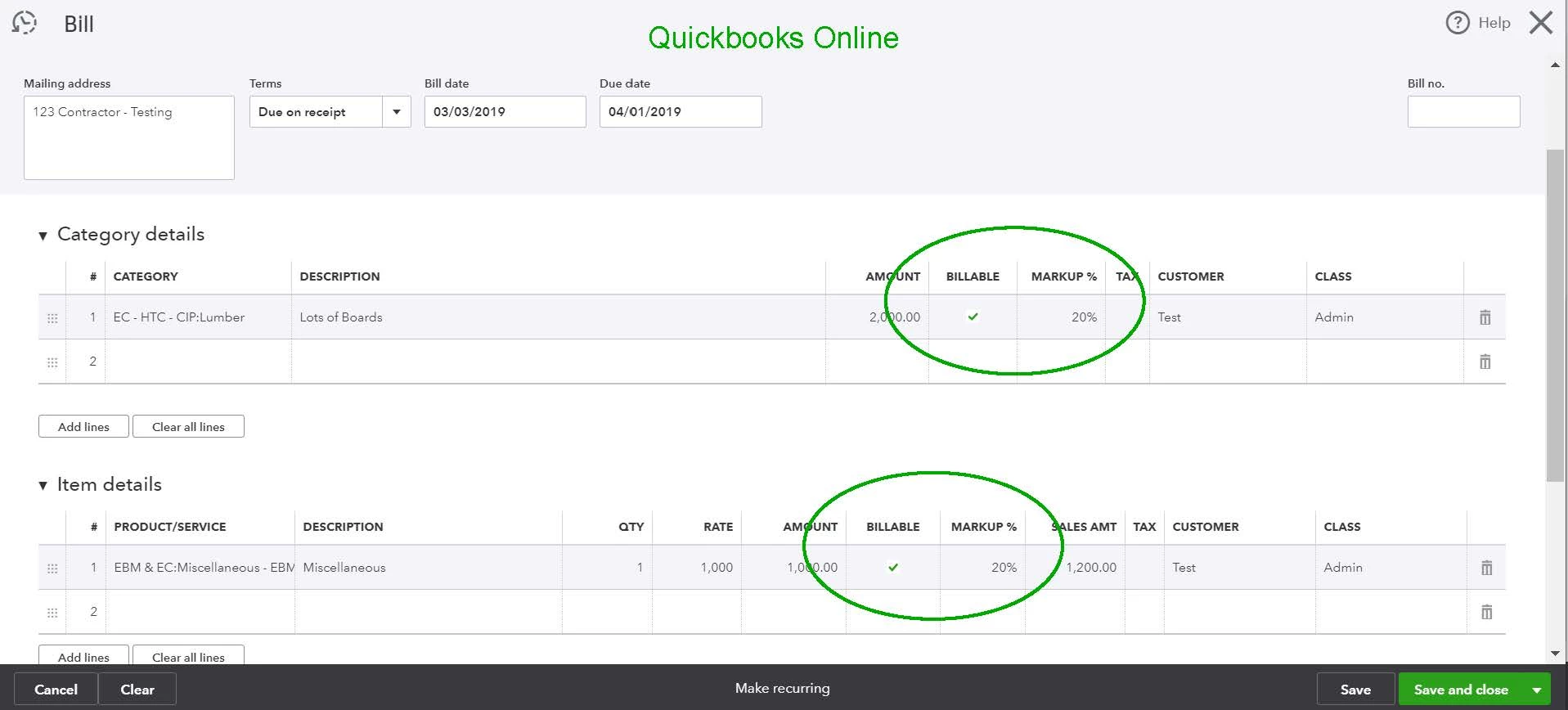
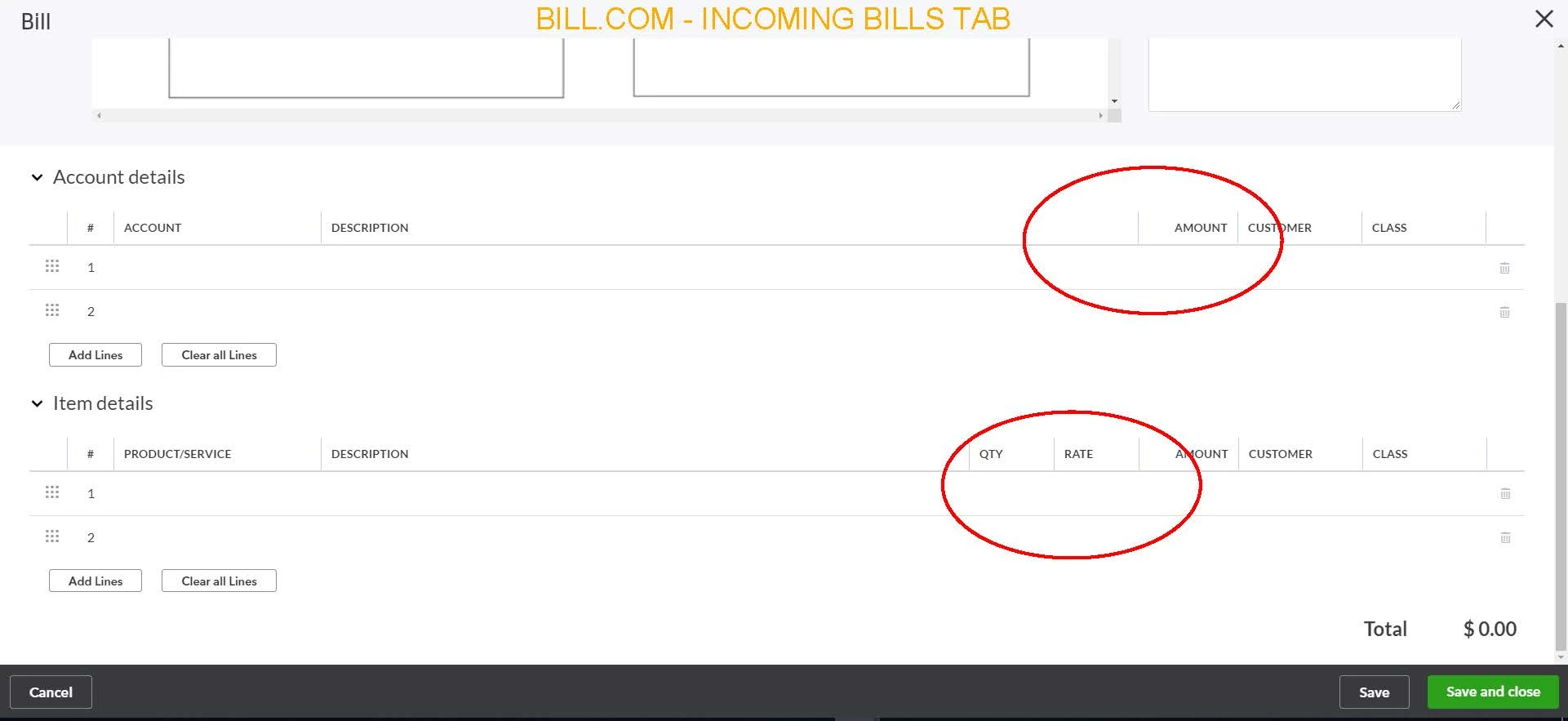
1. Is there a way to activate the "Billable" checkbox and the "Markup" in Bill.com? If not, is there a workaround?
The Bill.com app is an improvement to QO, however, currently not being able to make the invoice "Billable" and "Markup" a customer for a vendors work through the "Incoming bills" part of the app is inefficient for my company as we have to go back into QO to make our profit. Therefore we have stopped using it because of the missing standard feature.
