January 26, 2024
Question

Billable items

  • January 26, 2024
  • 1 reply
  • 0 views

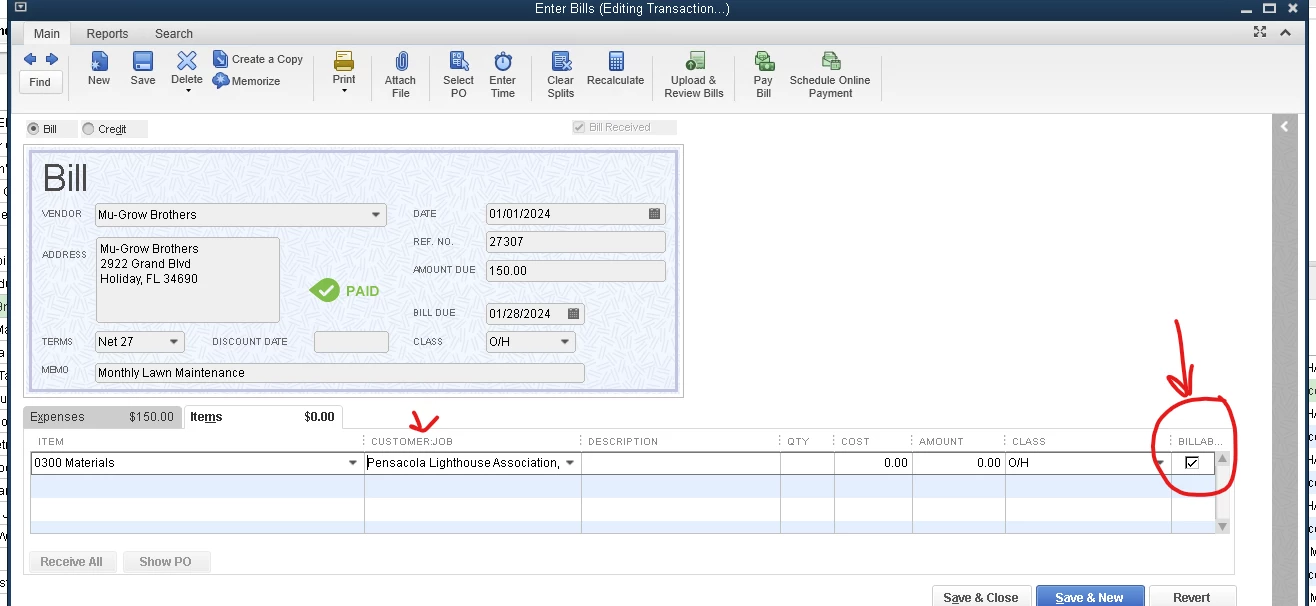
When entering a bill or invoice, the Billable box is checked automatically if a Job is selected.  Is there a way to stop doing that?  I do not wany the billable box checked ever.
1 reply

January 26, 2024

Hello there, @sherylrazorback.


I'll help you remove the check for billable box as default in QuickBooks Desktop.


Here's how:


  1. Go to the Edit menu.
  2. Select Preferences.
  3. Choose Time & Expenses on the left-side panel.
  4. Click the Company Preferences tab.
  5. Uncheck the Mark all time entries as billable and Mark all expenses as billable boxes.
  6. Then click OK once done.


Let me also share this article that you can use for reference in case you need to edit your items and your employee’s hours:


Let me know if you have questions about managing invoices and bills in QuickBooks Desktop. I'm always here to help. Have a great day.

January 26, 2024

Hi Ethel,


Thanks for your reply.  I went in to the preferences and that box is not checked.  It is unchecked but if we cost anything to a job, the billable box automatically checks itself.


Thanks,

Sheryl

January 26, 2024

Hello sherylrazorback,


Thank you for responding! I would like for you to verify something for me. Are you able to manually uncheck it, and if so, could you let me know what happens afterward?


I will be looking forward to your comments! See you in a few,

