

September 3, 2024
Question

black text fields

  • September 3, 2024
  • 1 reply
  • 0 views

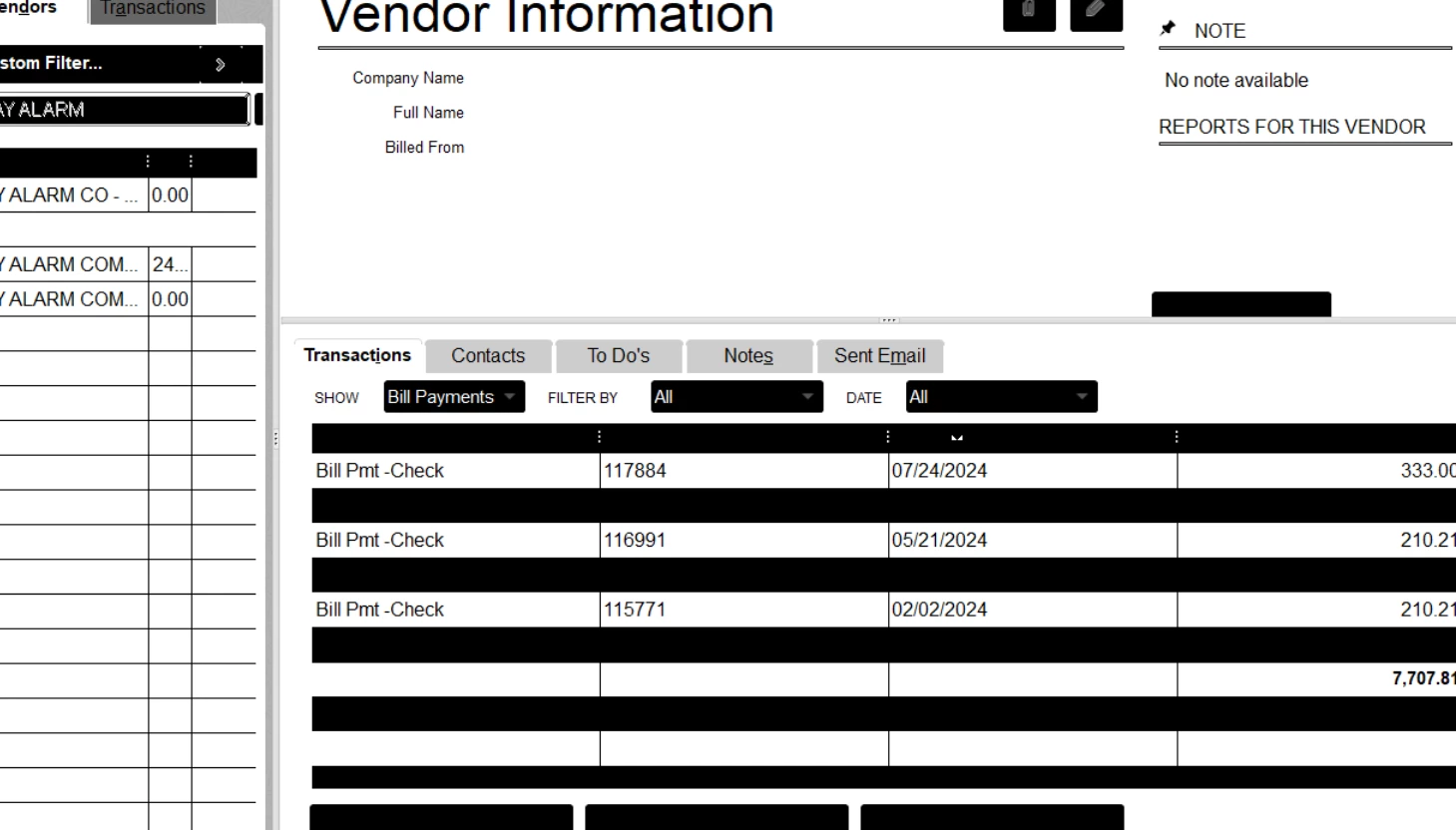
after a few hours of working on quickbooks. quickbooks turns it's text fields black and very difficult to interface.

user has to restart the computer to get it back to normal.

followed the instructions here. QuickBooks Desktop fields display black instead of white (intuit.com)

still getting the issue.

we upgraded from enterprise v23 to v24 and still getting the same issue.


1 reply

September 4, 2024

We see where you're coming from and the urgency of resolving the issue on your text fields in QuickBooks Desktop (QBDT), @yohanr.


I appreciate the instructions you have followed to resolve this issue. Since the problem persists on your end, I recommend contacting our QuickBooks Desktop Support Team so they can investigate this matter and will raise a ticket with our engineering team if necessary.


Here's how:


  1. Go to the Help menu, then click QuickBooks Desktop Help.
  2. Select Contact Us.
  3. Please briefly describe your issue, select Continue, and choose a way to connect.


Moreover, this helpful resource can help you in the future if you encounter issues like icons or fonts looking fuzzy or if the windows are strangely sized: Fix screen issues in QuickBooks Desktop.


I'm still ready to back you up if you need more help with display issues or managing your transactions in QBDT. I'll keep the thread open so you can comment back. Take care always.