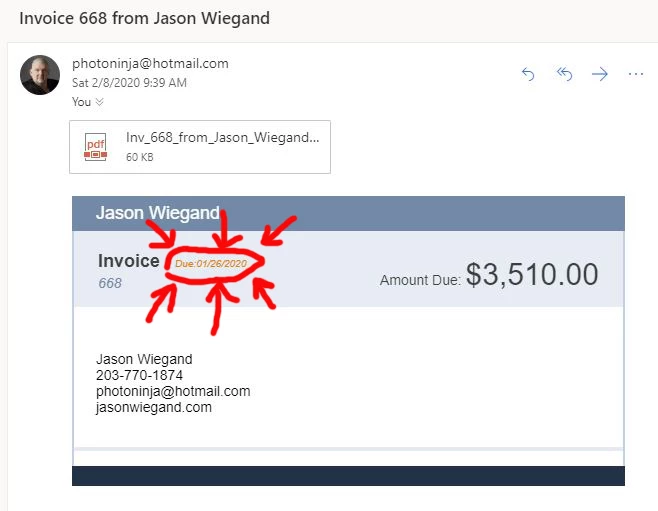
Hi Photoninja,
The due date of the invoice will depend on the payment terms of your customer. You'll want to change the payment terms of a specific customer, please follow the steps below.
- Click Customers on the upper menu.
- Select Customer Center.
- Select the customer.
- Go to the Payment Settings tab, change the Payment Terms by clicking the drop-down arrow.
- Click OK.
You'll want to uncheck the Print Status Stamp box to remove the due date on the emailed invoice.
Here's how:
- Open the invoice that you want to send.
- Click Formatting on the upper menu.
- Click Manage Template.
- Select the template.
- Click OK.
- Uncheck the Print Status Stamp box.
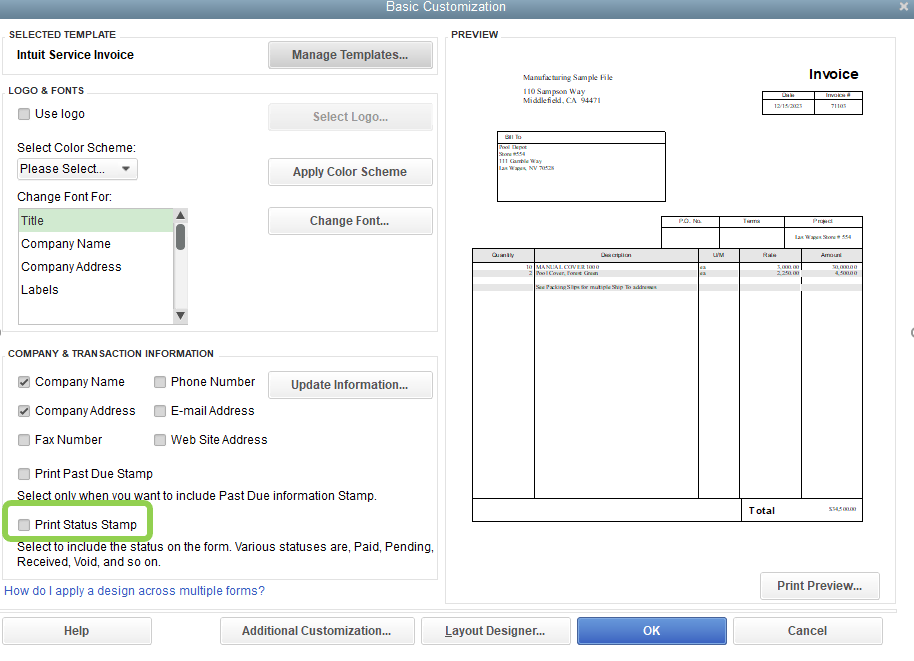
- Click OK.
Once done, you can resend the invoice.
For future reference, please check out this link for more information: Income and expenses.
Fill me in if you need further assistance. I'd be glad to help.