Hello Erika,
There is no company to choose and no Switch to click on.
"Open the QuickBooks Desktop app. Choose the Company you want to enter the mileage for and then click Switch. Select Track vehicle mileage. Hit Get started. Choose the + (plus) button"
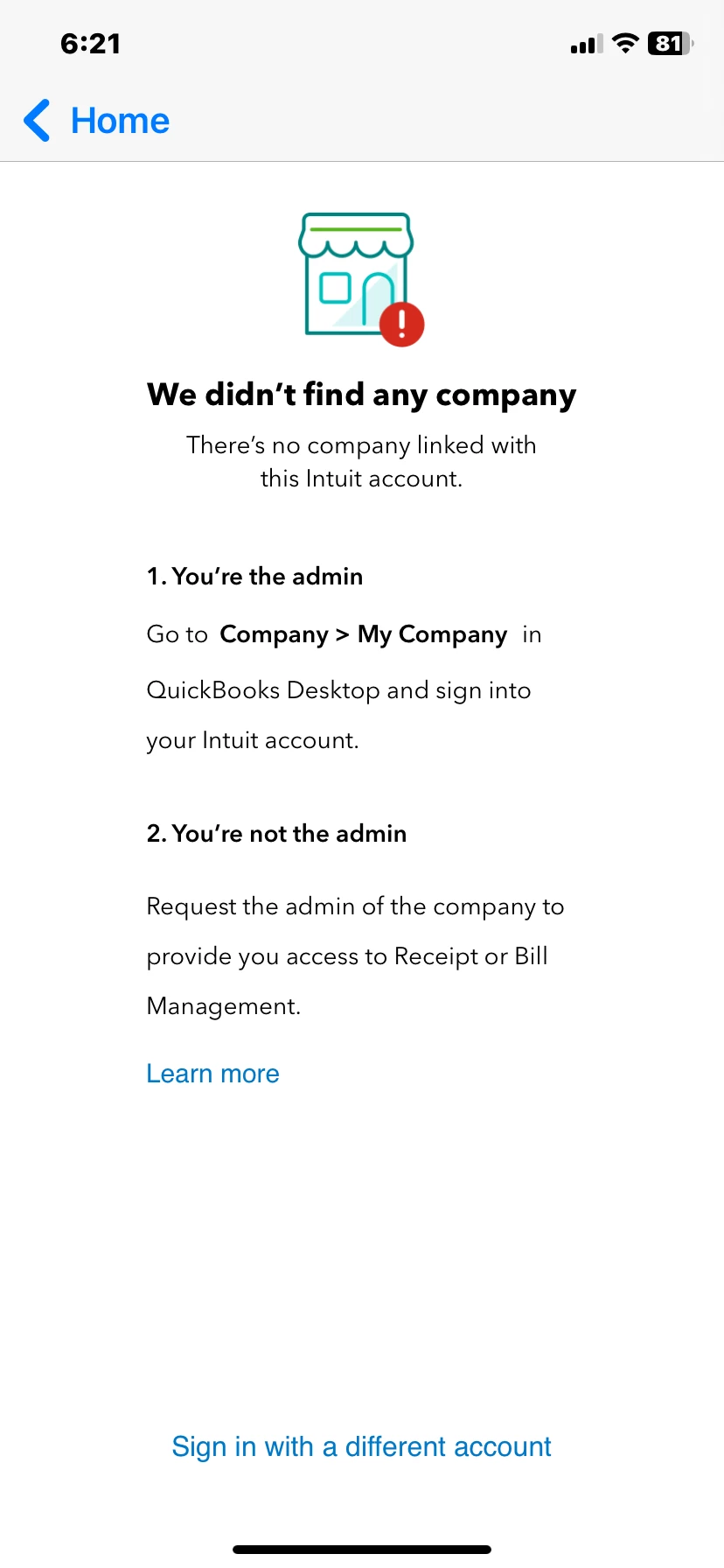
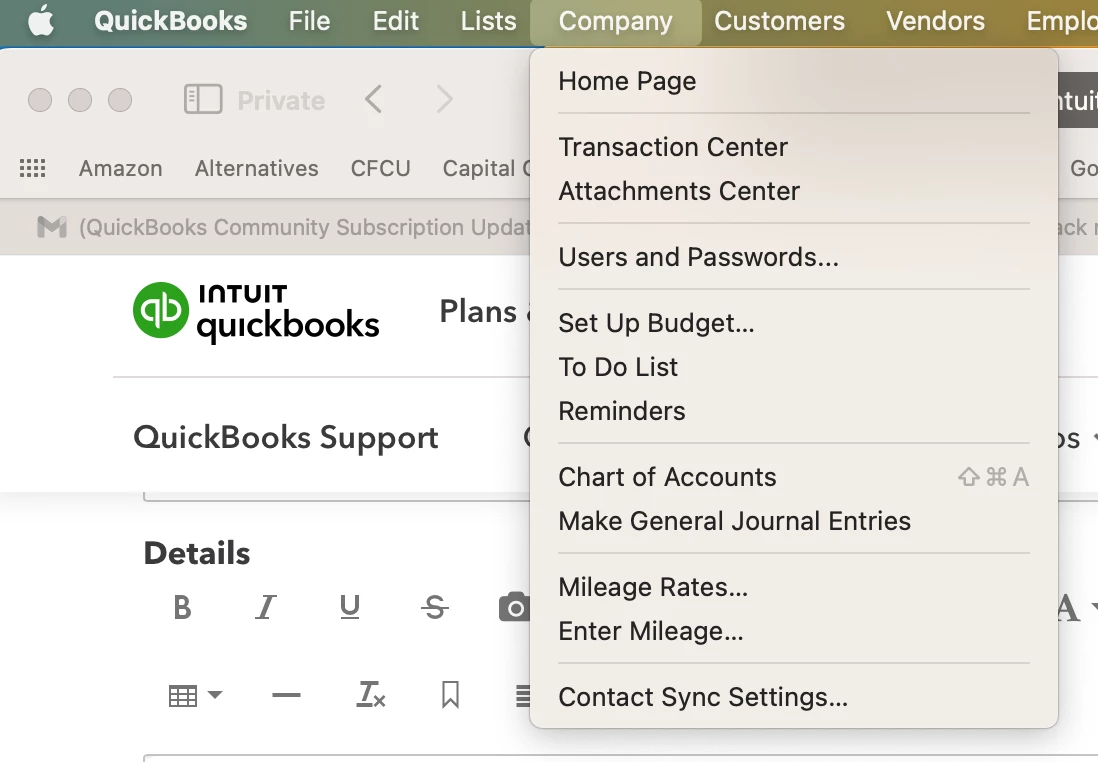
Here is what appears on my phone. I can not link to the app in my QB Desktop for Mac since there is no My Company in drop down menu for Company Tab.
My drop down menu on my laptop is as follows:
I need to find out how to have my company listed on the mobile app in order to record mileage.
Thank you for your help.
Thanks for getting back to this thread, @Susan607.
Let me share additional insights about tracking mileage in QuickBooks Desktop for Mac.
The option to automatically track mileage is only available for iOS. You can only track mileage manually if you're using the Mac version. That can also be the reason why you don't have the option to link to the QuickBooks Desktop mobile app. See this article for more details on manually tracking mileage for Mac: Track mileage QuickBooks Desktop for Mac.
In the meantime, you may consider looking for a third-party app at the QuickBooks App Store to help you with automatically tracking mileage for Mac.
Also, you'll want to send feedback to our Product development team to study this feature and may add this to future enhancements. Your feedback is valuable to Intuit. Our Product Development team will review it and consider it in future updates.
Here's how:
- In QuickBooks Desktop, click on Help at the top.
- Select Send Feedback Online.
- Enter your product suggestion.
- Then select Send Feedback to confirm.
You may visit this link to stay up to date with Intuit's latest news: QuickBooks Blog.
Furthermore, I'm attaching this article for future reference on tracking how much money you spend and make for each job: Track job costs and profitability in QuickBooks Desktop for Mac.
Tag me in the comment section if you have follow-up questions about handling mileage. I'm always happy to help you.

