

Clarification on the "AS OF (DATE)" field on CSV imports and other questions
Hi everyone. Right now I'm looking at the contents of the downloadable Import / export CSV kit that explains what fields can be imported into QuickBooks via CSV. It looks like this:
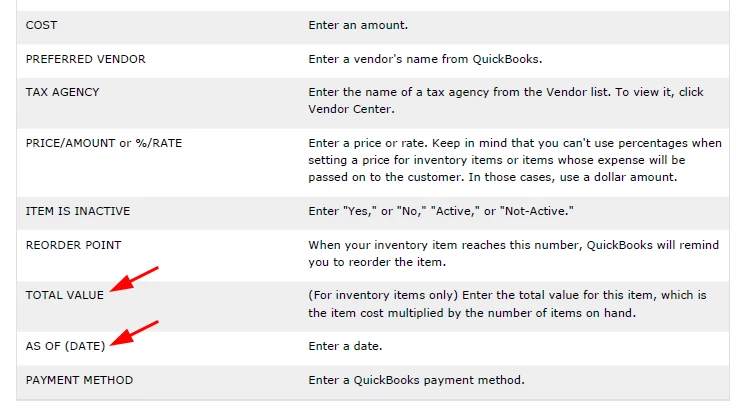
What is the as of (date) field? It seems to me that this field can be used with the total value field to a) correct the total value of an item's inventory and b) backdate this change as to correct the avg. COGS value that QuickBooks generates.
Am I correct in this assumption?
If so, is it the same as going to Inventory > Adjust Quantity / Value on Hand > And adjusting the value for the on-hand inventory with an adjustment date in the past (which indeed forces QuickBooks to generate a new avg. COGS value)?
In addition to as of (date) there are fields like type (required) and name (required) - should the parentheses and text therein be removed, or should those column names remain unchanged?
Thank you.
