

February 28, 2024
Solved

Deposit amount on Invoice does not show on email view or pdf view or payor view

  • February 28, 2024
  • 1 reply
  • 0 views

I am afraid to send the invoice because it doesn't show on the email, pdf or payor views. It only shows the invoice total on these views. 

Invoice snapshot:
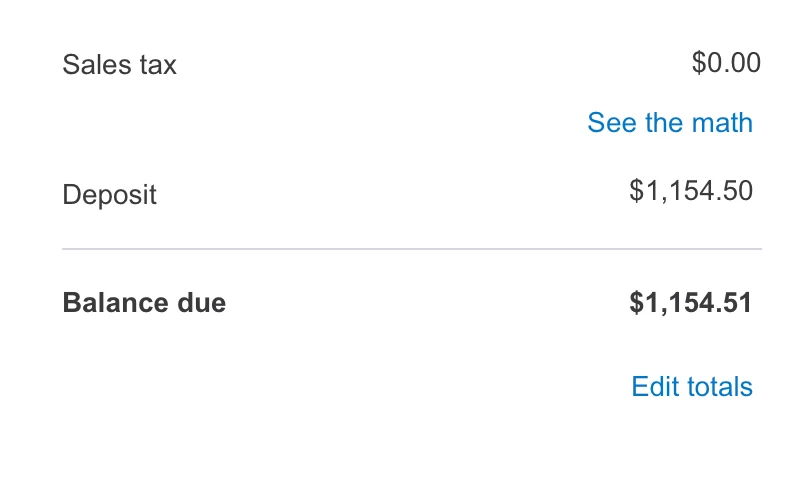
  PDF Snapshot - shows only invoice total
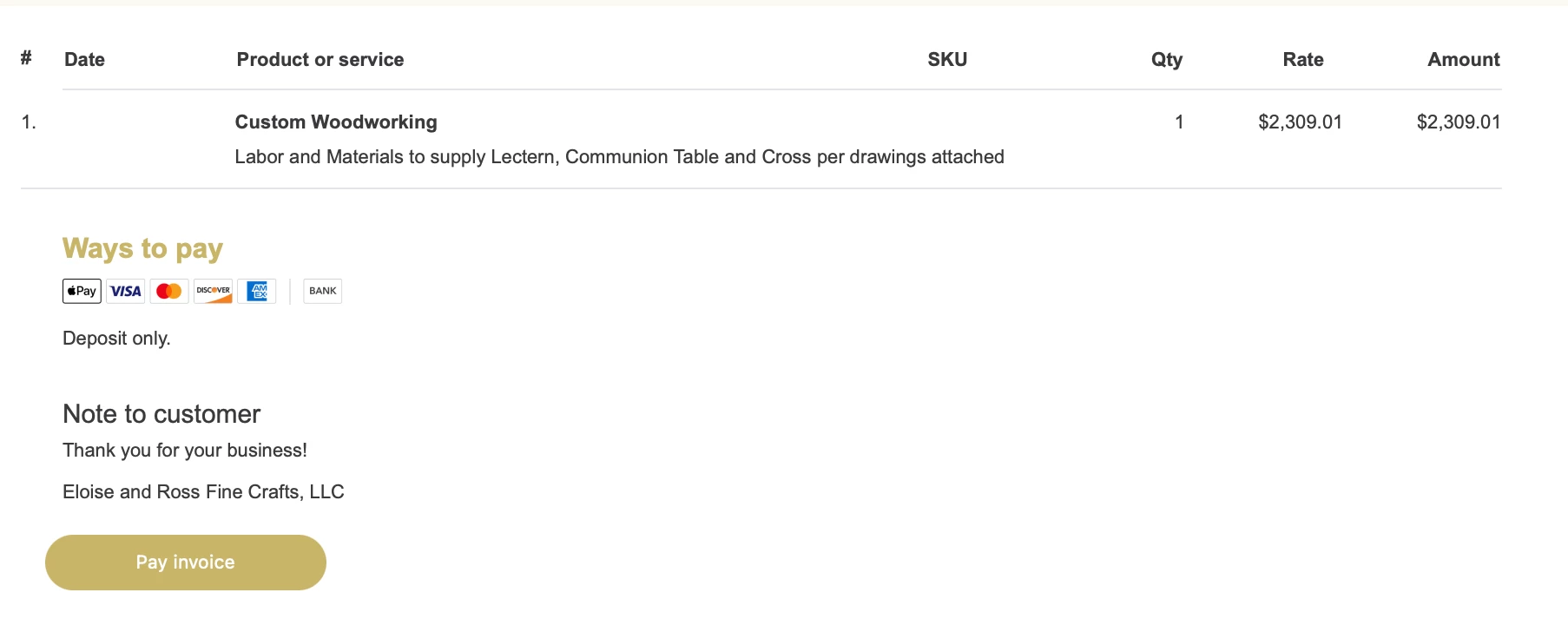
Payor View show only pay total invoice - nothing about discount.
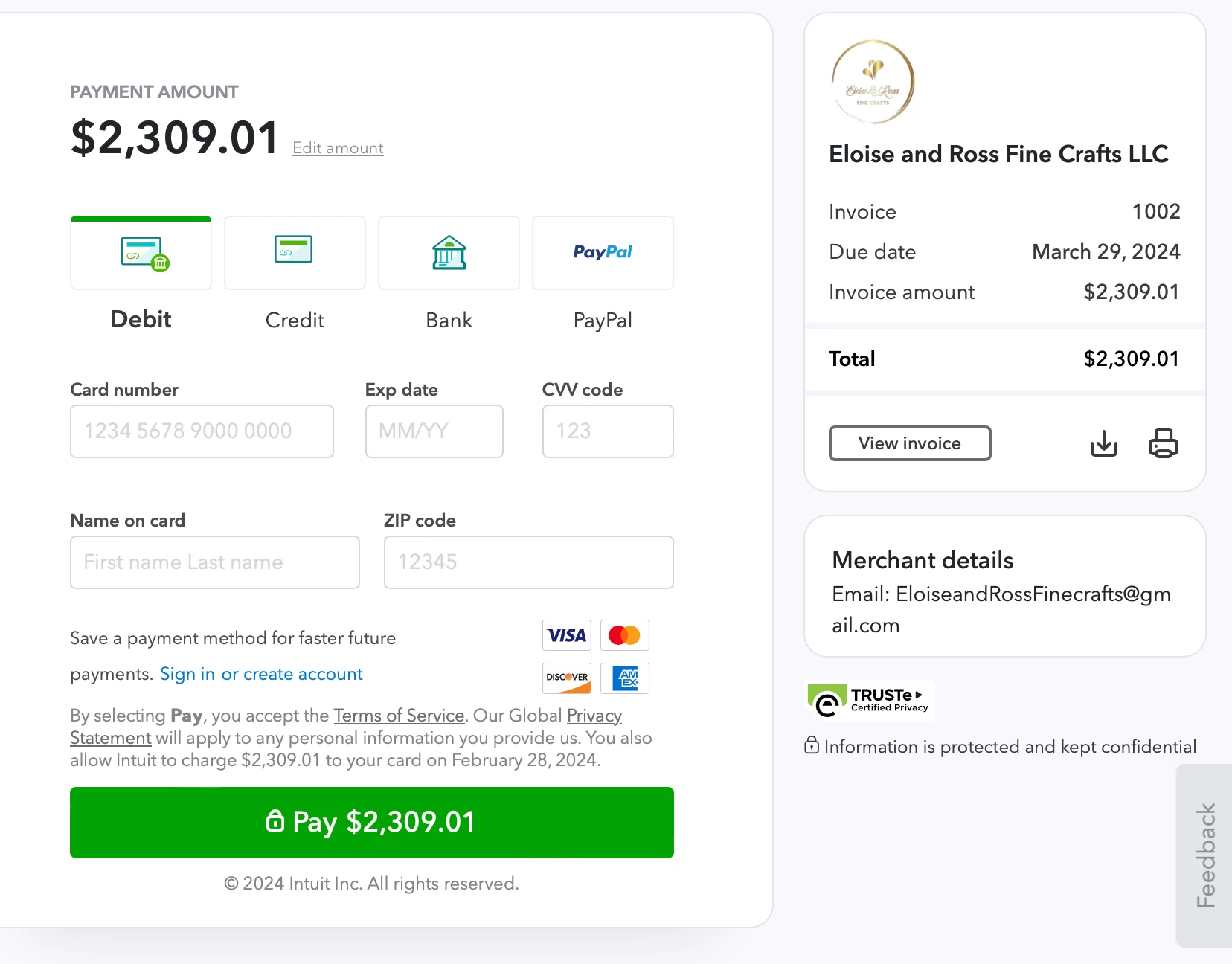
 Is this. a bug or am I missing something? I've searched everywhere.  Thank you!!

Best answer by ShangY

You've come to the right path, dhenderson9.
 

Allow me to show you the steps on how to customize your invoice so the deposit amount and the discount will be visible on the payor's end. See the method and the screenshot below:
 

1. Click + New.
2. Select Invoice.
3. Update to new layout.
4. On the right panel, select Payment options.
5. Turn on Deposit and Discount.
6. Click Save and close.


Moreover, I've added this article to guide you on how to manage your invoice payments in QuickBooks Online: Record invoice payments in QuickBooks Online
 

If there's anything else you'd like to know about the new invoice layout or any other QBO features, feel free to leave a comment below. I'm here to offer guidance. Stay safe!

1 reply

ShangYAnswer
February 28, 2024

You've come to the right path, dhenderson9.
 

Allow me to show you the steps on how to customize your invoice so the deposit amount and the discount will be visible on the payor's end. See the method and the screenshot below:
 

1. Click + New.
2. Select Invoice.
3. Update to new layout.
4. On the right panel, select Payment options.
5. Turn on Deposit and Discount.
6. Click Save and close.


Moreover, I've added this article to guide you on how to manage your invoice payments in QuickBooks Online: Record invoice payments in QuickBooks Online
 

If there's anything else you'd like to know about the new invoice layout or any other QBO features, feel free to leave a comment below. I'm here to offer guidance. Stay safe!

February 29, 2024

SHANGY,

Your solution is correct and much appreciated. Thank you.

I had done everything you suggested  EXCEPT turned the “Invoice Total” switch on. Without the switch on, the invoice still chaged to the total showing the deposit, but the email views didnt pick up the deposit amount on the invoice until the “Invoice Total” switch was checked.


Good solution!!  Thank you very much. This one was driving me crazy!!


dhenderson9

February 29, 2024

Hi there, dhenderson9.
 

I'm glad to know that my colleague, ShangY, was able to provide you the simplified steps on how to customize your invoice in QuickBooks Online (QBO).
 

Please let me know if you have any follow-up questions or other concerns about QBO features. I'll be here checking your post 24/7. Have a great day!