Solved
editing templates
How do I edit a template in QB Accountant? There is no "layout designer" when you try to edit a template!


How do I edit a template in QB Accountant? There is no "layout designer" when you try to edit a template!
Let me provide ways to help you edit your template in QuickBooks Accountant Desktop, @Ralph7797.
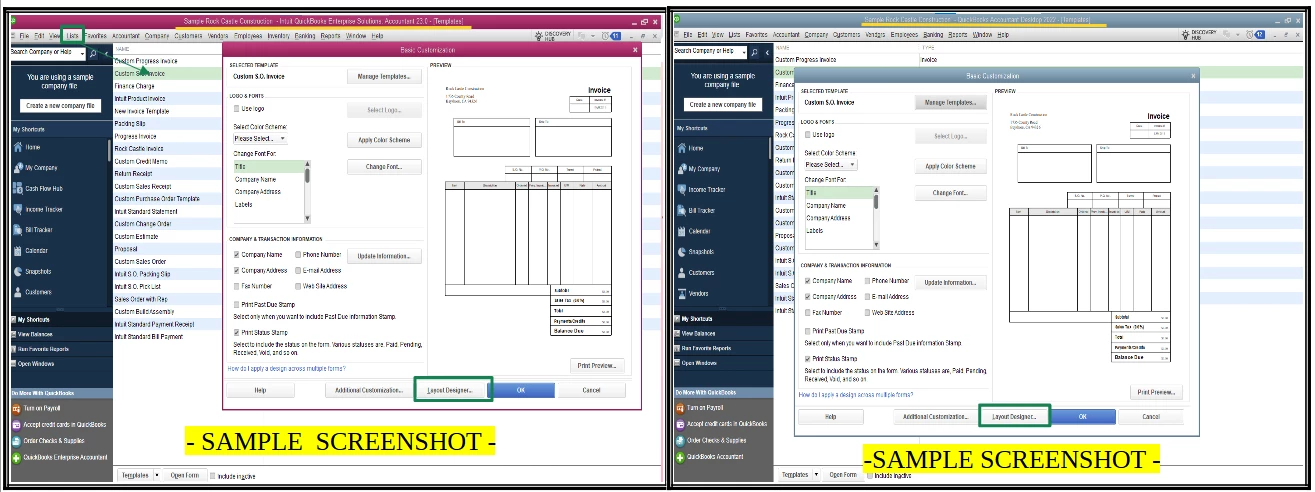
I've replicated the same process on a different desktop accountant version and found that the layout designer button is available when editing any sales form templates except for the Bill payment form. Refer to the sample screenshot below:
Therefore, I recommend performing updates and repair troubleshooting to get the latest updates and fix common issues.
Here's how to update:
Once you've completed the update checks, you can download QuickBooks Tool Hub, which includes the Quick Fix My Program and Diagnostic tools to help you repair any issues with your program. Check the Solution 1 and 2 in this article for detailed steps: Repair your QuickBooks Desktop for Windows.
Additionally, you can check this article to learn how to use and customize form templates: Use and customize form templates.
For future reference, refer to this article for running reports to track sales and expenses: Customize customer, job, and sales reports.
Feel free to reach out if you have other questions about customizing forms. I'll be around to help. Take care.
Enter your E-mail address. We'll send you an e-mail with instructions to reset your password.