

May 8, 2024
Question

Email Bills and Email Receipts options are no longer visible (replaced by Upload from Google Drive?)

  • May 8, 2024
  • 1 reply
  • 0 views

Previously, I enabled the feature to email bills and receipts using the "Upload and Review Bills" and "Receipt Management" features found underneath Vendors. I didn't use it much after testing it once.

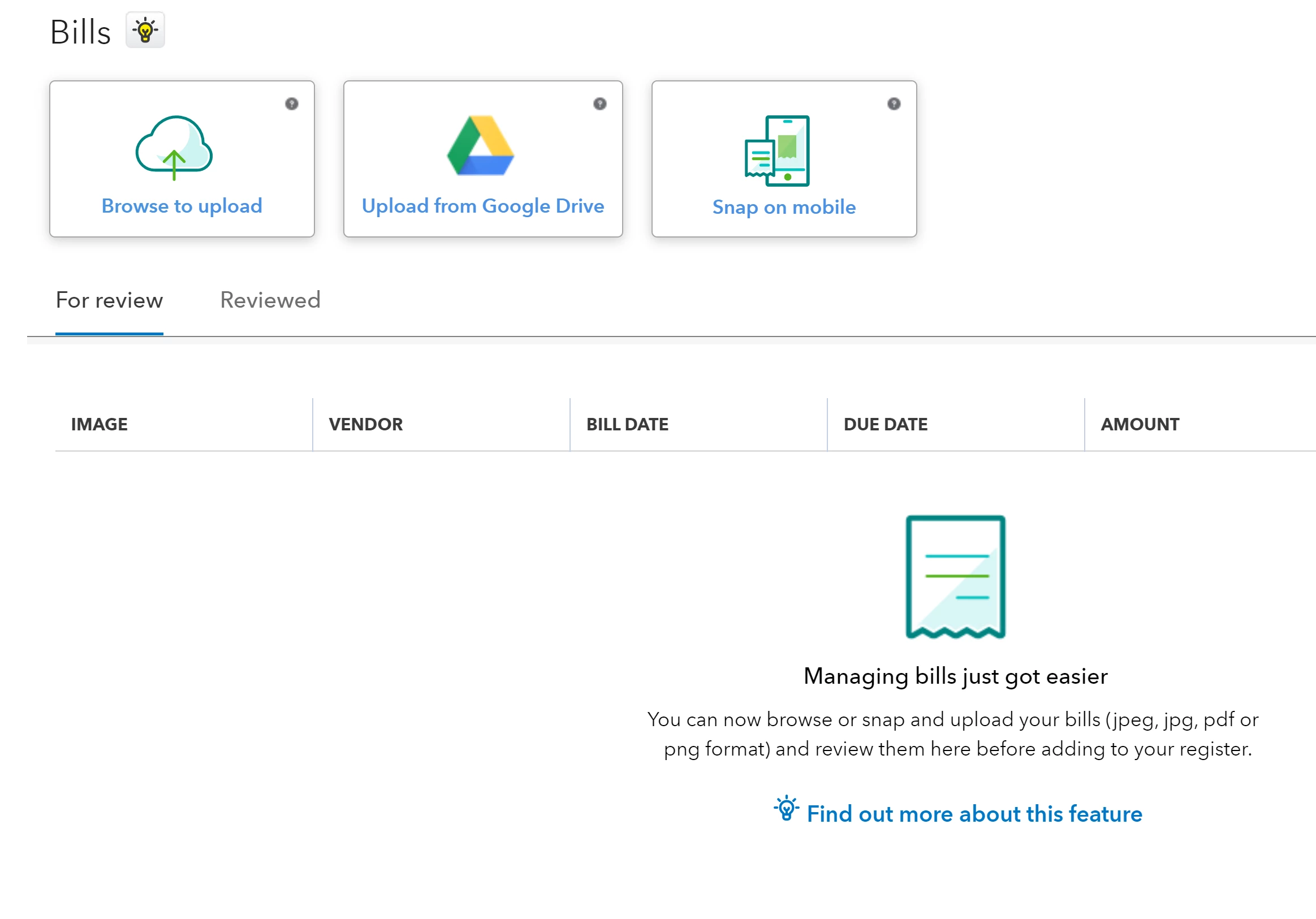
Now, I'd like to use it, but "Email Bills" or "Email Receipts" is no longer visible as an option. In both features, I only see options to:

  • Browse to upload
  • Upload from Google Drive
  • Snap on mobile

How do I make the Email option visible again?

I believe my Company account/Intuit account settings are fine, since I have tried logging in as the Company primary admin paired with the Intuit account primary admin, and also as a user with full access paired with an Intuit account that is a secondary admin. In neither session do I see the Email options.
 

1 reply

Nicole_N
May 8, 2024

I appreciate you for bringing this to our attention, @star1900. Let me provide some troubleshooting steps to make Email Bills and Email Receipt options visible in your QuickBooks Desktop.


First, make sure to update your QuickBooks Desktop to its latest release so you have the most recent features and product improvements. Then, let's download QuickBooks Tool Hub. This hub contains different tools to help fix common errors including system issues which causes QuickBooks Desktop to act strangely. Here's how:


  1. Close QuickBooks.
  2. Download the most recent version (1.6.0.3) of the QuickBooks Tool Hub. Save the file somewhere you can easily find it (like your Downloads folder or your Windows desktop). Note: If you've installed Tool Hub before, you can find out which version you have. Select the Home tab. The version will be on the bottom.
  3. Open the file you downloaded (QuickBooksToolHub.exe).
  4. Follow the on-screen steps to install and agree to the terms and conditions.
  5. When the installation finishes, double-click the icon on your Windows desktop to open the tool hub.


After that, run the QuickFix my Program from the Tool Hub:


  1. In the QuickBooks Tool Hub, select Program Problems.
  2. Click on Quick Fix my Program.
  3. Start QuickBooks Desktop and open your data file.


If you're still unable to see the email options, let's go ahead and proceed with Solution 2 from this article: Run the QuickBooks Install Diagnostic Tool.


Moreover, I'm adding these articles for future reference if you want to pay the vendor bills:


Let me know in the comments below if you have further questions or concerns about the Email Bills and Email Receipts options in QuickBooks Desktop. I'll be around to provide the necessary help.