January 24, 2019
Solved

Email STATEMENTS to multiple customers at once

  • January 24, 2019
  • 1 reply
  • 0 views

The following help article describes the process of generating statements, but does not describe what exactly occurs when EMAIL is the selected delivery method.

https://quickbooks.intuit.com/community/Income-and-expenses/Create-a-billing-statement/m-p/203693


Are there more steps, or a preview? Does it immediately process and send the messages, or are they queued up the way invoices work with email later selected?


What happens if there's no email address on 1 of the 100 statements. Does it kill the whole process, or bypass that 1, and if so, do you receive any notification about who's statement didn't send?


In my case, using Outlook desktop for emailing from QB desktop 2018.
Best answer by Catherine_B

Hello sevans,


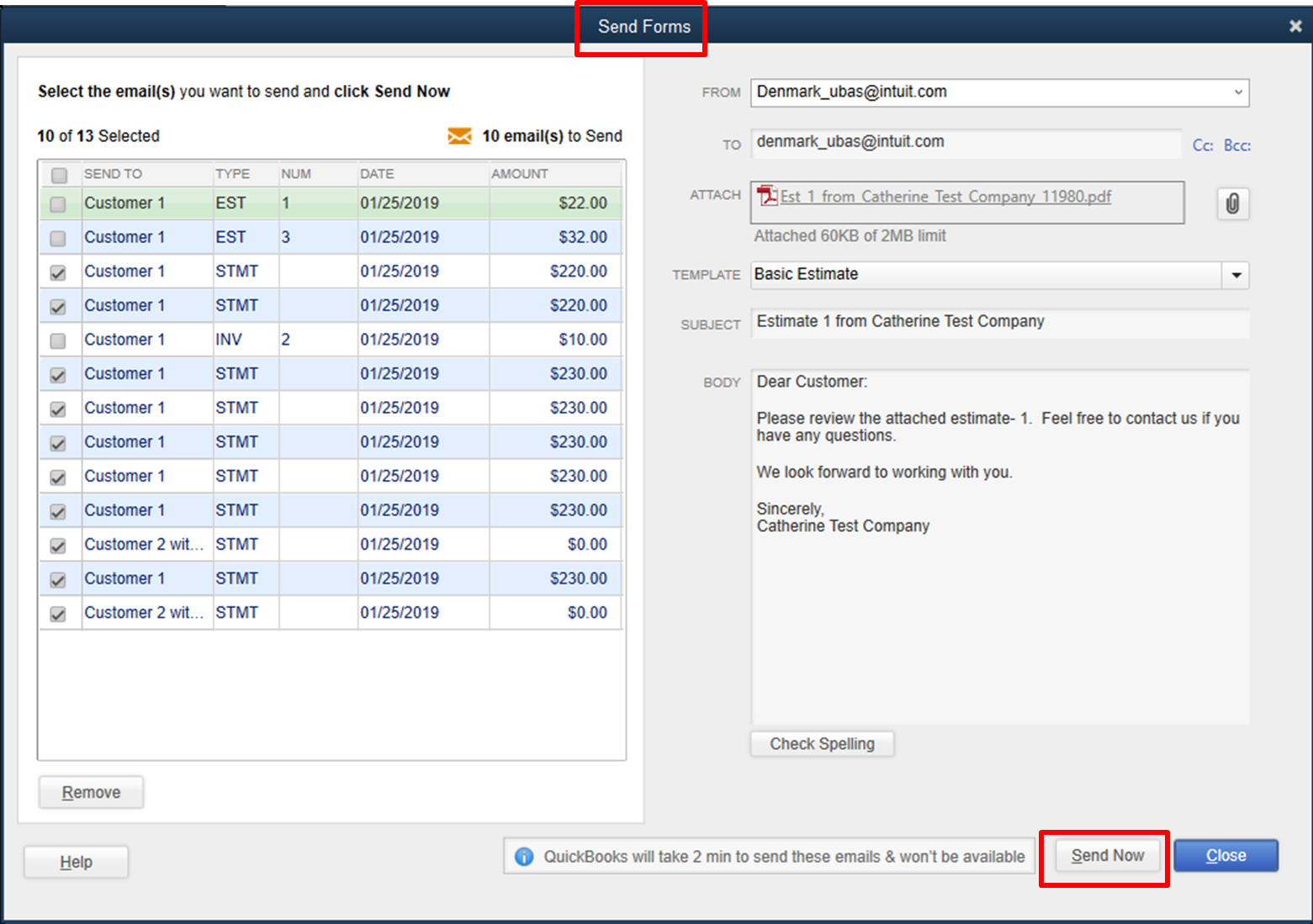
Before sending your statements, you’ll see the Send Forms window. In this window, you can review the statements you want to send and change your email template or message. Once you’re ready, you can click the Send Now button.


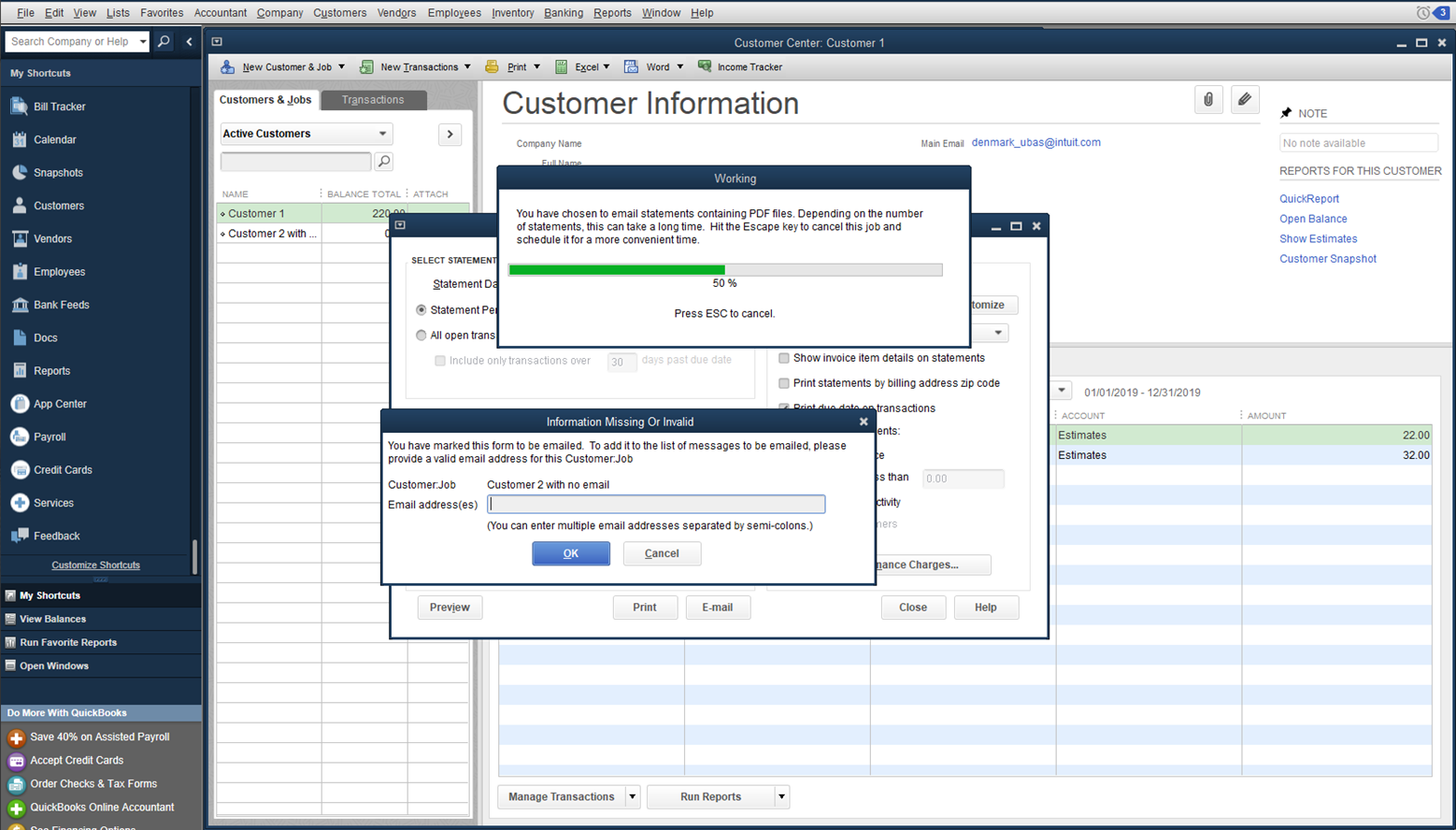
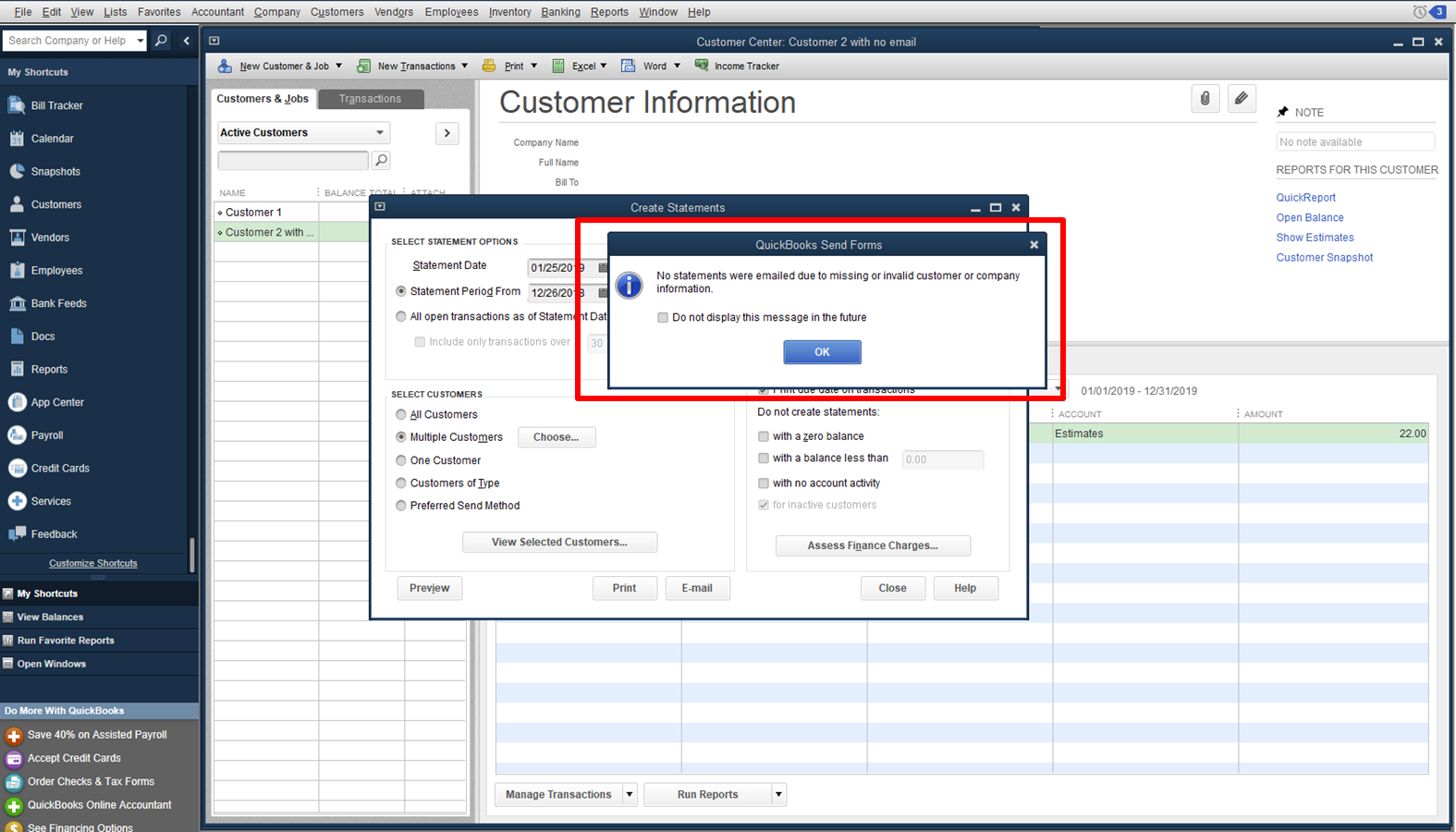
If there is any missing information, like an email address, a dialog box will pop up. You’ll need to supply the correct information before you can proceed. The entire email process will be canceled if you click on the Cancel button.


I've attached a few screenshots of how it looks like.


Let me know if you have other questions.

1 reply

January 25, 2019

Hello sevans,


Before sending your statements, you’ll see the Send Forms window. In this window, you can review the statements you want to send and change your email template or message. Once you’re ready, you can click the Send Now button.


If there is any missing information, like an email address, a dialog box will pop up. You’ll need to supply the correct information before you can proceed. The entire email process will be canceled if you click on the Cancel button.


I've attached a few screenshots of how it looks like.


Let me know if you have other questions.

June 4, 2019

When we get that pop up on Missing information or Email and cancel the job and this happens a lot when new customers are added usually and our employee forgets to add email address. This popup message on missing email address may happen 3 or 4 times per batch. We get the pop up saying no statements were emailed and yet our customers email me back and wonder why they are getting multiple statements!  So even though it says no statements were emailed it seems they are being sent?

June 4, 2019

Let's perform some steps to resolve this, dmlutz.


Before doing so, here are the few possible reasons as to why you've encountered this issue. 

  1. The email preference is set up incorrectly.
  2. A damaged QuickBooks installation.
  3. Domain admin was blocked.
  4. Account security settings from your email provider.

To resolve this, let's make sure that your QuickBooks is updated to the latest release. Then, verify the settings in your Preferences menu to see if the information was correct. Also, you'll have to verify if your email is set up correctly.


Here are the steps: 

  1. Go to Edit and select Preferences.
  2. Click Send Forms in the Preference page.
  3. Select the My Preferences tab.
  4. In the Send E-mail Using area, you get an option to choose what email setup you'd like.
  5. Choose Web Mail.
  6. Click Add.
  7. Enter Email Id and Email Provider.
  8. Enter SMTP Server Details, and click OK.

Once done, you can perform the task again in sending email statements to your customer. 


I've also included a helpful article in setting up email service.


You can get back to the Community space if you need more help. Have a blissful day!