Its good to see you here in the Community, lygangi.
I would be happy to help you find the vendor transactions that were sent via email.
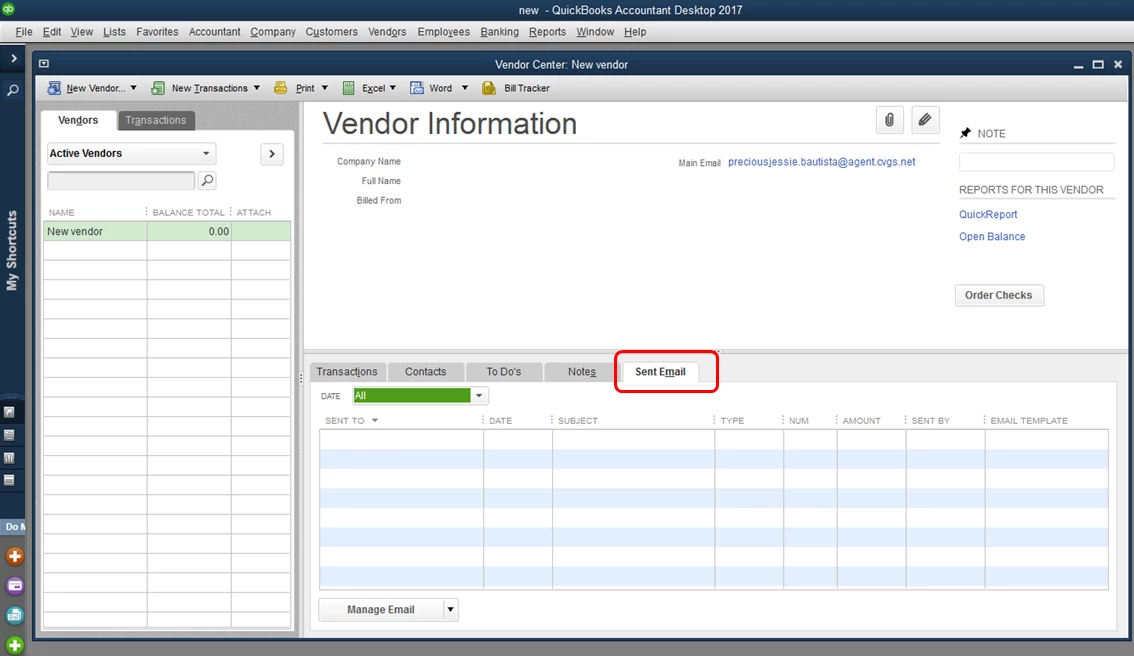
To do this, you can go the vendor's profile and click on the Sent Email tab.
Let me show you how:
- Select Vendors at the top menu bar, then choose Vendor Center.
- Click the vendor's name.
- Choose the Sent Email tab.
The transactions that were sent via email will show in this tab (see the screenshot below).
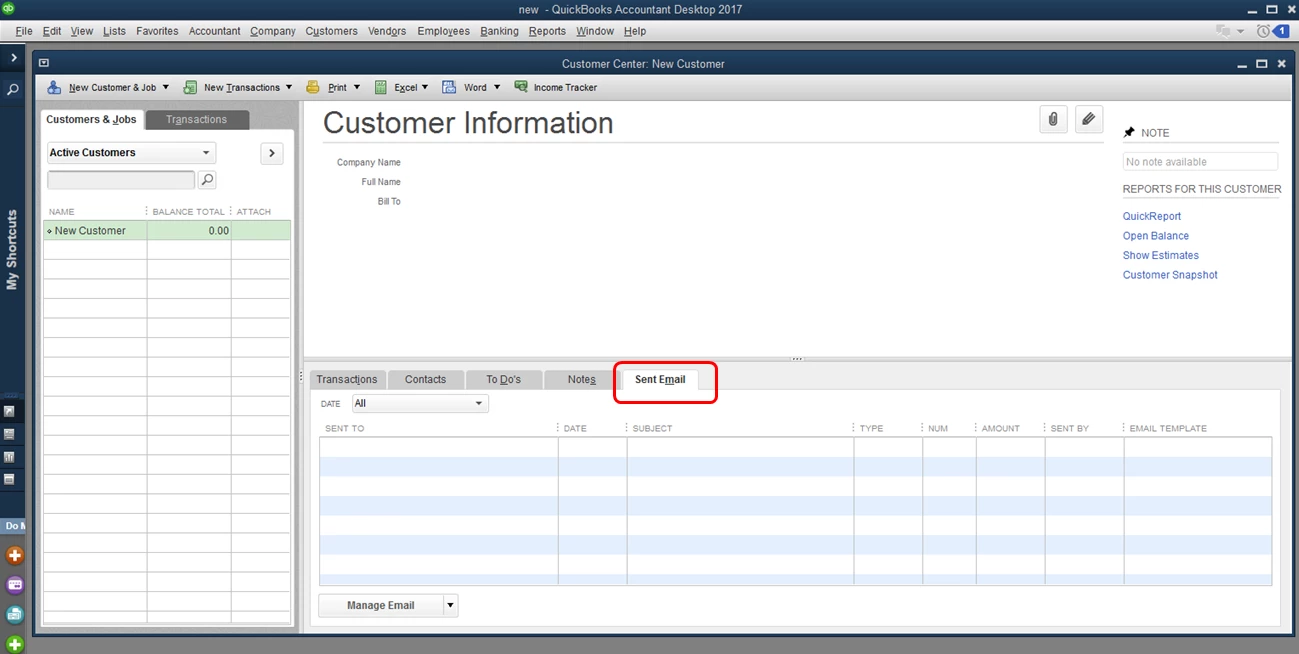
If you also want to see the invoices that were sent via email, you can go to the Sent Email tab of the customer's profile. Here's how:
- Select Customer at the top menu bar, then choose Customer Center.
- Click the customer's name.
- Choose the Sent Email tab (see screenshot below).
That should do it. If there's anything else I can do for you, please don't hesitate to leave a comment below. I'll get back here as soon as I can to help you again.