November 14, 2023
Question

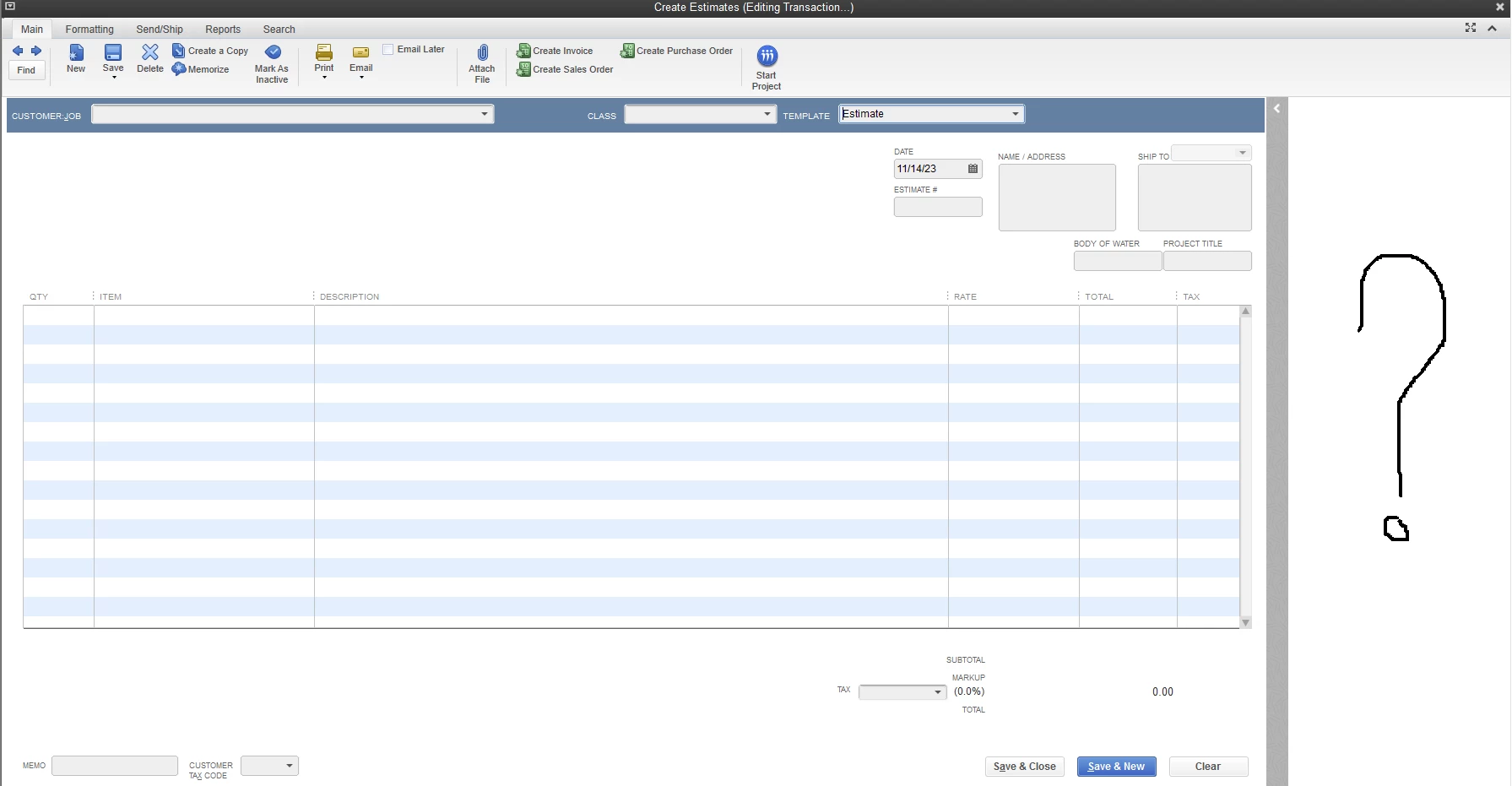
Empty Column on Right Side of Estimate Screen

  • November 14, 2023
  • 1 reply
  • 0 views

Any idea how to get rid of this space?  We're running QB Enterprise Solutions 21.0 on Windows Server 2012 R2.
 

1 reply

Nicole_N
November 14, 2023

Hi, @PoolHero1. I know some troubleshooting steps to help you get rid of this space when generating estimates and get you back in business.


The blank space on the right corner of the Estimate screen is for the Customer and Transaction tab. You can click the expand button to view or hide the tabs. See the screenshot below for reference.


In your situation, it appears that the tabs were hidden, yet the space they occupy remains. Certain tasks in QuickBooks Desktop cause the application or system to act weirdly. These are brought on by issues with your computer or how QuickBooks interacts with your system. To ensure you have all the latest components, be sure to update the application to the most recent release.


If you're on the updated version and the issue remains, let's repair the program by downloading the QuickBooks Tool Hub. It resolves common issues such as system failure. 


Here's how to download and install it:


  1. Close QBDT.
  2. Download the most recent version (1.6.0.3) of the QuickBooks Tool Hub and save the file somewhere you can locate it easily.
  3. Open the file (QuickBooksToolHub.exe).
  4. Follow the on-screen procedures to install and agree to the terms and conditions.
  5. Once done, double-click on your Windows desktop to open the tool hub.


The hub acts as a starting point for the tools you'll use to address issues, and each tab aids with various kinds of problems. To learn more about the process, see this link: Fix company file and network issues with QuickBooks File Doctor.


Furthermore, I'm adding an article that contains several troubleshooting solutions in case you're unable to access your company file: Can't open your company file in QuickBooks Desktop.


Keep us updated on any clarifications you have concerning QBDT or when creating transactions. You can always rely on us when it comes to resolving your issues. Be safe and have a good one!

PoolHero1Author
November 16, 2023

It's working for the moment.  Thank you.

November 16, 2023

Thanks for following up with the Community, PoolHero1.

I'm happy to hear Nicole_N was able to help get your estimate creation screen displaying correctly.


You'll also be bale to find many detailed resources about using QuickBooks in our help article archives.


Please feel welcome to send a reply here, or create a new thread, if there's ever any questions. The Community's always here to help. Have an awesome day!

