
June 28, 2020
Solved

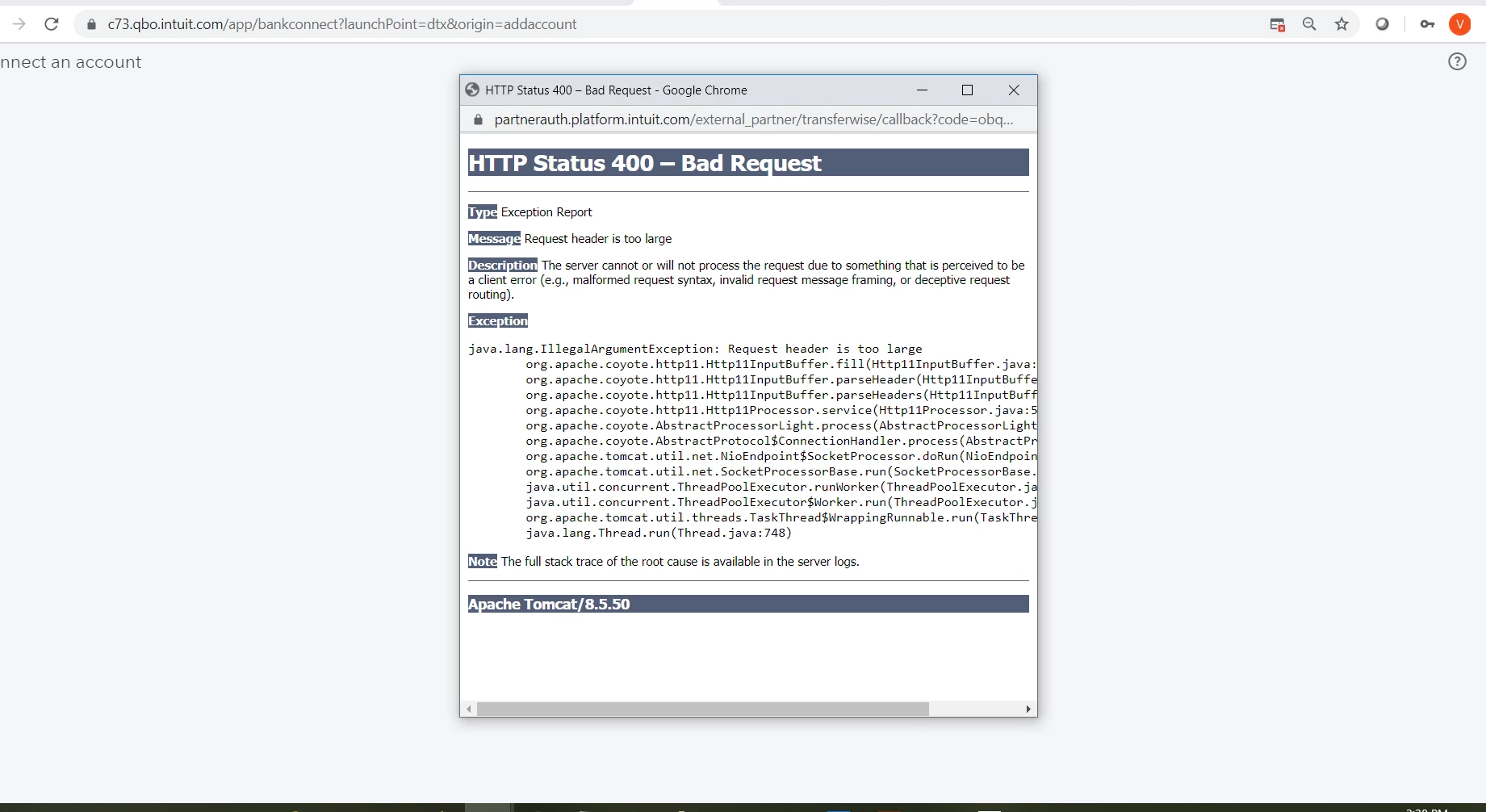
Error HTTP Status 400 when connecting to Transferwise from QB online. Please help. Thanks!
  • June 28, 2020
  • 2 replies
  • 0 views

Best answer by AlexV

Hi there, mgThu.


I tried to connect to Transferwise and had no issue.


We'll encounter this error if the connection with our server was interrupted or corrupted. I have some steps you can perform so we can fix this.


Let's first start by using an incognito window and connect it from there. You can also clear your browser's cache so the system can start fresh. Additionally, make sure that the browser is updated.


Let me share the reference on how to connect the bank account.


Post again here if you have more questions. Have a great day!

2 replies

AlexV
AlexVAnswer
June 28, 2020

Hi there, mgThu.


I tried to connect to Transferwise and had no issue.


We'll encounter this error if the connection with our server was interrupted or corrupted. I have some steps you can perform so we can fix this.


Let's first start by using an incognito window and connect it from there. You can also clear your browser's cache so the system can start fresh. Additionally, make sure that the browser is updated.


Let me share the reference on how to connect the bank account.


Post again here if you have more questions. Have a great day!

July 8, 2023

Why my Website error HTTPS 

https://sandbox-transferwise-tech.com

When I always transfer money online international abroad programs this website

Transfer money can't be completed transfer. 

July 8, 2023

Hello there, @Watsonkelly218.


We have a separate and dedicated forum that handles sandbox concerns. Thus, let me route you to our developer's community page so they can provide information about this.


Here's how to reach them:


  1. Log on to the Intuit Developers webpage.
  2. Click on QuickBooks Desktop under What do you need help with?.
  3. Pick Ask a Question.
  4. Sign into your existing Intuit Developer Account or create a new one.
  5. Type in your concern.
  6. Click on Ask.


If you have any follow-up questions or concerns about QuickBooks, let me know by commenting below. I'm more than happy to answer it for you. Have a nice day.

