We hear your suggestion about adding the CC email field to the customer profile, @jayp11664. Let's share this feature request with our product engineers.
QuickBooks is committed to product enhancements and user experience. We appreciate you sharing this valuable feedback with our product engineers so they can review and consider the feature in future updates.
Here's how to send a feature request within QBO:
- Sign in to your QBO account.
- Go to the Settings icon on the upper right corner of the page.
- Select Feedback.
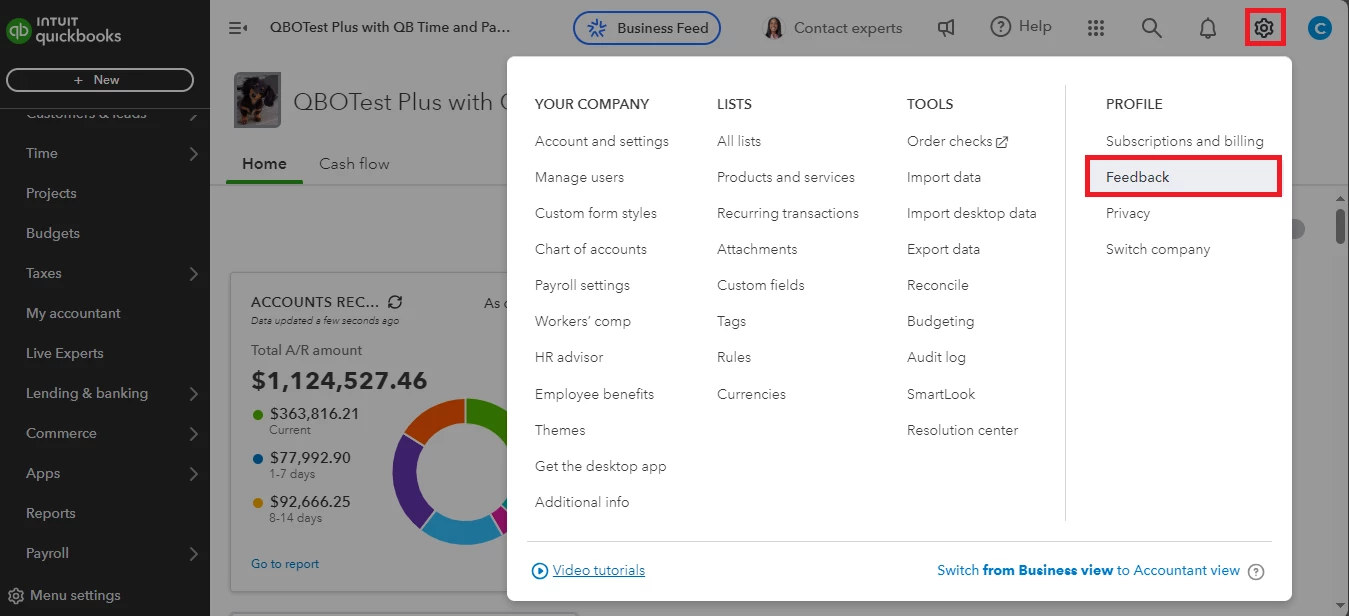
- Enter your comments or product suggestions, then click Next to submit.
In the meantime, let's add the accountant's email address in the customer's profile using a comma, so they'll be notified as well when you send invoices to that specific customer:
- Go to the Sales tab and select Customers.
- Select the customer.
- Click on the Edit button.
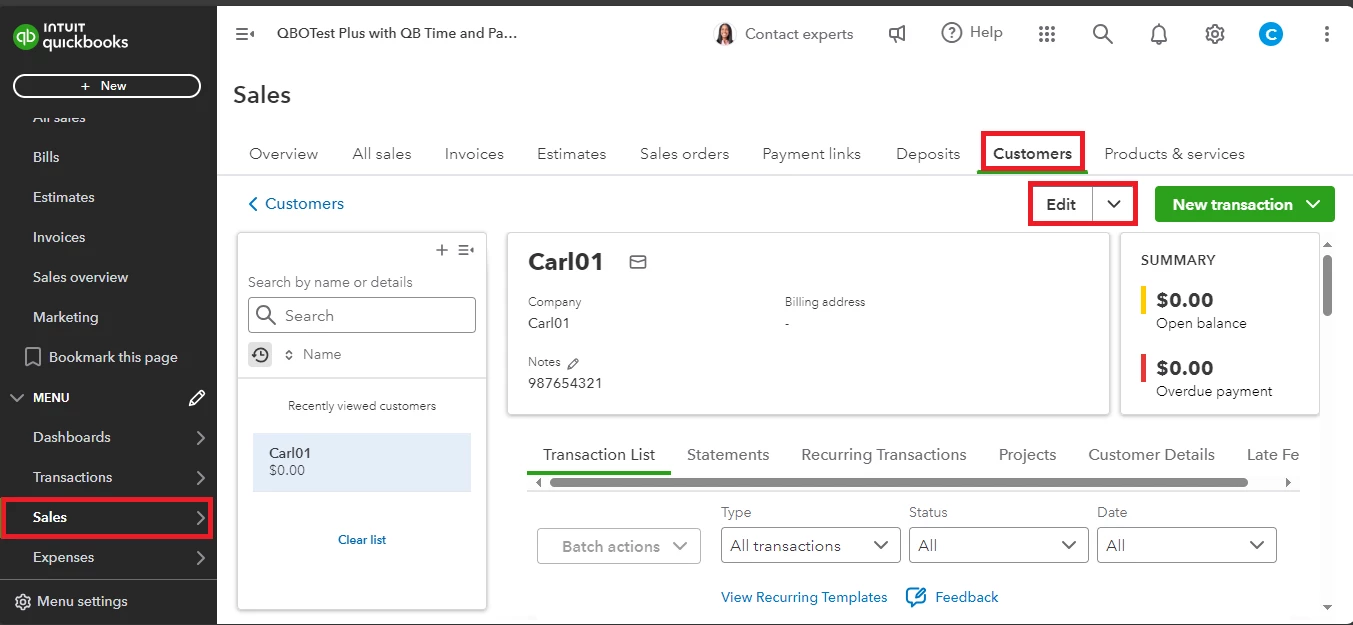
- Put a comma next to the customer's email in the Email section. Then, enter their accountant's email.
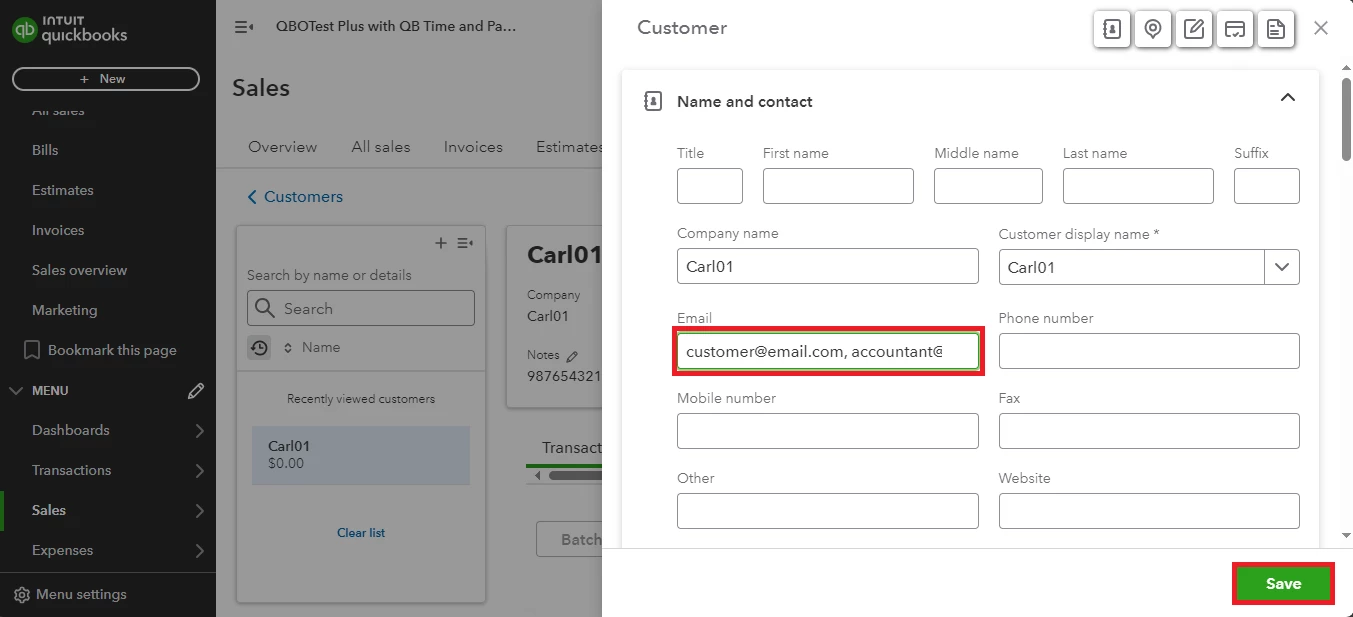
- Once done, click Save.
Once your customer plans to pay your invoices, let's record that payment in QuickBooks to mark it as paid.
Feel free to comment below if you require further assistance with adding CC email to the customer profile. Have a wonderful day.

