

March 26, 2023
Question

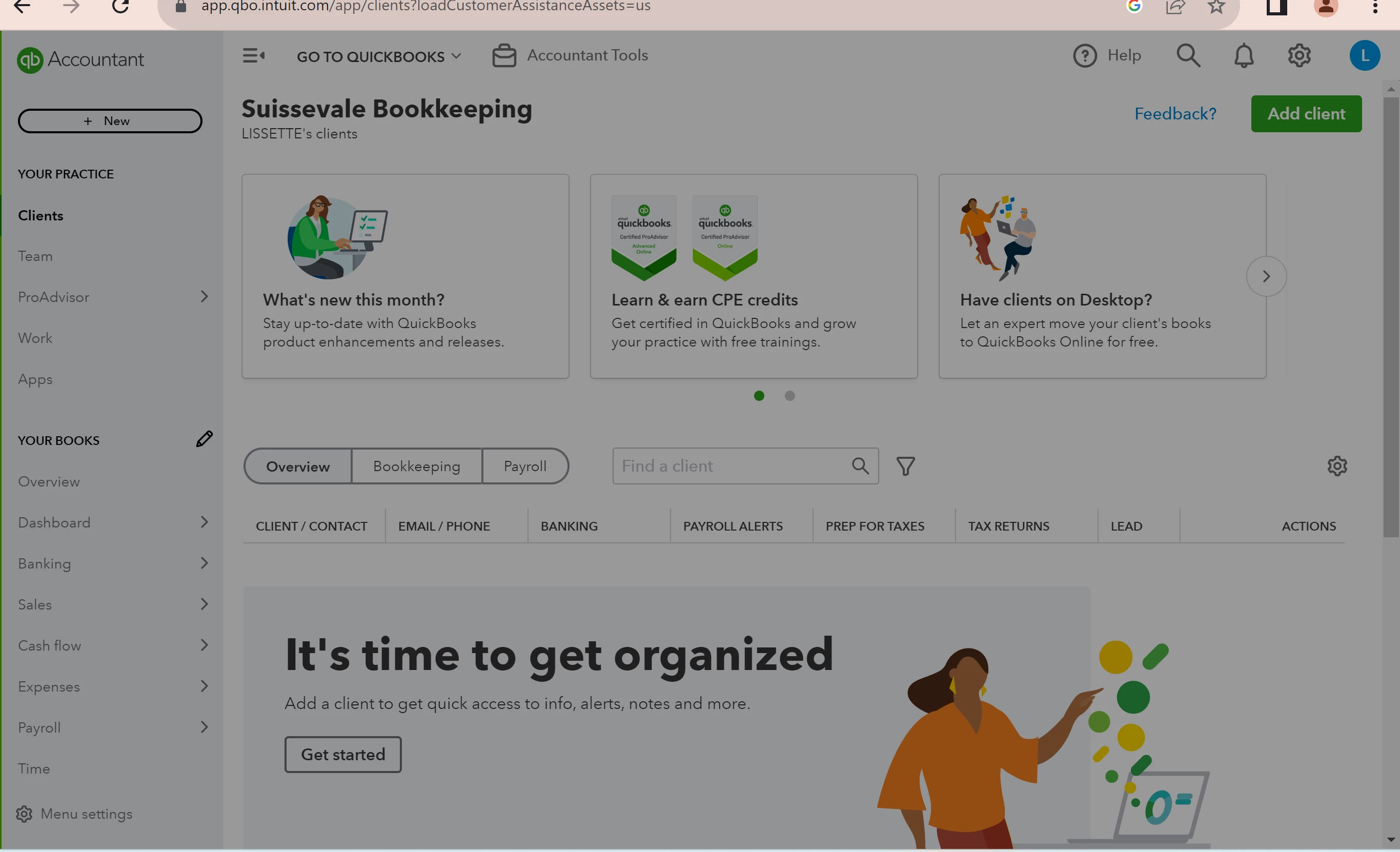
Gray screen on my QBOA
  • March 26, 2023
  • 2 replies
  • 0 views

Need help! It is my first time creating a QBOA account and I was able to sign in on the website after filling out the sign in details on my laptop. But after the sign in loading screen, my account has a transparent gray layer screen that I can't bypass. I have tried using chrome instead of edge but same result. Also tried on my Ipad still has the transparent gray layer screen. However, when I tried on my mobile browser, I can use my account normally. No gray screen layers. I have cleared my all my cache and cookies, refreshed my screen, and everything to troubleshoot.

2 replies

March 26, 2023

That’s very unusual, Suissevale. It’s also good to know that you are done performing the basic troubleshooting steps to verify that it is not about any browser's performance.


In this, I want to route you to the best support to rectify your concern about the gray screen display that stops you from accessing your QuickBooks Online (QBO) Accountant. This way, they can check your account securely to see the root cause of this matter and provide fixes in no time. Moreover, they can initiate a further investigation if necessary:


  1. Sign in to your QuickBooks Online account.
  2. Click the Help button.
  3. In the QuickBooks Assistance chat box, select Talk to a human and or tap the Contact Us button at the bottom.
  4. Then, type in your reason for contacting us in the What can we help you with? Box and click Continue.
  5. From there, choose a way to connect with us; either to Chat with us, get a Callback, or call our support line directly by getting our Phone number.


Additionally, refer to this article for other options when contacting them. You can also scroll down to the bottom to see their support schedules and hours: QuickBooks Online Support.


Furthermore, keep track of clients and update your client list by checking out this article: Manage clients in QuickBooks Online Accountant.


You can always tap me here if you acquire more assistance with accessing your account. Have a good one!

March 28, 2023

I have Hero helping me. He himself couldn't figure out why the screen was turning gray.  He put in a ticket last night for more help.

May 31, 2023

We are now having the same problem with one of our accounts.

May 31, 2023

Hello,

We are having a similar issue. See this screen.

Every time I try and go into "Account and Settings" in QBO for this client. The screen is gray. It is strange because the user set-up is not grayed.


May 31, 2023

Hello there,


We can perform basic troubleshooting steps to see if it is a browser issue. Sometimes your search engine's cache and cookies become corrupted, causing problems when accessing websites or opening files. To begin, open your QBO account in an incognito window. It will prevent the browser history from being saved. Please refer to the following keyboard shortcuts based on your browser type:


  • Google Chrome: Ctrl + Shift + N
  • Mozilla Firefox: Ctrl + Shift + P
  • Microsoft Edge: Ctrl + Shift + P
  • Safari: Command + Shift + N


If the private browsing session works, clear the browser's cache so the system can restart. This task is also possible in other supported, up-to-date browsers. Clearing the cache will reboot the system, allowing you to work with clearing the cache. It will also help you get rid of any junk files that might be slowing down your work.


Check these links for a guide in the future: 


I would also appreciate hearing any updates after you have completed the steps, as I want to make sure this resolves your concern. Please do not hesitate to contact us again. Have a fantastic day!