
August 26, 2020
Solved

How can I edit customer details such as their address or email?

  • August 26, 2020
  • 1 reply
  • 0 views
Original commenter did not share additional details

Best answer by Mark_R

Hi there, @davepearson.


Since QuickBooks Self-Employed (QBSE) doesn't have a customer list, you can only modify your customer's information when creating an invoice.


Here's how:
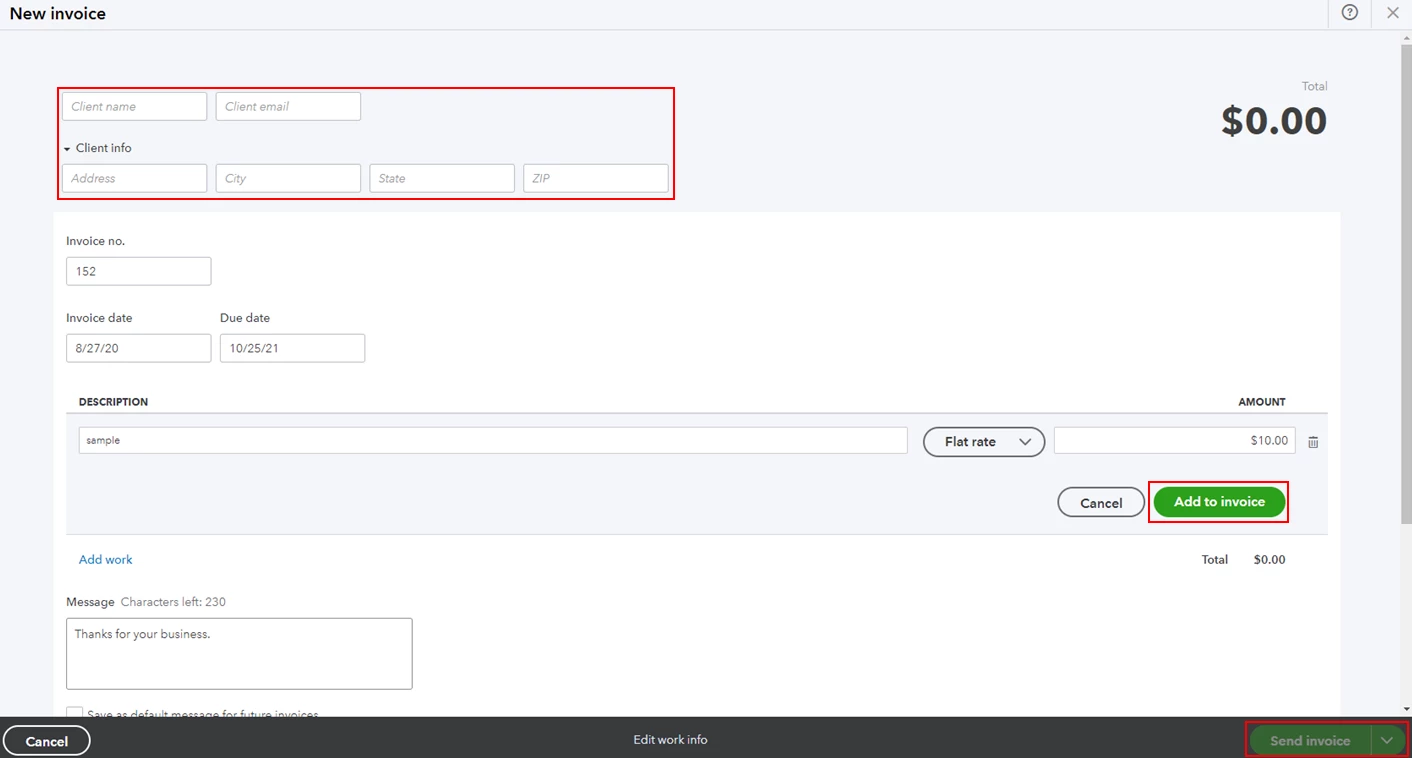
 

  1. Click Invoices from the left menu.
  2. Select Create invoice.
  3. Enter your customer's name, then change your client's email and address.
  4. Click Add work and fill out the necessary information.
  5. Hit Add invoice, then select Send invoice.

Once done, the updated information will show every time you'll create an invoice to your customer.


You might want to check out this article to learn more about creating invoices in QBSE: Create invoices in QuickBooks Self-Employed.


Keep in touch if you need any more assistance with this, or there's something else I can do for you. I've got your back. Have a good day.

1 reply

Mark_RAnswer
August 26, 2020

Hi there, @davepearson.


Since QuickBooks Self-Employed (QBSE) doesn't have a customer list, you can only modify your customer's information when creating an invoice.


Here's how:


  1. Click Invoices from the left menu.
  2. Select Create invoice.
  3. Enter your customer's name, then change your client's email and address.
  4. Click Add work and fill out the necessary information.
  5. Hit Add invoice, then select Send invoice.

Once done, the updated information will show every time you'll create an invoice to your customer.


You might want to check out this article to learn more about creating invoices in QBSE: Create invoices in QuickBooks Self-Employed.


Keep in touch if you need any more assistance with this, or there's something else I can do for you. I've got your back. Have a good day.