January 21, 2021
Solved

How do I change the automatic number sequence for invoices?

  • January 21, 2021
  • 2 replies
  • 0 views

Hello - 


I want to change the automatic invoice numbering from 34000 to 64000.  How do I do this?


Thank you

Best answer by Rubielyn_J

I can help you change the number sequence for your invoice, @Jeremy_ND.


The program will automatically follow the numbering once you've created an invoice. You just have to use your desired invoice number. Here's how: 
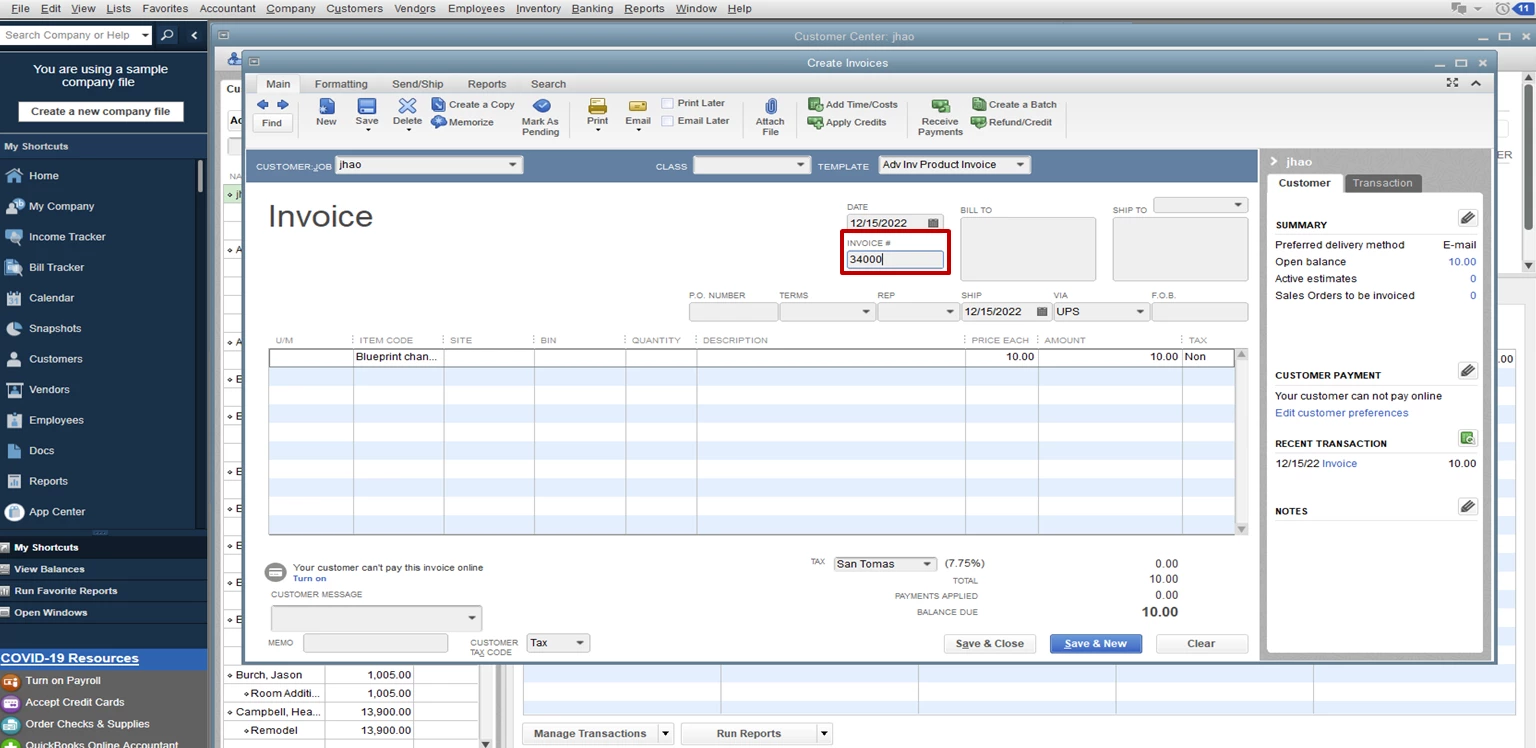
  1. Go to the Customers menu.
  2. Select the Create Invoices tab.
  3. Choose the customer, item, and amount.
  4. Under the Invoice # field, enter 34000
  5. Once done, click Save and Close to complete the process. 

Once you create another invoice, it will follow the new number sequence that you set up. 
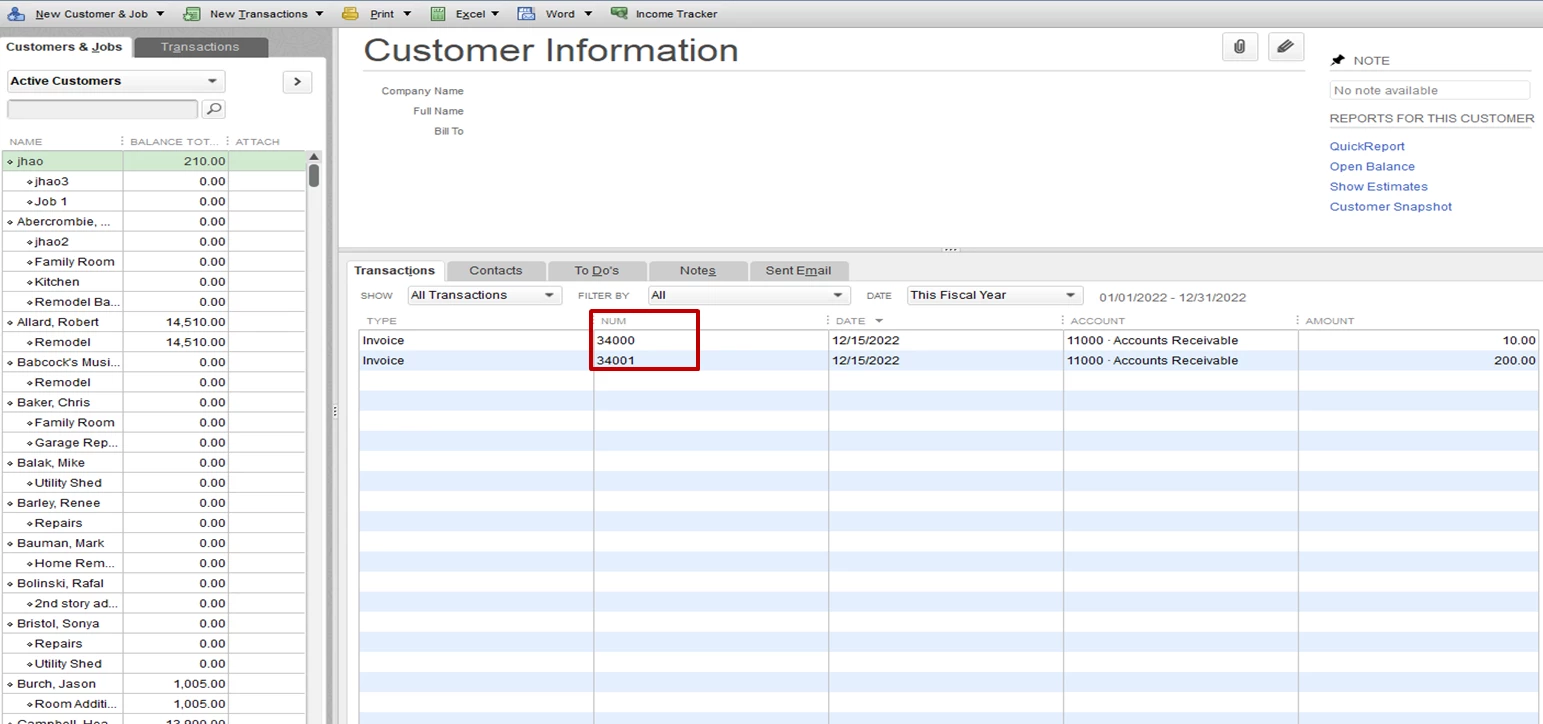
 

I've also shared these articles on how to create and receive the invoice payment:

Let me know if you have other concerns. I'll be glad to help you right away. Stay safe always.

2 replies

January 21, 2021

I've not seen any where that exposes the numbering sequence but I have found that if you create an invoice and change the invoice number to something else, like 64000, the next invoice will be 64001.  It will start from the last invoice number no matter what it is.

Rubielyn_J
January 21, 2021

I can help you change the number sequence for your invoice, @Jeremy_ND.


The program will automatically follow the numbering once you've created an invoice. You just have to use your desired invoice number. Here's how: 

  1. Go to the Customers menu.
  2. Select the Create Invoices tab.
  3. Choose the customer, item, and amount.
  4. Under the Invoice # field, enter 34000
  5. Once done, click Save and Close to complete the process. 

Once you create another invoice, it will follow the new number sequence that you set up. 


I've also shared these articles on how to create and receive the invoice payment:

Let me know if you have other concerns. I'll be glad to help you right away. Stay safe always.

December 13, 2021

Hmm..  my automated invoices didn't follow the sequence.. any ideas why?


-M

January 7, 2025

Hi

Can someone help as I am trying to change the sequence for 2025 invoice numbers from 2024 sequence invoice numbers for QBO?

Thank you! 

January 7, 2025

Let me help you sort this matter about changing the sequence invoice number from 2024 to 2025, @dc8468.


Firstly, you'll need to enable the Custom transaction numbers feature in your settings. This lets you set the initial number for 2025 directly on the invoice page. Following that, QBO will continue to automatically generate consecutive numbers for upcoming invoices.


To enable the Custom transaction numbers option:


1. Go to Settings and select Account and settings.

2. On the left-hand side, choose Sales.

3. In the Sales form content, select edit icon.

4.Turn on the Custom transaction numbers switch.

5. Click Save, then select Done.


After enabling the option, you will have the ability to input the invoice number for 2025 using any combination of numbers or letters, as illustrated in the example below:


Furthermore, you can check this out to learn more about customizing invoices, sales receipts, and estimates in QuickBooks Online: Customize invoices, estimates, and sales receipts in QuickBooks Online.


For future help to record your invoice payments, can access this article to have a guide: Record invoice payments in QuickBooks Online.


Lastly, if you need extra assistance in improving your skills in managing and processing transactions on your account, our QuickBooks Live Assisted service is ready to offer guidance and share best practices.


Should you require additional support with managing and customizing your invoice numbers or any other QuickBooks functionalities, feel free to return to this page. We are constantly here to assist you in optimizing your financial operations and enhancing your business productivity. Take care!
