
January 17, 2024
Solved

How do i show discount column in purchase orders?I need to make a BILL $0.00

  • January 17, 2024
  • 1 reply
  • 0 views
Original commenter did not share additional details

Best answer by MelroseV

Hello there, stefanie.


I recognize the importance of showing the discount column in purchase orders.


Currently, it isn't possible to customize purchase order in QuickBooks Online. As a workaround, we can add a miscellaneous or discount item and enter a negative amount on the second line. It will show a total of 0.00 when converted to a bill.


Here's how:
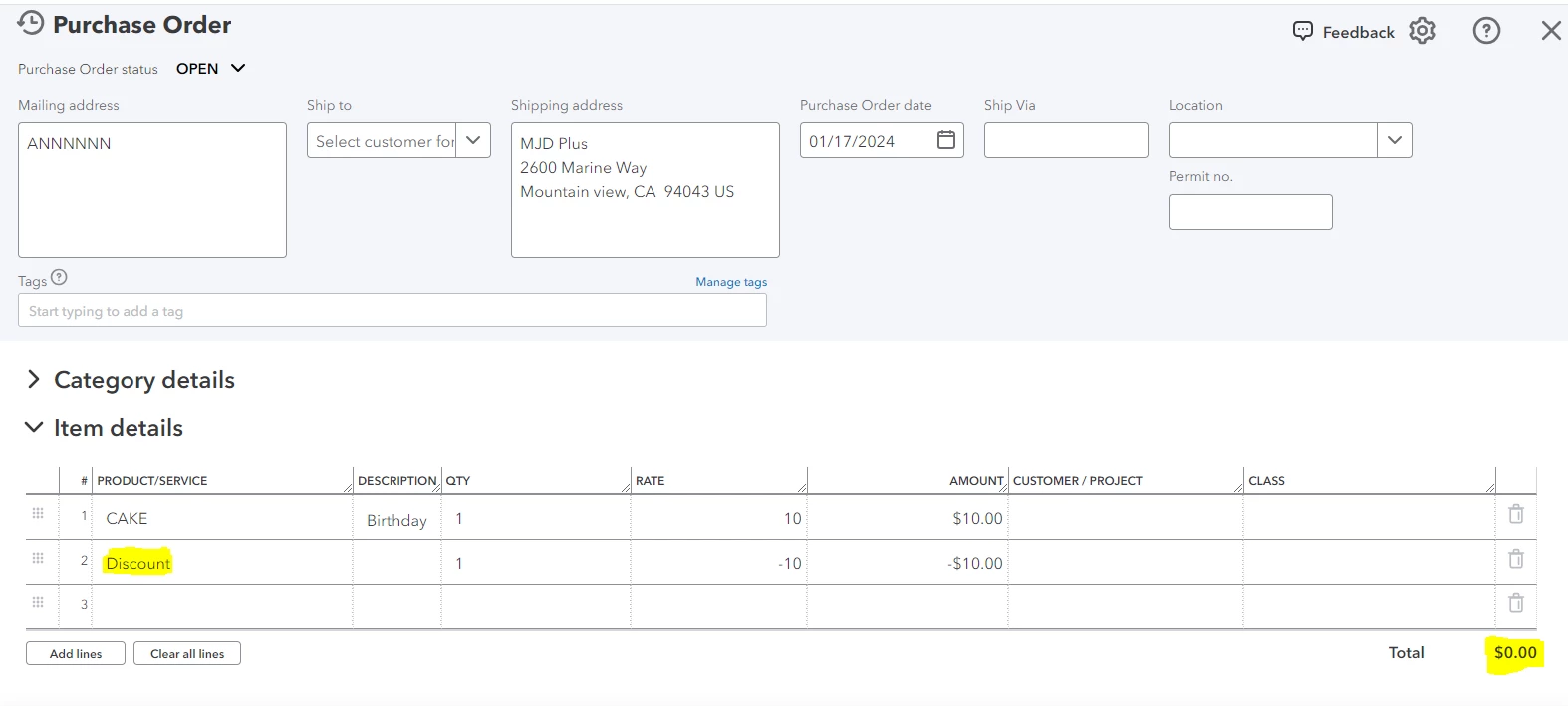
  1. Click + New, then select Purchase Order.
  2. Under the Item details, enter the product on the first line.
  3. For the second line, enter the discount or miscellaneous item.
  4. Click Save and close.
     

Afterward, you can now convert it to bill.


Additionally, you can check this guide to learn how to run purchase order reports to give you a summary of your purchase order.


If you have other concerns regarding purchase order, you can always click the Reply button. I'm just a reply away. Keep safe and have a good one.

1 reply

MelroseVAnswer
January 17, 2024

Hello there, stefanie.


I recognize the importance of showing the discount column in purchase orders.


Currently, it isn't possible to customize purchase order in QuickBooks Online. As a workaround, we can add a miscellaneous or discount item and enter a negative amount on the second line. It will show a total of 0.00 when converted to a bill.


Here's how:

  1. Click + New, then select Purchase Order.
  2. Under the Item details, enter the product on the first line.
  3. For the second line, enter the discount or miscellaneous item.
  4. Click Save and close.
     

Afterward, you can now convert it to bill.


Additionally, you can check this guide to learn how to run purchase order reports to give you a summary of your purchase order.


If you have other concerns regarding purchase order, you can always click the Reply button. I'm just a reply away. Keep safe and have a good one.