Thanks for reaching out to the Community, @Leonn.
Based on the information provided, you can create a debit memo (vendor or bill credit) to record the expense, and apply it to the next bill payment. This way, the expense you incur from the previous transaction will be deducted on the future one.
Here's how:
- In your QuickBooks Desktop (QBDT), go to the Vendors menu at the to get to the Enter Bills.
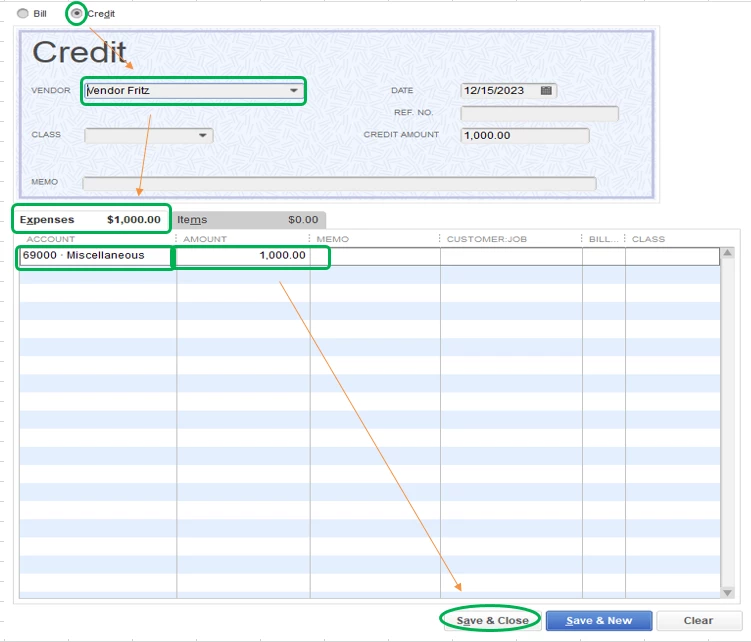
- Choose the Credit radio button, then pick the vendor's name.
- Now, proceed to the Expense tab and select an account.
- Enter the amount (USD 1000) in the Amount column.
- Hit Save and close.
After that, apply the credit by the time you pay the next bill. Here's how:
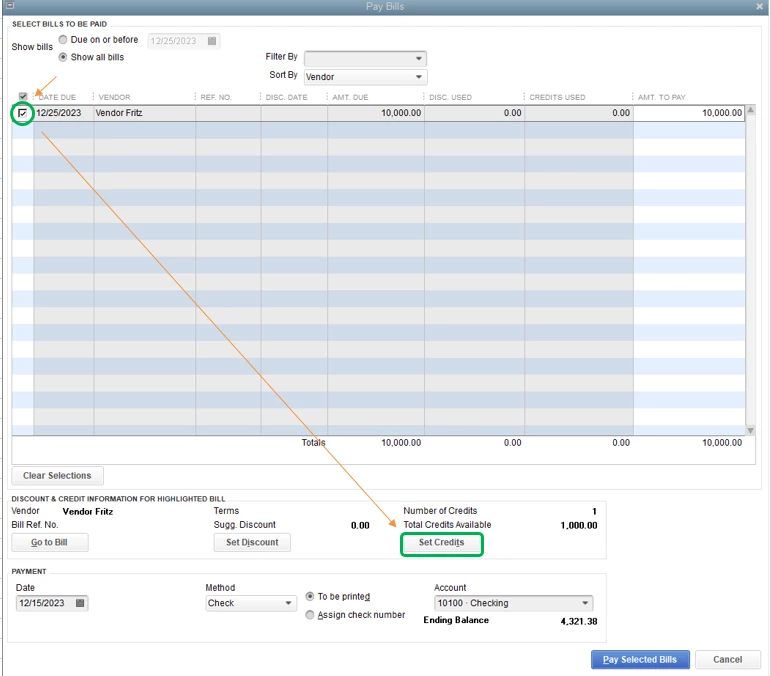
- Go back to the Vendors menu to get to the Pay Bills.
- Place a checkmark on the transaction.
- Click the Set Credits option at the bottom.
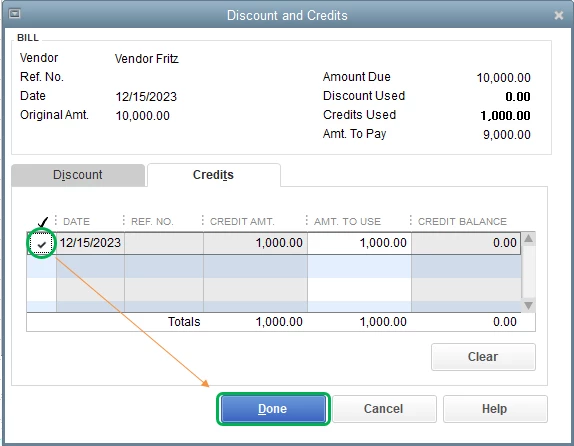
- Ensure that the credit is checked in the Discount and Credits window.
- Hit Done and Pay Selected Bills.
Just in case, I'll be adding this article for future reference: Record a vendor refund in QuickBooks Desktop.
Please let me know if you have any other issues, and I'll get back to you right away. I'm more than happy to assist. Have a great weekend!


