Hi there, 587106411929391. I'm here to ensure you're able to reconcile your deposit.
To start, let's create a Check or Expense transaction. Then, add the $214.00 that was deducted from your bank account. This will offset the credit on your customer balance. I'll show you how.
- Go to the + New menu.
- Select Expense or Check.
- Choose the name of the customer.
- Select the same bank account used in processing the refund.
- In the Category Details section, choose Accounts Receivable.
- Enter the complete details.
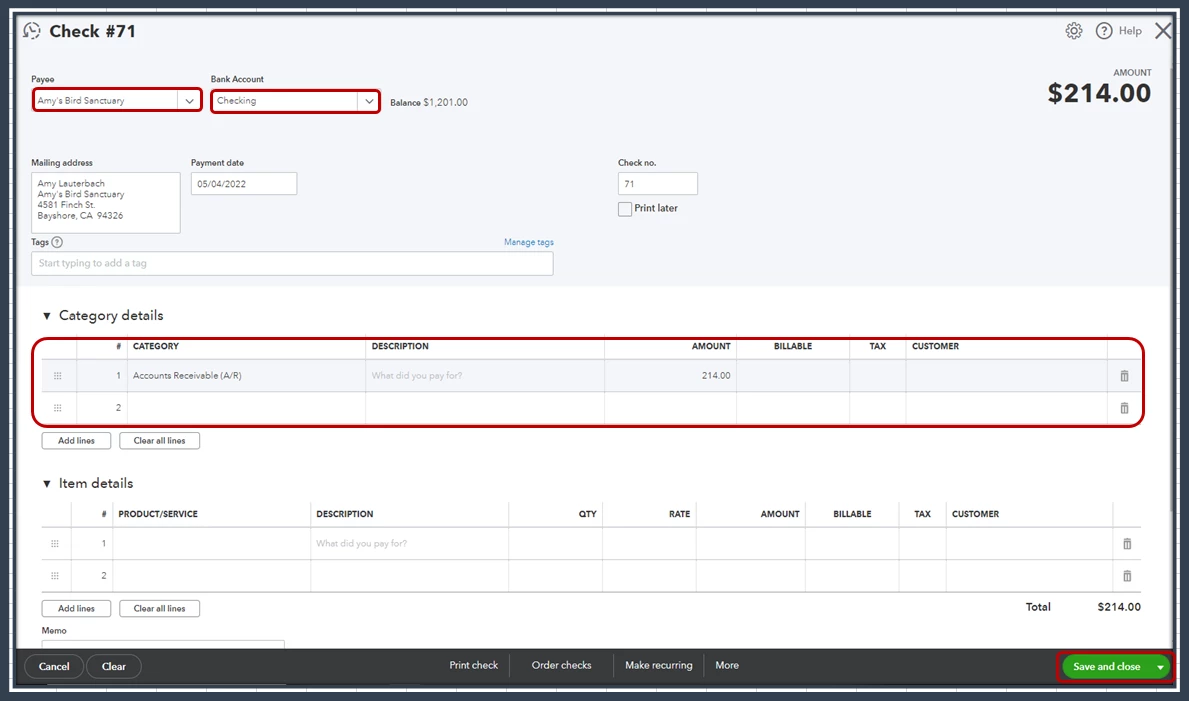
- Click on Save and Close.
Then, let's receive the payment to link the transaction you've created and the available credit. Here's how:
- From the + New menu, select Receive Payment.
- Choose the name of the customer.
- Place a checkmark on the Expense or Check transaction.
- Scroll down to the Credits section, then select the $214.00.
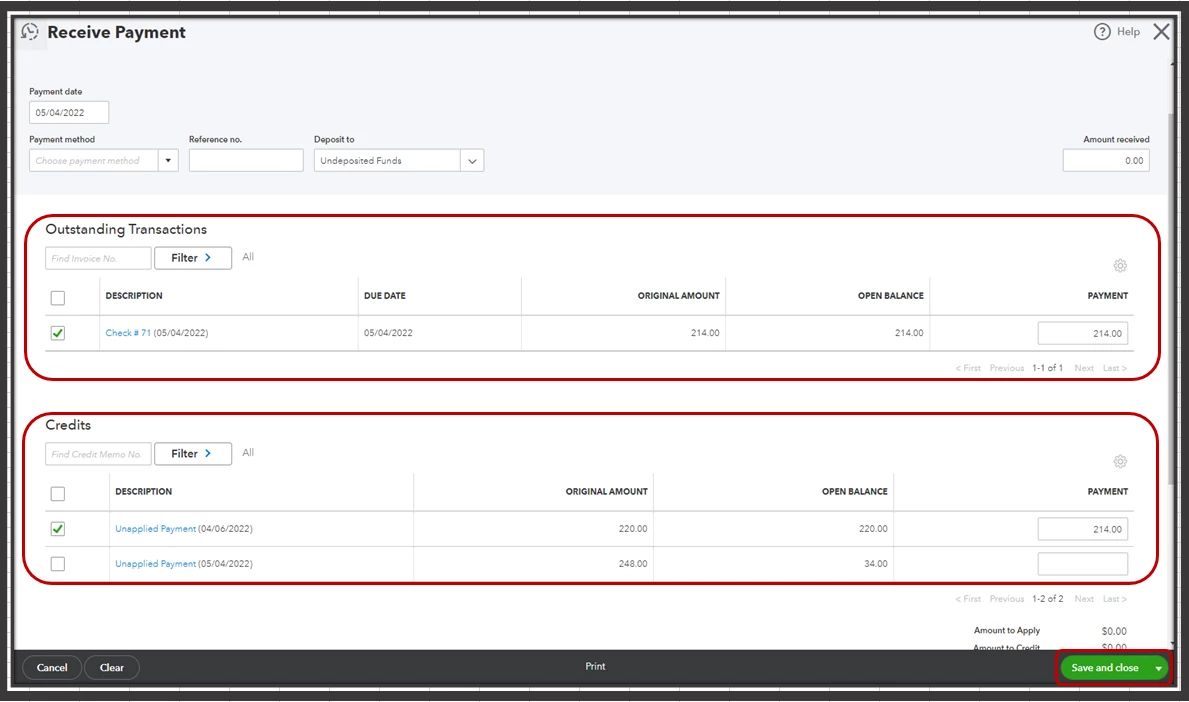
- Click on Save and close.
Once done, you can now reconcile your deposit.
In case you'll need to process a customer refund in the future, I'd recommend checking out these articles for detailed and accurate steps:
Should you have any follow-up questions or concerns, don't hesitate to post again or leave a comment on this thread. We're always here to help you out.

