

March 18, 2021
Question

I can't seem to edit my expenses

  • March 18, 2021
  • 3 replies
  • 0 views

So I have this weird bug with my software... I have all my expenses imported from my bank account and if I need to, I manually enter them in as an expense. I no longer can view my expenses. I just get a screen that shows me that I need to add a bank account. But my bank account is already connected. I tried calling QuickBooks support, but they said they couldn't figure it out and would need to get back to me in a few days. I've actually called them on two separate occasions about this. This is the second time. The first time they said the same thing, that someone would contact me with a solution. But they never did contact me. And I'm doubtful that they will contact me again.
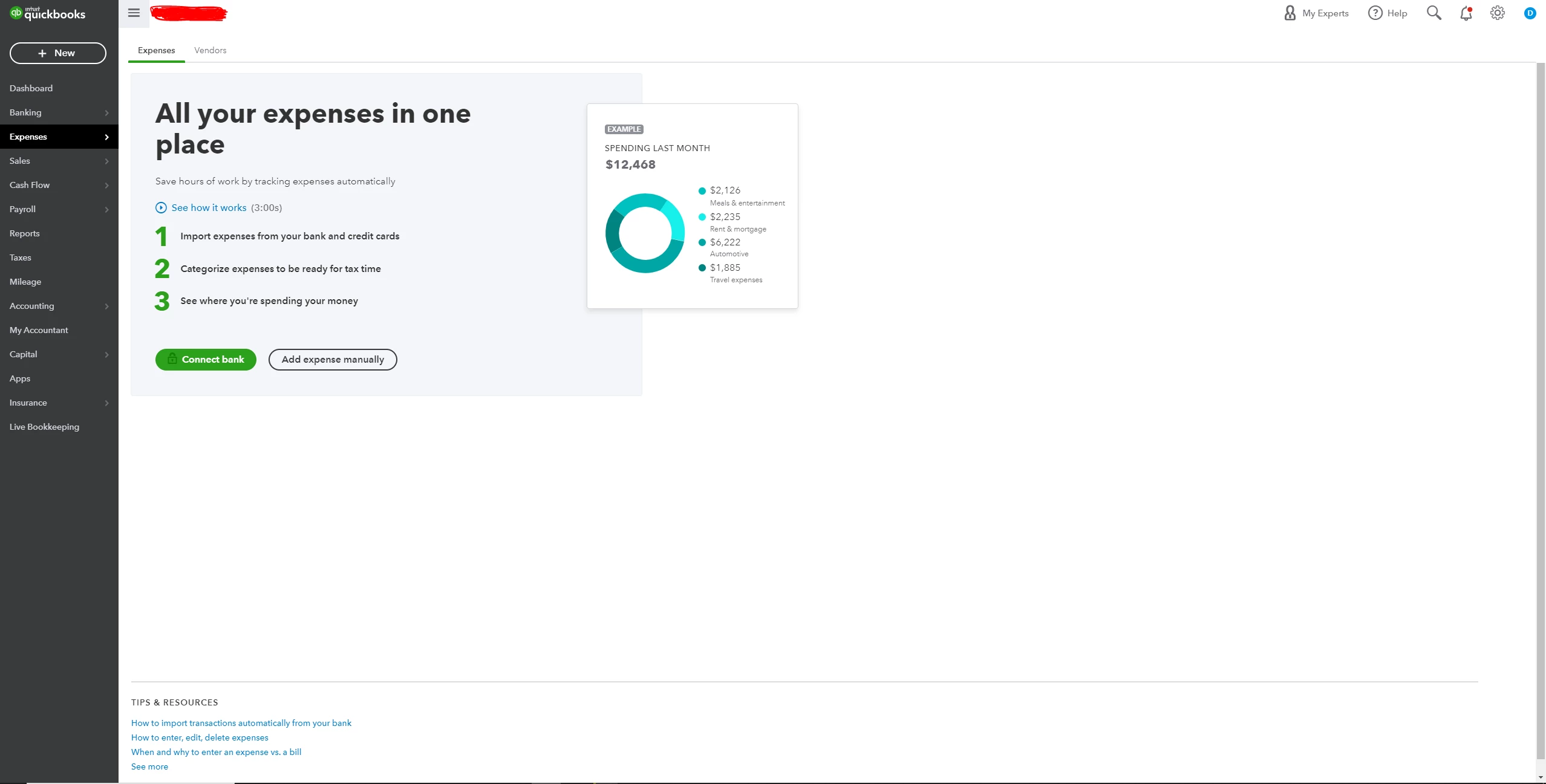
 

So I am turning here to see if anyone else has experienced this issue. I have a screen shot below for reference. 

3 replies

March 19, 2021

Hello @deni1,


There are times that the frequently-accessed page resources stored on your browser may affect your browsing experience. They can cause unexpected browser problems like the behavior you received when working with your bank in QuickBooks Online (QBO).


Let's consider logging in to your QBO account using a private or incognito window so we can isolate this issue. To do so:

  • Google Chrome: Ctrl Shift N
  • Mozilla Firefox: Ctrl Shift P
  • Safari: Command Option P

If this works, you can clear your regular browser's cache so the system can start fresh. But if you get the same results while using a private browser, use a different browser app instead.


Additionally, I've also included this reference for a compilation of articles you can use while working with us: Banking for QuickBooks Online.


If there's anything else that I can help you with, please let me know by leaving any comments below. I'll be here to lend a hand.

deni1Author
March 19, 2021

This did not resolve the issue. I used chrome. Opened a window in incognito and logged in. The issue still persists. 

deni1Author
March 19, 2021

I also tried to different web browsers and the issue still exists. 

March 19, 2021

Hello @deni1,


Thank you for letting me know about the results after following the suggestions above. Since the issue persists, I'd recommend contacting our Customer Care Support.


Even if you've already contacted them, only our specialists have the tool to pull up the account on file. And investigate what is the reason behind the unexpected browser problem you received while working with your bank. To do so:

  1. Go to Help.
  2. Select Contact Us.
  3. Enter a few words describing the browser problem in the What can we help you with? field.
  4. Click Continue.
  5. Choose a channel where you wish to connect with our specialists.

In the same manner, here's an article you can read to learn more about when are you able to connect with our support: Contact QuickBooks products and services support.


On top of that, I've also included these helpful articles for steps and references related to your "How do I" tasks: Help Articles for QuickBooks Online.


You can always leave a comment below or start a new thread if you have any other questions aside from working with your bank. I'll be here to help.

deni1Author
March 22, 2021

I've done that twice now. The first time I contacted someone in support they said someone would return with an answer via email. Nothing happened after a month. So I again called back this past Thursday. I still haven't heard back and don't expect to hear from anyone. It's rather frustrating knowing Intuit will continually charge me my subscription fee but not provide adequate support. And I can't seem to find an answer here either.  :/

March 26, 2021

I'm having this exact same problem.  I have two companies, though, I can see the expenses for one company but not the other.  I also just get the advertising screen telling me to connect my bank account.

deni1Author
May 5, 2021

Very weird. They still haven't fixed my problem and support hasn't contacted me since my ticket was created. For a company with such a huge presence in accounting, I'm shocked at how poor their customer support is. 

May 7, 2021

I fixed this problem, on my own, by entering a dummy expense for the current year.  Previously, there were only last year's expenses for the company that I couldn't see.  Once I did that, I could see all the expenses and filter them and the advertising screen went away.