
Solved
I want to save a register as a PDF but when I look in file drop down list it does not give me that option it is grayed.
I can print register

I can print register

Welcome to the QuickBooks Community, @Ron Boehly.
Let me share with you the options you can apply to the register in QuickBooks Desktop (QBDT). Print, Edit Transaction, QuickReport, and Download Transactions are the options that you can use. As a workaround, you can generate a report to save the register as a PDF.
Here's how:
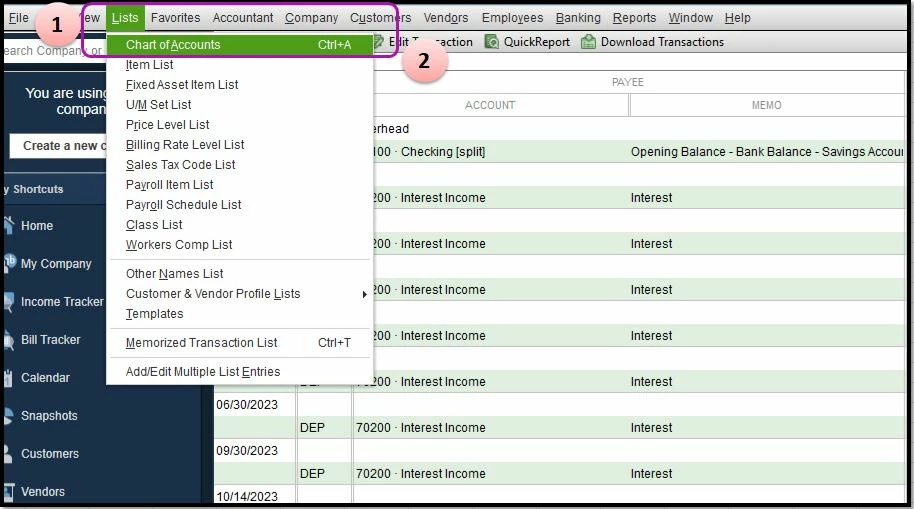
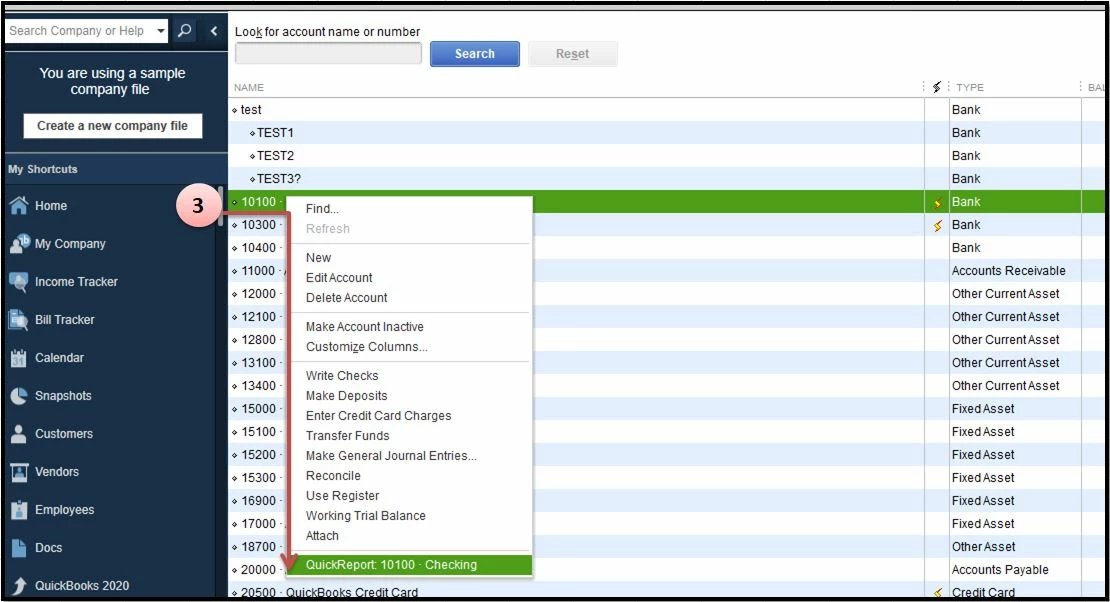
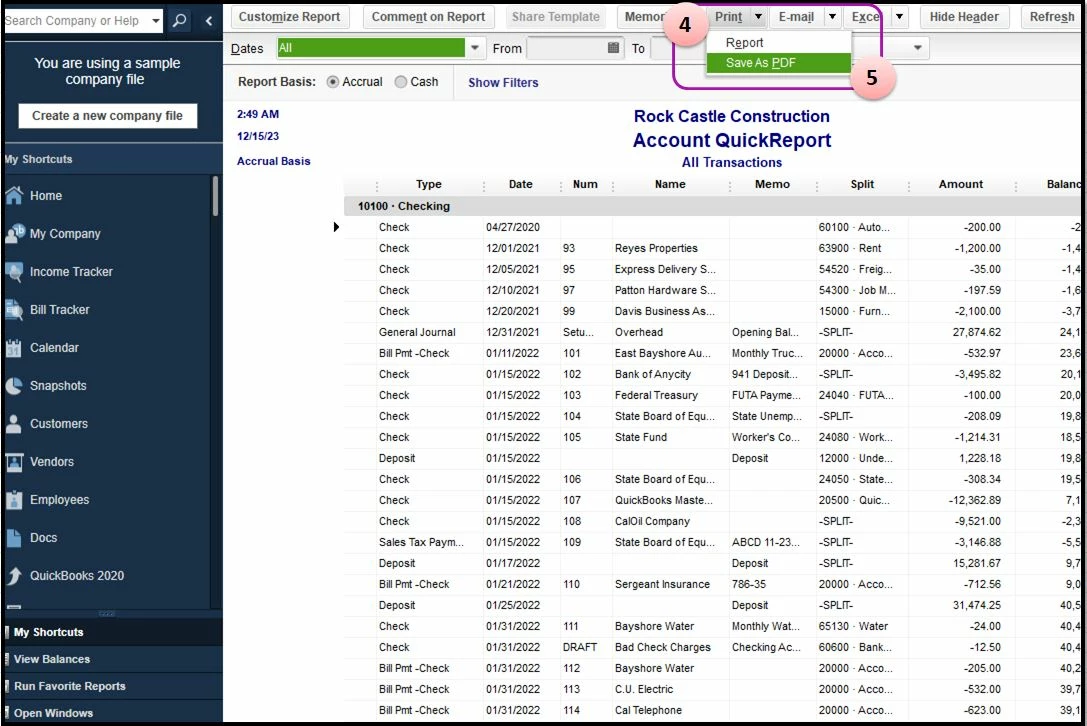
You can also check this article if you want to change your PDF format in QuickBooks Desktop: Save PDF in QuickBooks Desktop. The article will provide you detailed steps in changing the file size and the file orientation.
Feel free to post a reply below if you have additional questions. I'm always here to help. Stay safe and have a wonderful day!
Enter your E-mail address. We'll send you an e-mail with instructions to reset your password.