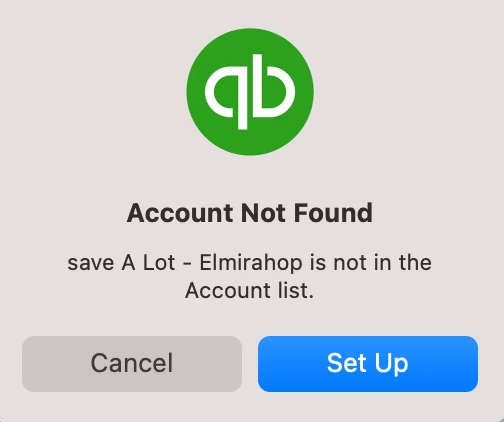
Incorrect autofill of account fields
Suddenly my account fields when I am filling in expenses or splitting payments are autofilling with customer names. As soon as I begin to type the first letter of an account a customer name that begins with that letter fills the field and as I type subsequent letters in the account they are just tacked onto the customer name and I am asked do I want add this account!!! The only way I can enter accounts in fields is to use the drop down menu which is making this impossible and extremely frustrating.
What has happened? I've rebuilt my file a couple of times and verified that it doesn't have errors. I'm using Mac Plus 2023 version v22.0.5. R6.1 Build 730.
For this example withdrawal I was trying to put in the account "Shop Supplies". After I put in the first "s "the customer was auto inserted and the next three letters "hop" which got put at the end of the customer name.
Where in the world did this all come from? And why are accounts not being used instead of customers being auto inserted after first letter is typed? Thanks for any help on getting this rectified. Much appreciated.